WhatsApp will let you buy and install a travel data eSIM without leaving the iPhone app. The company announced the feature on its official blog on November 26, 2026, and the rollout is "select countries soon". When the option appears in your app, the flow is a few taps: pick a plan for your destination, install the eSIM, and land with data on your same WhatsApp number. Until it appears, Apple's own travel eSIM settings already work on the current iOS 27.2.1.
What WhatsApp announced on November 26
The official post describes one thing: a new way to buy and install a data e-SIM when traveling internationally in a few taps without leaving the app, so that when you land you keep using WhatsApp on the same phone number. No airport kiosk, no hunt for cafe Wi-Fi, no roaming charges for data. WhatsApp says it is working with e-SIM providers and telco partners including Jio, Smart Axiata, Smart Communications, Verizon and others.
The gaps matter as much. The post publishes no country list, no prices, no plan sizes, and no date beyond "soon". The official line is that you will see the feature in the app when it is available for you. If you do not see it yet, nothing is wrong with your account.
Where the travel eSIM option appears in WhatsApp
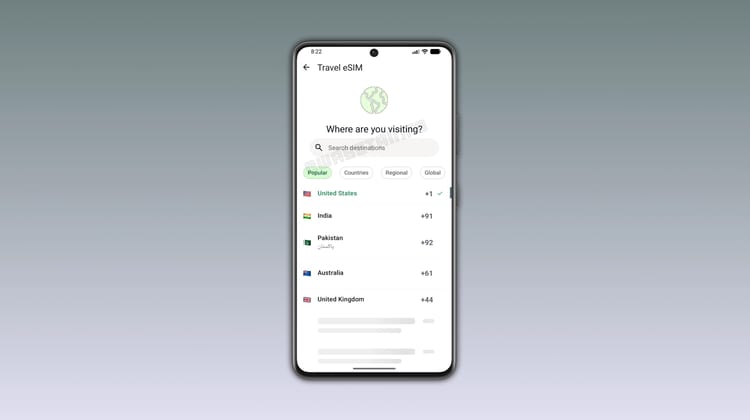
Screen-level detail comes from WABetaInfo's November 26 report, and it is reporting, not official documentation. According to the site, an upcoming update adds a new option in the Account screen where you can discover and buy a Travel eSIM. Plans differ by country depending on the local partners. After you install a plan, WhatsApp activates it when the phone connects to a local network at the destination, then sends a notification that data is ready.
WABetaInfo's earlier Android beta teardown, based on WhatsApp beta 2.26.47.4 and written as still under development, adds that plans are powered by 1Global, with fixed and unlimited types. Keep those as pre-announcement details. The official blog names Jio, Smart Axiata, Smart Communications, Verizon and others, and does not name 1Global or publish a menu path. The travel eSIM is data-only, so nothing happens to your main number. For the rest of WhatsApp on iPhone, our WhatsApp chat themes guide covers the other feature this month.
Check that the iPhone is unlocked before buying any travel eSIM
The plan will come from a partner carrier, not your home carrier. So do the unlock check first. Open Settings > General > About and read the Carrier Lock line. If it says "No SIM Restrictions", the iPhone is unlocked and can take another carrier's eSIM. Only your current carrier can unlock the iPhone. Apple cannot do it for you, and a locked iPhone will reject the travel eSIM.
Apple's device floor for travel eSIM is iPhone XS, iPhone XS Max, iPhone XR or later, and activation needs Wi-Fi or a hotspot. On iPhone 13 and later two eSIMs can be active at the same time. The travel line does not have to replace anything.
Apple's travel eSIM settings are a separate path from WhatsApp
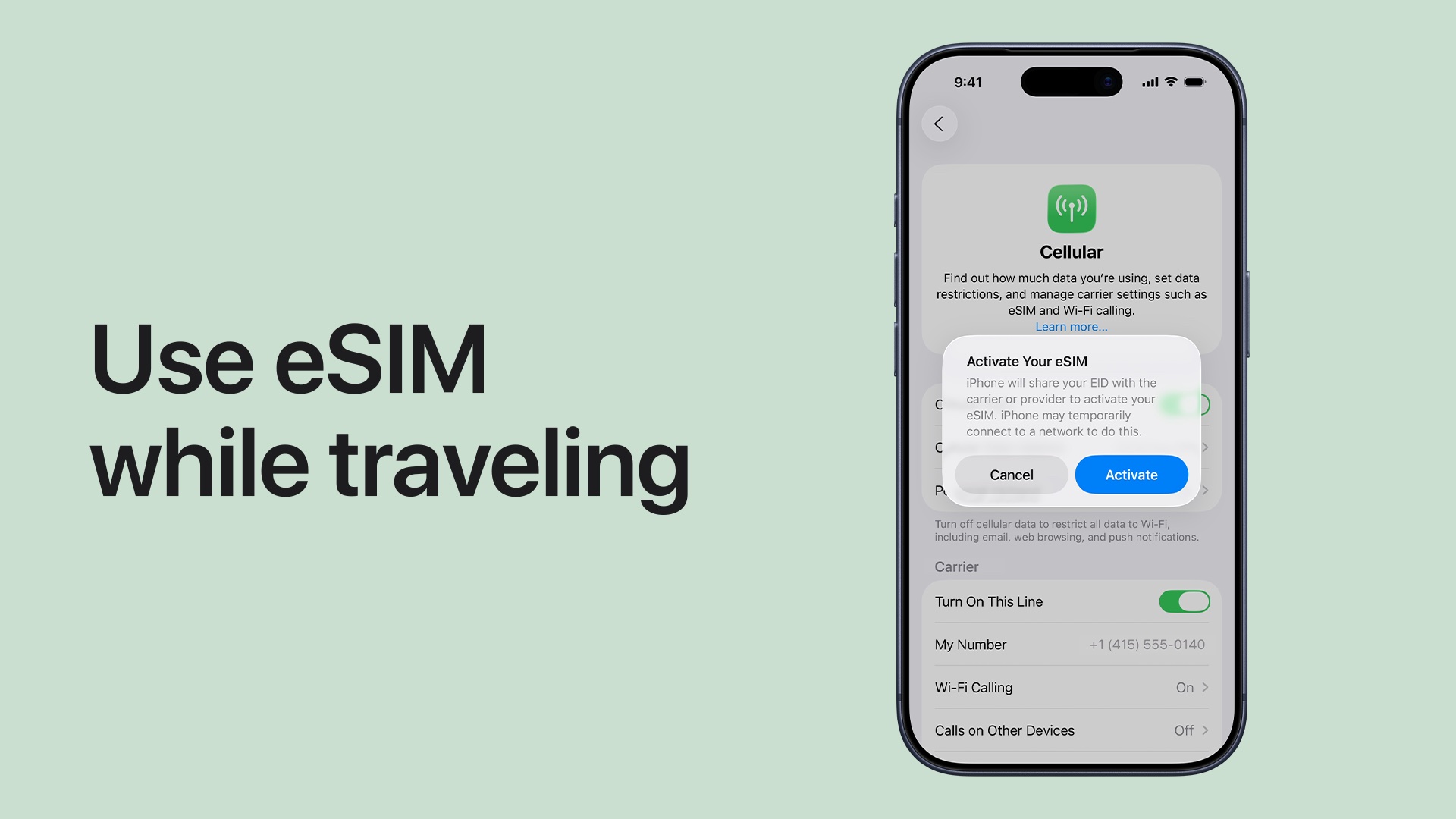
While you wait for the WhatsApp option, iPhone already has its own travel eSIM entrance. Apple's iPhone User Guide lists it as Settings > Cellular > Add eSIM > View Travel Options, with cellular service or Wi-Fi connected. This list is not the WhatsApp purchase, and it does not sell the same plans.
On iOS 26 and later, which covers the current iOS 27.2.1, arriving with a travel eSIM installed can trigger a "Turn On Travel eSIM" notification. Tap it, then choose Travel eSIM Only or Travel eSIM and Current eSIM. Keep both lines and the travel eSIM is used for data, while the home eSIM can still incur roaming fees. Then Continue and pick Turn on Low Data Mode or Not Now. You can also set the data line yourself at Settings > Cellular > Cellular Data.
FaceTime and iMessage keep working on the home line even if you choose Travel eSIM Only. The return trip is less automatic: depending on the country, iPhone turns the travel eSIM off and the home SIM back on by itself. If no notification appears, go to Settings > Cellular, turn on the line you want, and switch off travel lines you no longer use. If the phone drops to No Service after a line swap, our No Service fix walks the first checks. On airport Wi-Fi only, iOS 27 Connectivity Assist keeps weak signals usable.
China mainland limits still apply to any travel eSIM
Apple's China mainland rules decide where a travel eSIM can even be installed. Official support article 123879, published September 9, 2026, lists the eSIM-capable models sold there: iPhone 18 Pro (A3715), iPhone 18 Pro Max (A3718), iPhone Duo (A3721), iPhone 17e (A3635), and iPhone Air (A3518). Activation with China Mobile, China Telecom, or China Unicom needs a carrier store visit with a government ID or passport. Other models cannot install eSIM profiles from China mainland carriers, and a phone bought outside China mainland cannot use a mainland carrier's eSIM.
Two limits catch travelers most often. A non-China-mainland travel eSIM cannot be installed while you are located in China mainland, so a WhatsApp plan has to wait until after you leave. And a China-purchased eSIM-capable iPhone stores up to two eSIMs. If both slots are full, delete one before adding the travel eSIM. Reactivating the deleted home eSIM later takes another carrier-store visit, not a Settings toggle.
Before the next trip, read the Carrier Lock line in Settings > General > About. If the WhatsApp option has not shown up in account settings yet, Apple's own travel list or its per-country carrier directory can still get you a destination plan. WhatsApp's prices will only be visible in the app once the feature reaches your country.
Photo: WABetaInfo (featured), Apple Support (inline)
Source: WhatsApp Blog, WABetaInfo, Apple Support 118227 / 123879 / iPhone User Guide