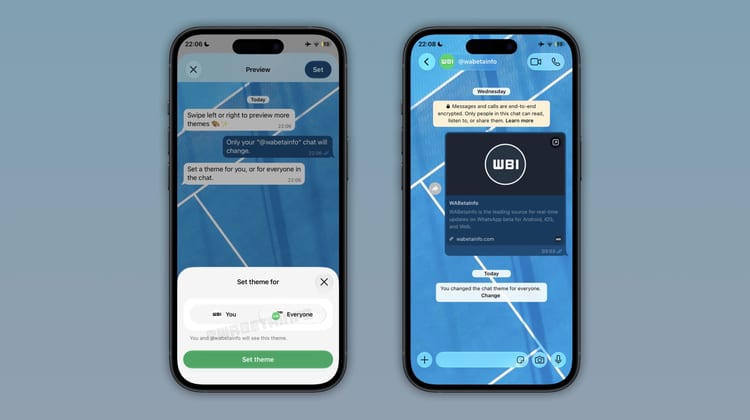
WhatsApp is testing chat themes that both sides of a conversation see. The change comes in WhatsApp beta for iOS 26.45.10.72 on TestFlight, and WABetaInfo reported it on November 21, 2026. After you pick a new theme or a wallpaper on iPhone, a sheet asks Everyone or You. Everyone puts the same wallpaper and bubble color on the other person's screen. You keeps it on your phone. The rollout is limited to some beta testers, and WhatsApp has not announced a public date.
How to change a chat theme on iPhone today
The public app is covered by the official WhatsApp Help Center page for iPhone. Open the chat, tap the chat's name, tap Chat theme, select a theme, then tap Set. The same screen holds Wallpaper (Choose from Photos, Set a color, Create with AI) and Chat bubble. For one look across all chats, tap WhatsApp Settings or your profile picture, then Appearance, then Default chat theme. That default is personal. It never changes the other person's screen. If the Chat theme option is missing after an update, our guide to fixing WhatsApp not working on iPhone covers the usual checks. For other WhatsApp housekeeping, we also covered how to recover deleted WhatsApp messages on iPhone and Android.
Where the Everyone or You sheet appears in WhatsApp beta for iOS 26.45.10.72
In the TestFlight build, start from the chat info screen. Choose a preset theme or a wallpaper from your photo library. The app then shows the bottom sheet. Tap Everyone and WhatsApp applies the theme and wallpaper to the other person or the group. Tap You and nothing leaves your phone. Until now, chat themes on WhatsApp were personal by default. The two sides of one conversation could look completely different, and there was no way to sync them.
Look at the default before you confirm. WABetaInfo says Everyone is preselected. A custom photo wallpaper goes to the whole group unless you switch to You.
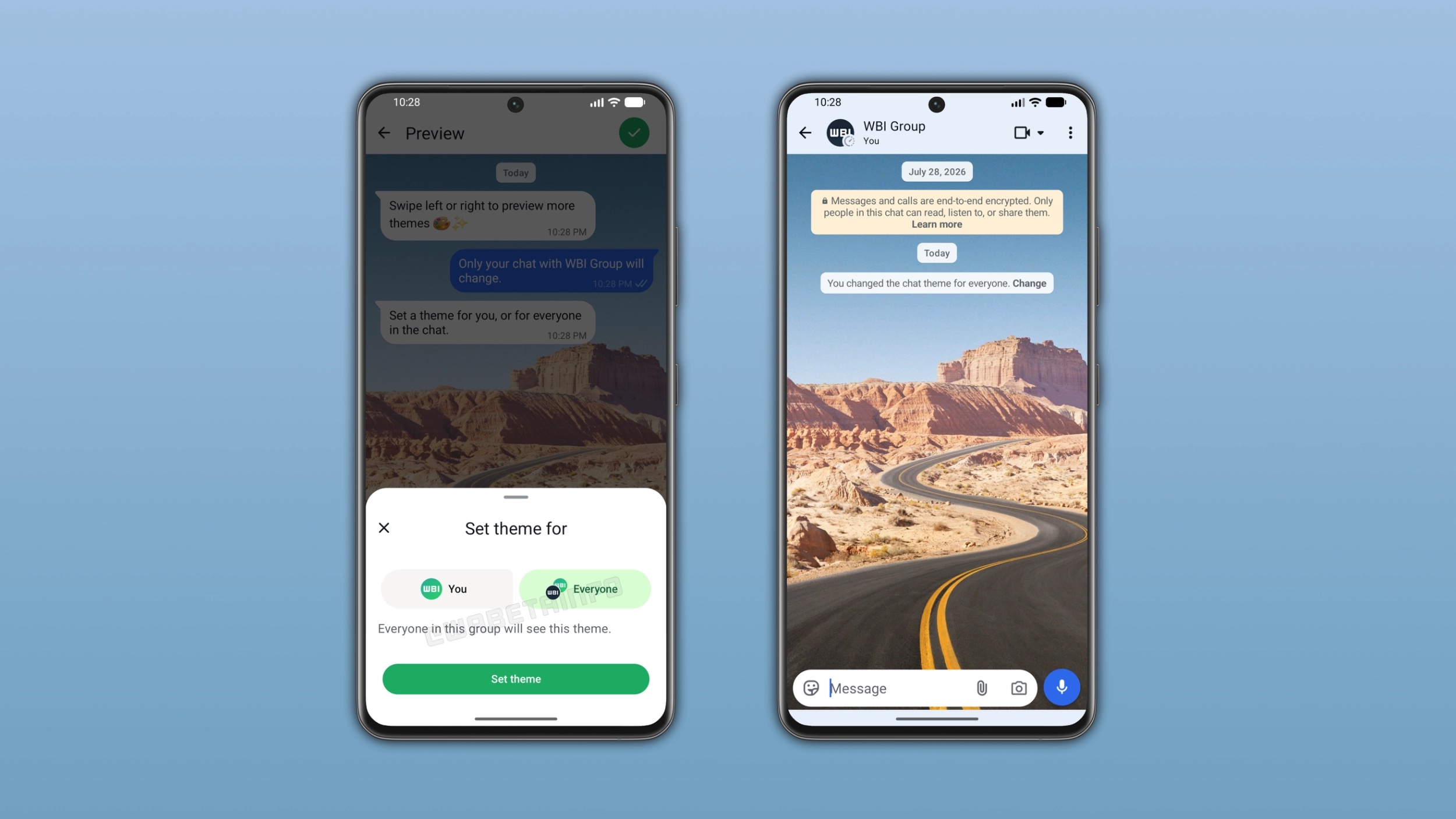
What the chat shows after you share a theme
A shared change drops a system message into the chat. The message names who changed the theme and includes a shortcut for changing it again, so the other side can pick a different look in one tap. WABetaInfo says the message appears in both individual and group chats. The site also reports that shared themes and wallpapers are protected by end-to-end encryption, and that WhatsApp cannot see which wallpaper a conversation shares. That encryption wording comes from WABetaInfo's beta coverage. The Help Center page does not mention it.
Why you might not see the sharing option yet
WhatsApp rolls the sheet out gradually. Installing beta 26.45.10.72 does not guarantee it. WABetaInfo says the option should reach more accounts over the coming weeks. Android users got the same capability one day earlier: WABetaInfo reported it on November 20 for WhatsApp beta for Android 2.26.46.8, where the path runs through the overflow menu instead of the chat info screen. Theme sync was also spotted in the iOS 26.37.10.16 beta back in September, but WABetaInfo listed it as under development and not yet usable for testers then. On the public App Store build, no Everyone or You sheet is expected yet. Use the personal Chat theme path until WhatsApp ships the sync to everyone.
Photo: WABetaInfo (Android beta screen). Source: WABetaInfo, WhatsApp Help Center.