Talkie is gone from the App Store, but that is not the same as gone from your iPhone. Apple removed MiniMax's AI companion app worldwide on November 25, and an already-installed copy is a separate problem. Apple publishes no support page saying a takedown removes installed apps. So check the device yourself, delete the app by hand, and cancel any subscription on its own. The steps below are the ones Apple documents, with the limits spelled out.
Apple has not said an installed copy is removed
The removal is confirmed. Apple told the South China Morning Post it pulled Talkie from App Stores worldwide for including sexual content, "though it did not say whether this related to sexual content served to minors." The reporting that triggered it came from a joint investigation by the UK's Bureau of Investigative Journalism and Australia's ABC News. 9to5Mac's report on the Talkie removal summarizes the findings. AppleInsider adds that some investigated conversations date to December 2024, and that Talkie "remains accessible through the web and Google Play."
What Apple has not said: whether a leftover copy still opens, and whether Apple ever removes installed apps after a takedown. This newsroom checked Apple's support pages and found no such statement. Treat the app like anything else sitting on the Home Screen. Look for it. If it is there, delete it.
How to delete Talkie from iPhone or iPad
Apple's Delete apps on your iPhone or iPad page covers the whole path. If the icon is not on a Home Screen, swipe down from the middle of the screen and search in Spotlight. Apple says you can delete apps straight from Spotlight. Then:
- Touch and hold the app.
- Tap Remove App.
- Tap Delete App, then tap Delete to confirm.
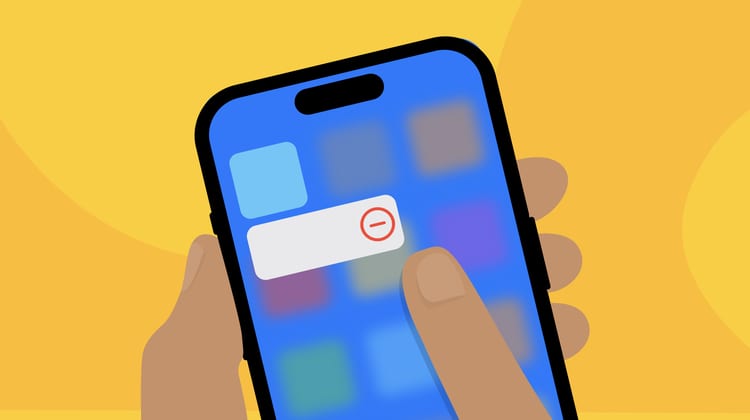
Jiggle mode works too. Touch and hold until the apps shake, tap the remove icon in the upper-left corner of the app, then tap Delete App and Delete.
No Delete App option showing? Two settings can block it. Apple's "If you can't delete an app on your iPhone" page says to open Settings > Screen Time > Apps & Websites > Restrictions and make sure Deleting Apps is set to Allowed. A work or school device can also block deletion through mobile device management. Settings > General > VPN & Device Management lists a profile if your device is managed. In that case only the IT admin can remove the app.
Deleting the app does not cancel a subscription
Apple's delete page says it plainly. "If you delete an app, it doesn't automatically cancel in-app subscriptions." So look before you delete. Settings > [your name] > Subscriptions shows what is active. If Talkie is listed there, tap it, then tap Cancel Subscription. No Cancel button, or a red expiration message, means it is already canceled. If the subscription is missing, search your mail for "receipt from Apple" and check which Apple Account paid. Apple's Cancel a subscription from Apple page walks through the case where there is no Apple receipt at all. The charge may be from another company, and that company is the one to contact. Do not assume Talkie had a subscription. Cancel one only if a receipt or the Subscriptions list shows one.
If you also want the app out of your purchase list, Apple's "Hide and unhide apps in your App Store purchase list" page has the steps. App Store > your photo > Apps & Purchase History > Your Apps, swipe left on the app, tap Hide. Hiding removes nothing from any device. The app and its purchases stay in the full purchase history in Settings, and with Family Sharing, family members can no longer redownload it from your shared purchases.
On a child's device, block the app and the website
A leftover install on a child's iPhone or iPad is a Screen Time job. Apple's controls for a child's apps and websites start at Settings > Family > your child's name > Apps & Websites. Select the app and tap Block App. Read the official wording carefully. "The app appears dimmed on the Home Screen, but not deleted." Blocking stops use. It is not cleanup, so delete the app separately if you want it gone.
The web is the bigger hole. Reporting says Talkie remains usable in a browser, and blocking the app does not touch the website. On the same Apps & Websites screen, tap the website and tap Block Website to block one site. For wider coverage, Restrictions > Websites > Filtering offers Approved Websites Only or Limit Adult Websites. Apple does not state that Talkie's site is on any blocked list, so review the filtering choice yourself. The Screen Time settings checklist after the iOS 27 rename covers the rest of the renamed menus.
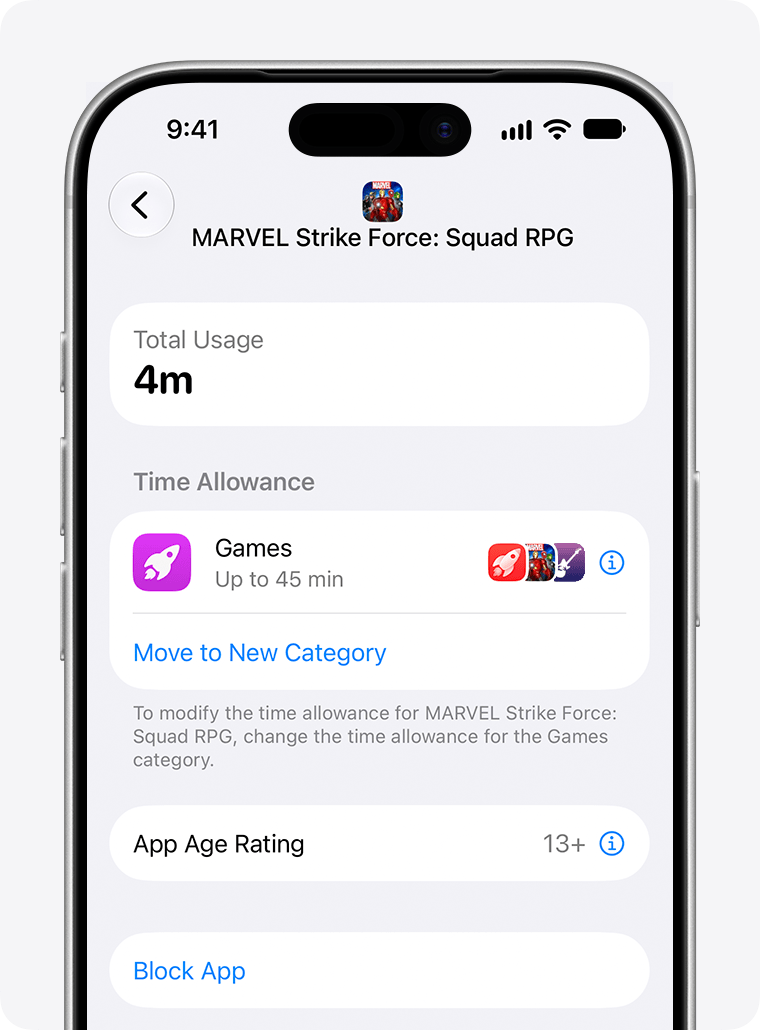
Photo: Apple. Source: Apple Support, 9to5Mac, AppleInsider