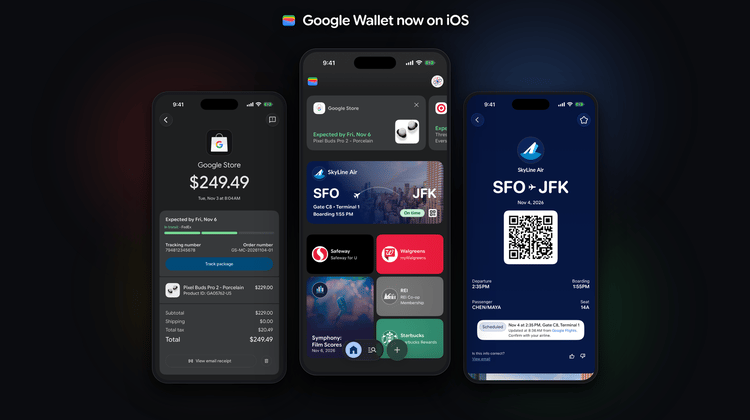
Google Wallet is now an iPhone app in the U.S. Google shipped it on Nov 17, 2026. The app does the useful part of a wallet without touching the register: it keeps tickets, loyalty cards, orders, and receipts in one place, and it speeds up online checkout. Setting it up takes one download and a Google account. Tap to pay in stores is a different question, and the official answer is a flat no for now.
Download from the U.S. App Store (iOS 17.0 or later)
Search the App Store for Google Wallet, or open the listing directly: seller Google LLC, Utilities category, free, 171.4 MB as of Nov 18, 2026. The listing requires iOS 17.0 or later. Google's launch post limits the release to iOS users in the U.S., so the storefront you see matters. The listing is marked "Only for iPhone" even though compatibility also names macOS 14.0 on a Mac with Apple M1 or later, and visionOS 1.0.
Sign in with your Google account after the install. The app connects with Gmail and your other Google apps, and it can show delivery statuses and travel details on any device where you are signed in to that account. What it reads from Gmail is your choice. The App Store wording is "You choose what Wallet imports from Gmail." This is a setting on the Google side, inside the app. There is no Apple Settings toggle for it.
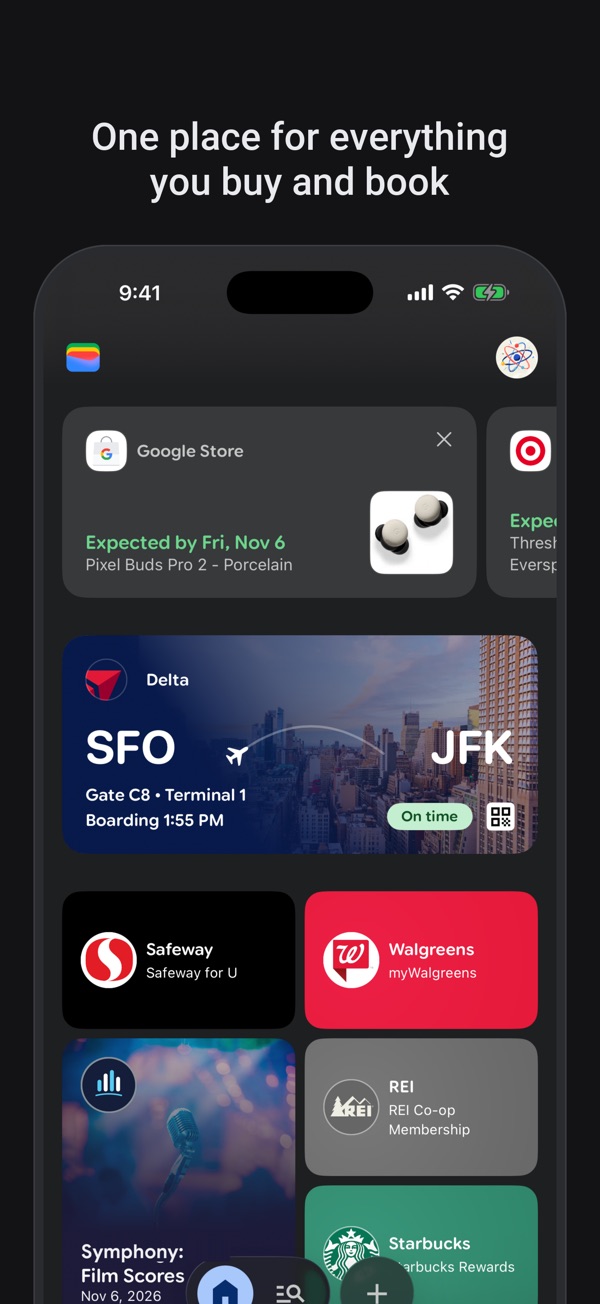
Loyalty cards scan with the camera, tickets arrive from Gmail
Two intake paths. Physical loyalty cards, gym memberships, and barcode passes go in through the iPhone camera. On the Gmail side, Google's list is package tracking, digital boarding passes, concert tickets, and receipts.
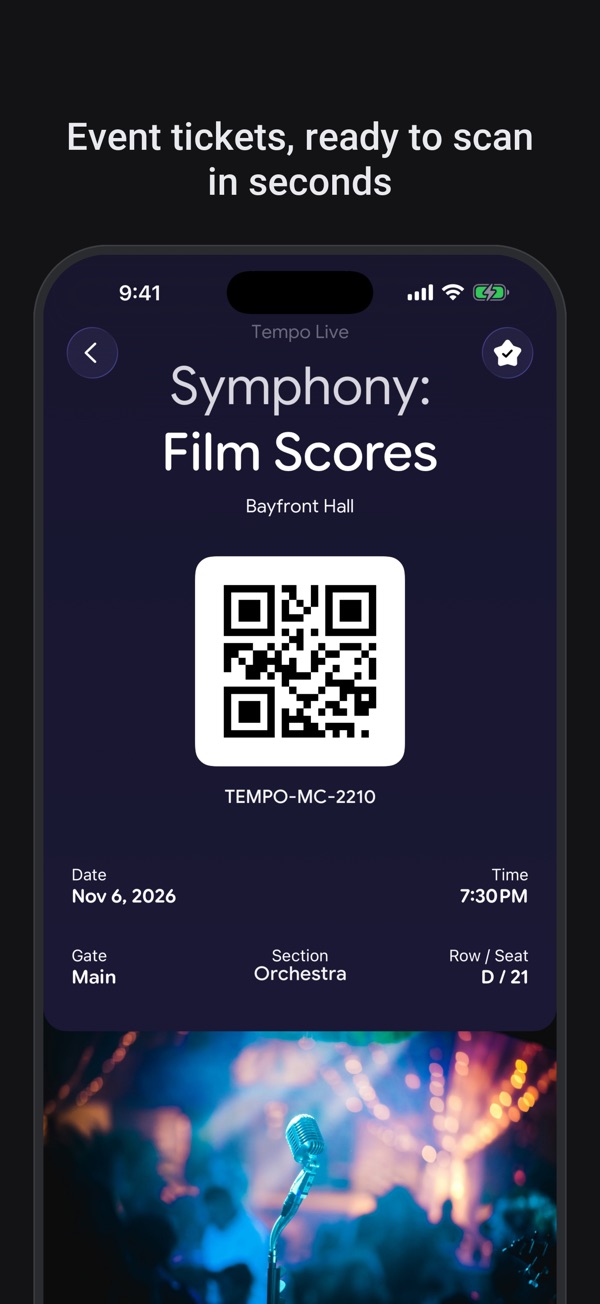
9to5Mac's walkthrough of the app (Abner Li, Nov 17) also shows a plus button that adds cards and pin controls for passes. Treat those labels as reporter notes from the app, not as an official settings path, and check them on your own phone. On the Apple side, passes live in Apple Wallet instead. Transit tickets there are expanding too: the Manchester Bee Card recently opened to all tickets in Apple Wallet.
Saved payment cards are for online checkout
You can store payment cards in Google Wallet, but the job they do is checking out faster online across Google and anywhere you use Google Pay. The store register is not included.
| What you want | Where it works on iPhone |
|---|---|
| Tap to pay at a store register | Apple Pay only. Google Wallet: in-store tap-to-pay is not supported on iOS at this time |
| Faster online checkout | Google Wallet saved cards, across Google and Google Pay |
| Loyalty cards, gym memberships, barcode passes | Google Wallet camera scan |
| Orders, receipts, boarding passes, tickets | Google Wallet, pulled from Gmail |
Payment-card economics are still moving on Apple's side too. In early November, banks won class status to sue Apple over Apple Pay issuer fees. That fight is about Apple Pay, not Google's app.
Tap to pay at the register is still Apple Pay
For stores, the iPhone flow is unchanged. Double-click the side button on a Face ID iPhone (double-click the Home button on iPhone SE), authenticate with Face ID, Touch ID, or your passcode, then hold the top of the iPhone near the contactless reader until Done or a checkmark appears. Apple's iPhone user guide documents this under Make purchases with Apple Pay (iphbd4cf42b4). The default card and shipping details live in Settings → Wallet & Apple Pay → Apple Pay Defaults.
Common mistake: double-clicking the side button and expecting a Google Wallet card. It will not present one. Adding Google Wallet cards to Apple Wallet does not work either. The two apps stay separate.
If some other contactless app already holds the default slot, the menu to change it is Settings → Apps → Default Apps → Contactless Apps (iPhone only, in some countries and regions). Apple's default apps support page (121430) has the path, and Apple's pages list that spot only for eligible contactless apps. Google Wallet is not named as one of them.
Why Google Wallet has no tap to pay: the NFC & SE agreement
The missing tap is not a hardware lock. Since iOS 18.1, Apple lets authorized developers run NFC contactless transactions from their own apps through the NFC & SE Platform, separate from Apple Pay. The bar is high: a commercial agreement with Apple, whose terms include any applicable fees, the NFC & SE Platform Entitlement, and for in-store payments a financial-institution license or a binding agreement with a licensed payment service provider. Users need an iPhone XS or later. Apple does not publish the fee amounts. Apple's NFC & SE Platform page lists the full requirements.
Whether Google is on that path is unknown. Google's wording is only that tap-to-pay "isn't supported on iOS at this time." No reason, no date. MacRumors reports the commercial agreement and fees "may be why" Google has not shipped support. That is reporting, not an official explanation from either company. So use Wallet for the tickets and the loyalty cards, keep Apple Pay on the side button for the register, and check the official line again when Google updates it.
Photo: Google (hero); Apple App Store (app screenshots).
Sources: Google blog, Nov 17, 2026 (P.J. Linarducci); Apple App Store listing for Google Wallet; Apple Support 121430; Apple Developer NFC & SE Platform; Apple iPhone user guide iphbd4cf42b4.