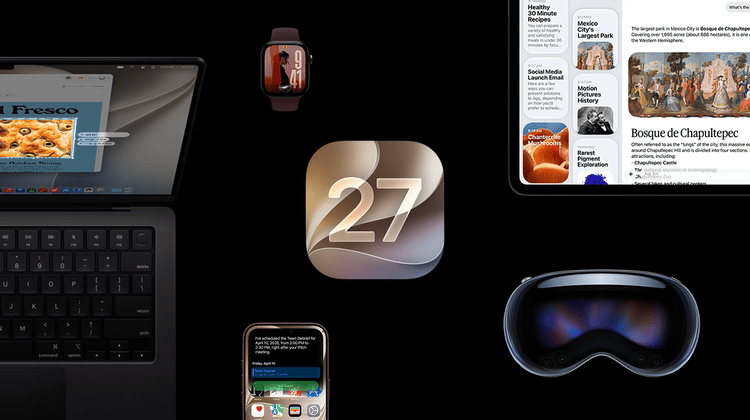
terminal-mac gives a coding agent its own Mac. The tool from govijr installs a real macOS guest on Apple silicon through Apple Virtualization, then streams the guest screen into your terminal. An agent can click, type, and screenshot inside that guest while your own desktop keeps the mouse and the clipboard. The project published v0.2.0-6 on 2026-11-03 and calls the build an early release candidate.
terminal-mac boots a real macOS guest with Apple Virtualization
The guest is a separate Mac. It has its own apps, files, accounts, and permissions, and it does not inherit your signed-in sessions. Two folders are shared into it: a control channel that carries request and reply JSON plus screenshots, and a read-only tools folder with the helper app. Host home folders, clipboard, microphone, and camera stay out. The VM still spends host CPU, memory, and storage, and its disk grows from a 64 GiB logical default. Apple documents the underlying approach in its macOS virtualization sample for Apple silicon.
The inline viewer works in Ghostty, Kitty, or iTerm2. Other terminals get the native VM window and the agent CLI. New VMs draw at 2x HiDPI, 2560x1600 pixels for the default 1280x800 points, so text stays sharp on Retina screens.
Install with get.sh; the first up downloads a restore image from Apple
One line installs it:
curl -fsSL https://github.com/govijr/terminal-mac/releases/latest/download/get.sh | bash
The installer verifies the release SHA-256, then puts a launcher in ~/.local/bin and the runtime under ~/.local/lib/terminal-mac. It needs no administrator rights and does not edit your shell config, so add ~/.local/bin to PATH yourself. Then run terminal-mac up. The first run downloads a compatible macOS restore image (IPSW) from Apple, installs the virtual Mac, boots it, and checks the guest helper. Later runs just reconnect.
Useful variants: terminal-mac up work creates a second named VM, --ipsw /path/mac.ipsw uses a local image, --no-view returns JSON when the agent is ready, --detach returns before guest setup, and --plan shows the steps without touching network or disk. In the viewer, Ctrl+] exits while the VM keeps running. Ctrl+G opens a palette of Mac shortcuts, because terminals keep the Command key for themselves.
One-time guest setup: TerminalMacGuest.app takes two permissions
First boot opens the VM window. Complete macOS Setup Assistant and create a guest account. Inside the guest, open Finder, go to /Volumes/My Shared Files/tools, and open TerminalMacGuest.app once. It installs itself into the guest's ~/Applications and shows two buttons. Grant Screen Recording and Accessibility in the guest's System Settings, and the CLI continues to the terminal desktop on its own.
This setup is guided, not unattended. The project's README notes the build targets the APIs of the installed macOS 26 SDK. Apple documents automatic account provisioning for macOS 27 guests, and this build does not implement that flow yet.

Claude Code and other MCP clients drive the VM
For Claude Code the project ships one plugin. /plugin install terminal-mac --marketplace govijr/terminal-mac adds both the MCP server and a skill that teaches the observe, act, verify loop. Two separate commands work too: claude mcp add terminal-mac -- terminal-mac mcp plus terminal-mac skills install. Cursor, VS Code, Codex, and Windsurf users paste the output of terminal-mac mcp --config into the client's MCP settings. Use terminal-mac mcp NAME for a VM other than the default one.
Without MCP there is still the action CLI on the host. terminal-mac action default screenshot --output /tmp/guest.png saves a PNG, terminal-mac action default click 640 400 clicks at screenshot coordinates, and type, key, scroll, drag cover the rest. Commands return JSON. If you only want agents to drive your real Mac apps, our agent-desktop setup for host-side app control is the shorter path. terminal-mac is for work you do not want touching the host at all. We covered the model side before, in running Claude Code against a local Ollama model and the Open Duet local coworker setup.
Early release candidate: the limits to know
Releases are self-signed with no Apple notarization. The curl installer does not need it, but you are trusting an unsigned build either way. Live guest acceptance on a clean Mac is still pending, per the README. Default NAT networking gives the guest internet access and a path toward host or local-network services, so this is not a hardened sandbox for hostile code. Run up --offline to cut the guest network path. There is deliberately no destructive VM-delete command yet. VM data lives under ~/Library/Application Support/terminal-mac/machines/NAME/ if you need to move an incomplete install aside and retry.
Photo: Apple / govijr terminal-mac. Source: govijr/terminal-mac on GitHub.