Claude Code can talk to models through Ollama. The short path on a Mac is ollama launch claude. It is not the same flow as wiring Ollama into the Claude Desktop app. That one lives under Ollama Apps. This tip is the Terminal coding agent.
Need Ollama first? Start with our Ollama on Apple silicon tip. Keep Ollama running before you launch.
Pull a model and raise context length
Claude Code needs a model with enough context for a real repo. Ollama’s Claude Code docs say pick a local model and set a 64k+ context window. Coding tools sit in the same bucket as agents and web search on Ollama’s context-length page: set at least 64000 tokens.
Pull one model you already trust, then check the library:
ollama pull qwen3.5
ollama list
Open the Ollama app Settings and move the context length slider up. Or start the server with an env override:
OLLAMA_CONTEXT_LENGTH=64000 ollama serve
A bigger window uses more unified memory on Apple silicon. After launch, run ollama ps and read the PROCESSOR and CONTEXT columns. Aim for 100% GPU when you can. If the Mac feels tight, unload with the steps in our ollama stop tip.
ollama launch claude
In Terminal:
ollama launch claude
That is the interactive path. Ollama’s CLI reference lists Claude Code among the supported integrations, next to OpenCode, Codex, VS Code, and Droid.
Pin a model on the same line:
ollama launch claude --model qwen3.5
For scripts or CI, docs show --yes with a required --model. Arguments after -- go straight to Claude Code.
If you skip launch, the manual env route is still documented. Set ANTHROPIC_AUTH_TOKEN=ollama, ANTHROPIC_API_KEY="", and ANTHROPIC_BASE_URL=http://localhost:11434, then run claude --model qwen3.5. On a Mac the local server listens on that host when Ollama is up.
Local model versus Ollama cloud
A local name keeps weights under ~/.ollama. Prompts stay on the Mac when you stay on a downloaded model. An Ollama cloud tag such as gemma4:cloud skips the download, but the prompt leaves for Ollama’s servers.
If the rule is local-only, use our turn off Ollama cloud tip before you launch. That path is separate from Apple Intelligence Writing Tools and from the Claude Desktop Apps connect.
VS Code Chat as the other launch
Prefer an editor window? Ollama’s VS Code docs use the Marketplace Ollama extension. Requirements list VS Code 1.127 or newer, Ollama running, and at least one local or cloud model. Open Chat, open the model picker, and choose a model under the Ollama section. Default discovery is http://127.0.0.1:11434.
You can also start from Terminal with ollama launch vscode, or run bare ollama launch and pick from the list. Refresh models from the Command Palette if the picker looks empty.
Models still take disk. Ollama’s macOS page says weights can reach tens to hundreds of GB. Move the library to an external drive with our Model location tip when the internal SSD fills up.
Photo: Apple
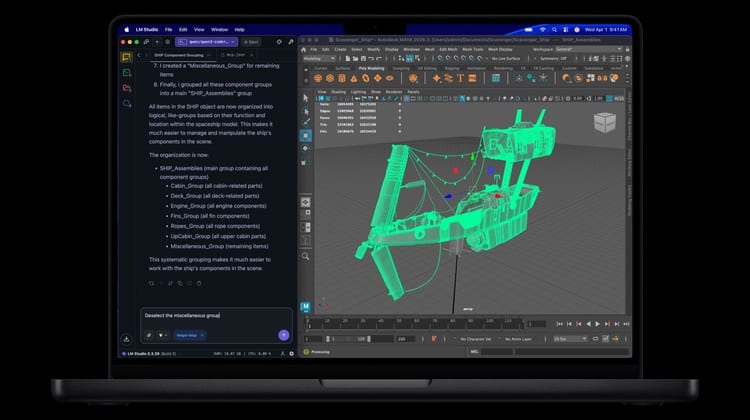
Source: Ollama Docs (CLI Reference, Claude Code, VS Code, Context length, macOS); Apple Newsroom (MacBook Pro M5 Pro/Max LM Studio scene, Mac mini Final Cut Pro, Mac mini Photoshop)