iOS 27.2 is still the update to install, and the case for it got stronger this week. On day 10 after the October 26 release, Apple's security releases page still lists 27.2 as the latest iOS and iPadOS as of November 5, 2026. Nothing newer is signed for the public. At the same time, a jailbreak demo from the Calif team showed a compromise that stays on the phone even after the update lands. The two facts point the same way. Move to 27.2 now.
What is public on November 5: iOS 27.2, build 24B119
The version path is simple right now. The public tip is iOS 27.2 build 24B119 for iPhone 11 and later, with a separate iPhone Duo public build 24B91020. iPadOS 27.2 shares build 24B119. Apple's About iOS 27 Updates page still ends at 27.2.
The first iOS 27.3 developer beta landed on November 3 as build 24C5037i, and it stays a developer seed. The iOS 27.3 beta 1 build check has the full list. iOS 27.2.1 is the other track people ask about. It is in internal testing only. No build number, no row on Apple's Developer Releases page, no entry on the security index. Overnight the top of Developer Releases moved only for tooling: App Store Connect 3.3.1 on November 4. That is not an iPhone update.
More than 160 fixes in Apple's iOS 27.2 security bulletin
Apple's security content document for iOS 27.2 and iPadOS 27.2, released October 26, is the real reason to update. MacRumors counted more than 160 vulnerabilities in it. The named ones include an Apple Intelligence flaw that could let a remote attacker reach sensitive data, and a Hide My Email bug that could leak the user's real email address. There are more than 30 WebKit fixes and about 15 kernel bugs.
Six CVEs in the bulletin credit Calif, the same team behind this week's demo. Calif researcher Stefan Esser said "most" of the vulnerabilities used for its jailbreak are fixed in iOS 27.2. Apple did not say any of the flaws are known to be actively exploited. With the details now public, an unpatched iPhone is the soft target.
Calif's jailbreak passed Lockdown Mode and survived the iOS 27.2 update
On November 3, Calif showed a jailbroken iPhone 18 Pro with Lockdown Mode switched on. The video shows a malicious PDF arriving over AirDrop and the user accepting it. From there iOS 27.2 is installed on the device, and the jailbreak is still in place after the update, as MacRumors reports.
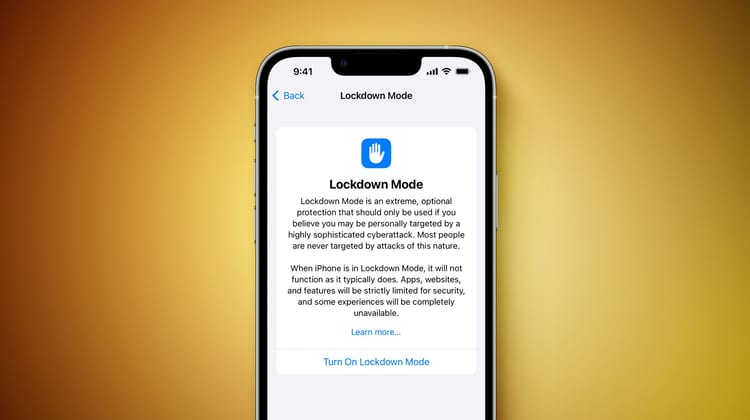
Two limits matter here. It is not clear the jailbreak can be installed on a phone already running iOS 27.2. And Calif says it is disclosing the vulnerabilities to Apple, with no jailbreak tool planned for end users. Apple describes Lockdown Mode as "extreme protection" against mercenary spyware, and earlier this year told TechCrunch it was not aware of any successful mercenary spyware attack on an iPhone in Lockdown Mode. The demo does not erase that record. It shows the protection has edges, and an accepted file is one of them. Calif showed an earlier untethered iOS 27.0.1 jailbreak at Hexacon in October.
What to do on your iPhone this week
The decision is short. If your iPhone runs anything older than iOS 27.2, install 27.2 today from Settings > General > Software Update. The demo is not a reason to hold back. The bugs behind it are mostly closed in 27.2, and the attack path shown needed the user to accept a file first.
If you are already on 27.2, there is nothing newer to install. 27.2.1 is not seeded, and 27.3 is a developer beta. Do not put a beta on a phone you rely on to chase fixes Apple has not shipped. If you already accepted a suspicious AirDrop PDF, follow the recovery steps for a compromised iPhone. For anyone who may be targeted, Lockdown Mode still earns its place, next to the iPhone security settings checklist after an Apple threat notification. The habit to change today: do not accept AirDrop attachments from senders you do not know.
Photo: MacRumors. Source: Apple security releases, Apple document 149230, MacRumors (1, 2).