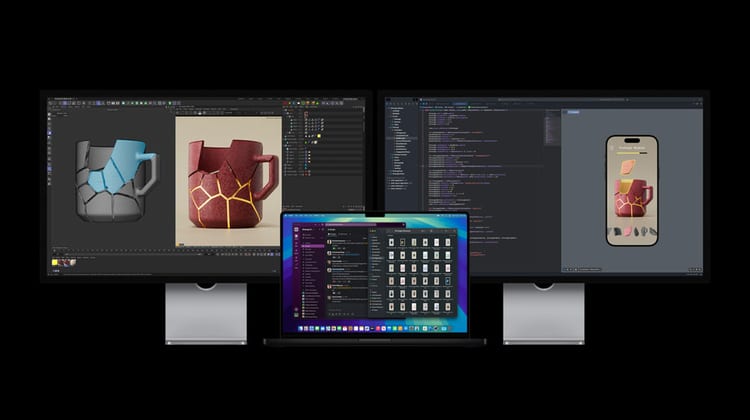
Many Mac tools speak the Anthropic Messages API. Ollama already exposes a compatible subset on the local machine at http://localhost:11434/v1/messages. You keep the model on disk, set two environment variables, and point the Anthropic SDK or a compatible client at that base URL.
This tip is not the Claude Desktop Apps toggle, and it is not ollama launch claude. Those are separate paths we covered in the Claude Desktop with Ollama tip and the Claude Code with Ollama tip. Here the front end is any Anthropic-shaped client. The model server is Ollama.
Need Ollama first? Start with our Ollama on Apple silicon tip. Keep the menu bar app running before you send a request.
Photo: Apple
Pull a model and set ANTHROPIC_BASE_URL
Pull a local model before you rely on it. Ollama’s Anthropic compatibility docs recommend coding-friendly names such as qwen3-coder:
ollama pull qwen3-coder
ollama list
Copy the exact NAME column. That string is what you put in the model field.
For tools that expect Anthropic’s API, set:
export ANTHROPIC_AUTH_TOKEN=ollama
export ANTHROPIC_BASE_URL=http://localhost:11434
The token is required by the client and ignored by the local server. The base URL is the Ollama host, not /v1. Anthropic clients append /v1/messages themselves.
Smoke test /v1/messages with curl
Prove the endpoint before you dig through app menus:
curl -X POST http://localhost:11434/v1/messages \
  -H "Content-Type: application/json" \
  -H "x-api-key: ollama" \
  -H "anthropic-version: 2023-06-01" \
  -d '{
    "model": "qwen3-coder",
    "max_tokens": 1024,
    "messages": [{ "role": "user", "content": "Hello, how are you?" }]
  }'
Replace qwen3-coder with your real model name. A JSON reply with text in content means the server is fine. Connection refused means Ollama is not up. Open it from Applications, then try again.
Python users can do the same with the Anthropic package. Set base_url to http://localhost:11434 and api_key to ollama, then call messages.create. That pattern matches Ollama’s docs.
Photo: Apple
Alias a hard-coded Claude model name
Some tools only offer classic Anthropic names such as claude-3-5-sonnet. Ollama lets you copy a local model to that label:
ollama cp qwen3-coder claude-3-5-sonnetThen pick claude-3-5-sonnet in the app. Traffic still stays on the Mac when you use the local server. The copy is only a second name for the same weights.
Ollama’s docs list what the local /v1/messages path supports: messages, streaming, system prompts, multi-turn, vision (base64), tools, tool results, and thinking. They also list what is not supported yet, including /v1/messages/count_tokens, tool_choice, prompt caching, batches, citations, and PDF document blocks.
Local Anthropic path versus OpenAI /v1 and Apps
Ollama’s OpenAI-compatible base URL is http://localhost:11434/v1. That path is for Chat Completions clients, covered in our Ollama OpenAI-compatible API tip. The Anthropic path uses the same host with Messages-shaped requests. Do not mix the two formats in one client.
A downloaded model name keeps weights under ~/.ollama. Prompts for that name stay on the Mac while you stay on a local tag. An Ollama cloud tag such as one ending in :cloud skips the download, but the prompt leaves for Ollama’s servers. If the rule is local-only, disable Ollama cloud features first so you do not send a :cloud tag by mistake.
Direct cloud access without a local install is a different route. Docs put that at https://ollama.com/v1/messages with Authorization: Bearer and an OLLAMA_API_KEY. This tip stays on localhost.
Photo: Apple
Source: Ollama Docs (Anthropic compatibility, Quickstart); Apple Newsroom (14-inch MacBook Pro M4 Xcode desk, MacBook Air lifestyle at work, MacBook Pro lifestyle travel)