The Emergency SOS page in Settings is easy to skip. Then you find out how it works on the worst day, or after a pocket press dials 911 by mistake. Two minutes now is better.
The page lives at Settings, Emergency SOS. Labels below follow Apple's iPhone User Guide for iOS 27, checked October 2026. Some rows depend on model and region.
Settings, Emergency SOS: the two call switches
Open Settings, tap Emergency SOS. Two switches decide how the call starts.
Call with Hold and Release. You press and hold the side button and either volume button. The sliders appear and a countdown runs. When the countdown on Emergency SOS ends, release the buttons and iPhone calls emergency services.
Call with 5 Presses. You press the side button quickly five times to start the same countdown.
India is different. There, three quick presses of the side button start the countdown. The hold method works only if Accessibility Shortcut is turned on.
Emergency contacts get a text after the call
When the emergency call ends, iPhone sends a text message to your emergency contacts unless you cancel. It includes your current location if available. For a period after you enter SOS mode, those contacts also get updates when your location changes.
No contacts, no text. Contacts are not set on the Emergency SOS page itself. They come from the Health app. Tap Set Up Emergency Contacts or Edit Emergency Contacts there, in the same place as Medical ID. Our Medical ID and Show When Locked tip walks through that screen.
For a normal night out, a Check In in Messages is the lighter tool. It tells one friend you got home.
Call After Severe Crash on iPhone 14 and later
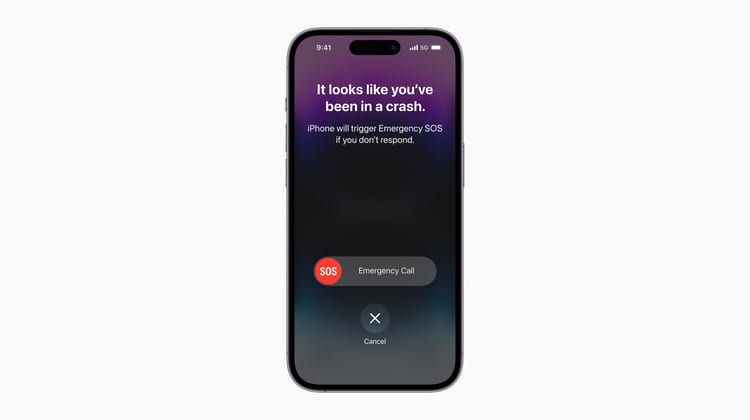
The same page has Call After Severe Crash. This is Crash Detection. Apple lists it for iPhone 14 or later, any model, and it is on by default.
If iPhone detects a severe car crash, it shows an alert. After 20 seconds it starts an emergency call unless you cancel. If you do not respond, iPhone plays an audio message to emergency services with your latitude and longitude and an approximate search radius.
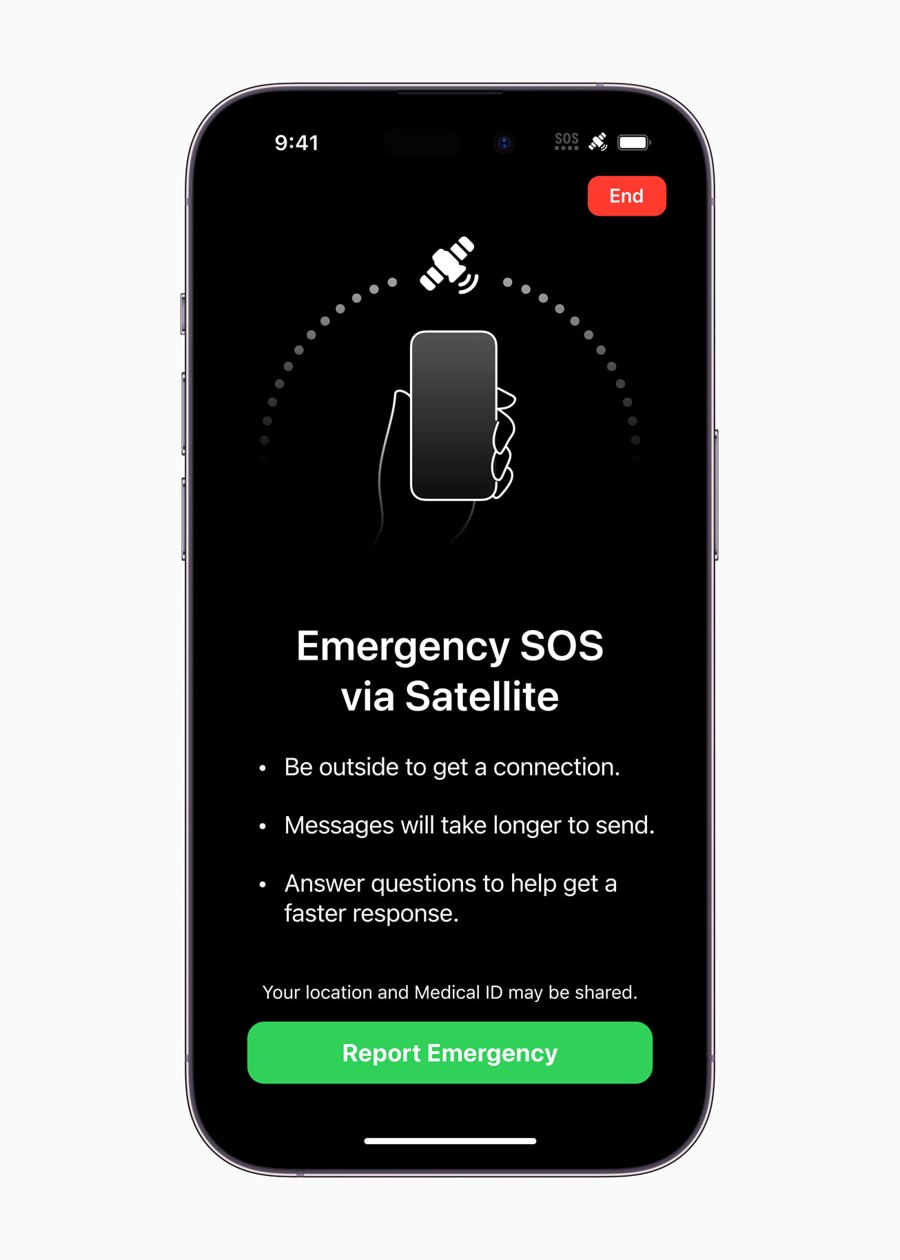
Switch it off and Apple stops the alerts and automatic calls. Third-party apps registered to detect crashes still get notified. With no cellular or Wi-Fi connection, iPhone tries Emergency SOS via satellite where available. Satellite is not offered in every country or region.

Common mistake: hanging up after a false call
A press in the pocket starts the countdown. The call connects. The reflex is to end it. Apple says do not hang up. Wait until a responder answers, then explain you do not need help.
Second mistake: turning off both switches to stop accidents. That leaves no button shortcut at all. A better fix is to keep Call with Hold and Release on and turn off only Call with 5 Presses.
After any emergency call, iPhone may disable Do Not Disturb, Silence Unknown Callers and Screen Time limits for a short time. That leaves the line open for a callback.
When iPhone is locked, or you cannot talk
On the Passcode screen, tap Emergency and dial the number, for example 911 in the U.S.
In some regions you can also text emergency services. Open Messages, type 911 or the local number in the To field, write the message, send. On iPhone 14 or later, a dispatcher may ask for live video or existing photos during the call. You tap Share, Choose, or Not Now.
Stolen-phone settings are a separate page. The Stolen Device Protection tip covers Face ID rules away from home. More switches are in our 10 iPhone security settings list.
Photo: Apple Newsroom / iPhone 14 Pro Crash Detection screen, Emergency SOS via satellite screen, satellite ground station
Source: Apple Support, iPhone User Guide (iOS 27): Use SOS to contact emergency services on your iPhone; Manage Crash Detection on iPhone 14 or later