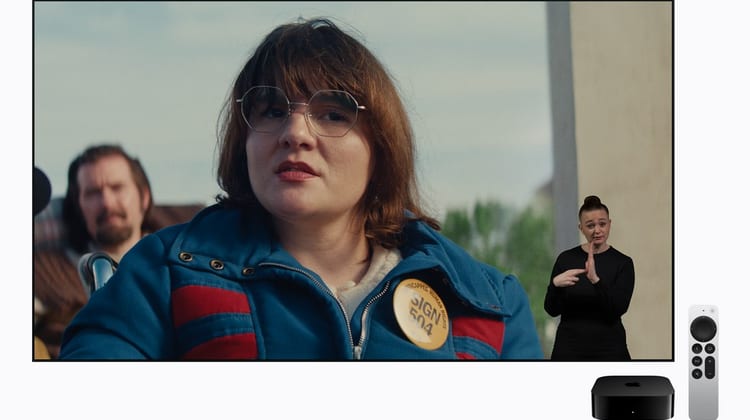
Apple announced on November 10 that the Apple TV app will play supported titles with sign language interpretation. The option covers American Sign Language and British Sign Language. A real interpreter appears in the corner of the picture, synced with playback. The feature goes live on Friday, November 13, so the toggle is not on your iPhone yet.
The feature goes live on Friday, November 13
Apple's Newsroom post says the Sign Language feature "will be available on Friday, November 13", timed with the global streaming premiere of Being Heumann, the film about disability rights activist Judy Heumann, directed by Siân Heder and starring Ruth Madeley. As of November 11 the option has not launched. If you go hunting for the toggle today and find nothing, that is expected.
Software first. The feature requires iOS 27.2 or later on iPhone, per Apple's footnote, and it is also listed for iPadOS 27.2, macOS 27.2, tvOS 27.2 and visionOS 27.2, or supported third-party devices running the latest Apple TV app software. Check Settings → General → Software Update before looking for anything else. An iPhone still on iOS 27.1 will not show the control.
Enable it in the TV pane of the Settings app
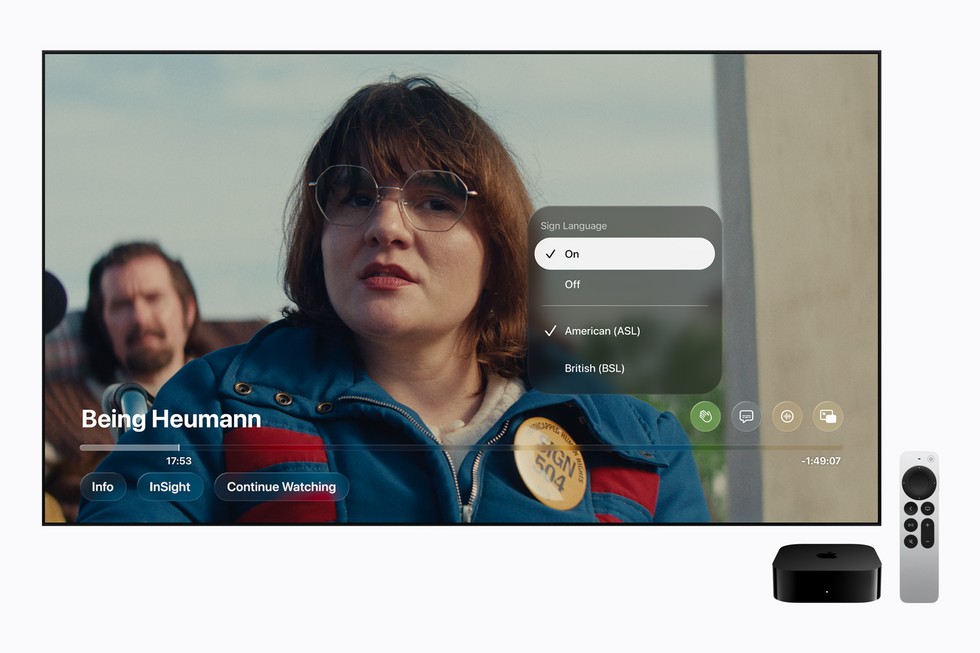
9to5Mac's walk-through has the most specific path. The Sign Language controls are hidden by default. Open the Settings app, go to the TV app pane, and enable the Sign Language display. Apple's own wording is shorter: turn the option on "in Apple TV app settings". Both describe the same step.
Do not look under Settings → Accessibility. This is not Live Captions, the feature that writes out videos, calls and the people around you, and it is not the triple-click Accessibility Shortcut either. Those are separate controls with separate jobs.
Press the Sign Language button while watching
With the setting on, open a supported title and press the Sign Language button in the player controls. Apple names this step in the Newsroom post, and MacRumors and AppleInsider repeat it. 9to5Mac says you then pick ASL or BSL from the button. Until the Settings toggle is enabled, the player button stays hidden, so a missing button does not mean the title is unsupported.
When it runs, the interpreter sits in the bottom-right corner, synced with the video (TechCrunch, MacRumors). The position is fixed. TechCrunch also makes the shape of the feature clear: it is an integrated toggle on the main title, like captions, not a separate cut of the film. Apple told TechCrunch it is not using AI-generated interpreters and worked with Directors of Artistic Sign Language on each performance. Daniel Durant, who appears in Being Heumann, directed the film's sign language interpretation.
Which titles show the Sign Language icon
Supported titles carry a Sign Language icon next to the usual subtitle and audio language information. Apple says search works with simple phrases such as "with ASL", and 9to5Mac adds "with BSL". There is also a new Apple TV app collection, "Movies & Shows with American Sign Language".
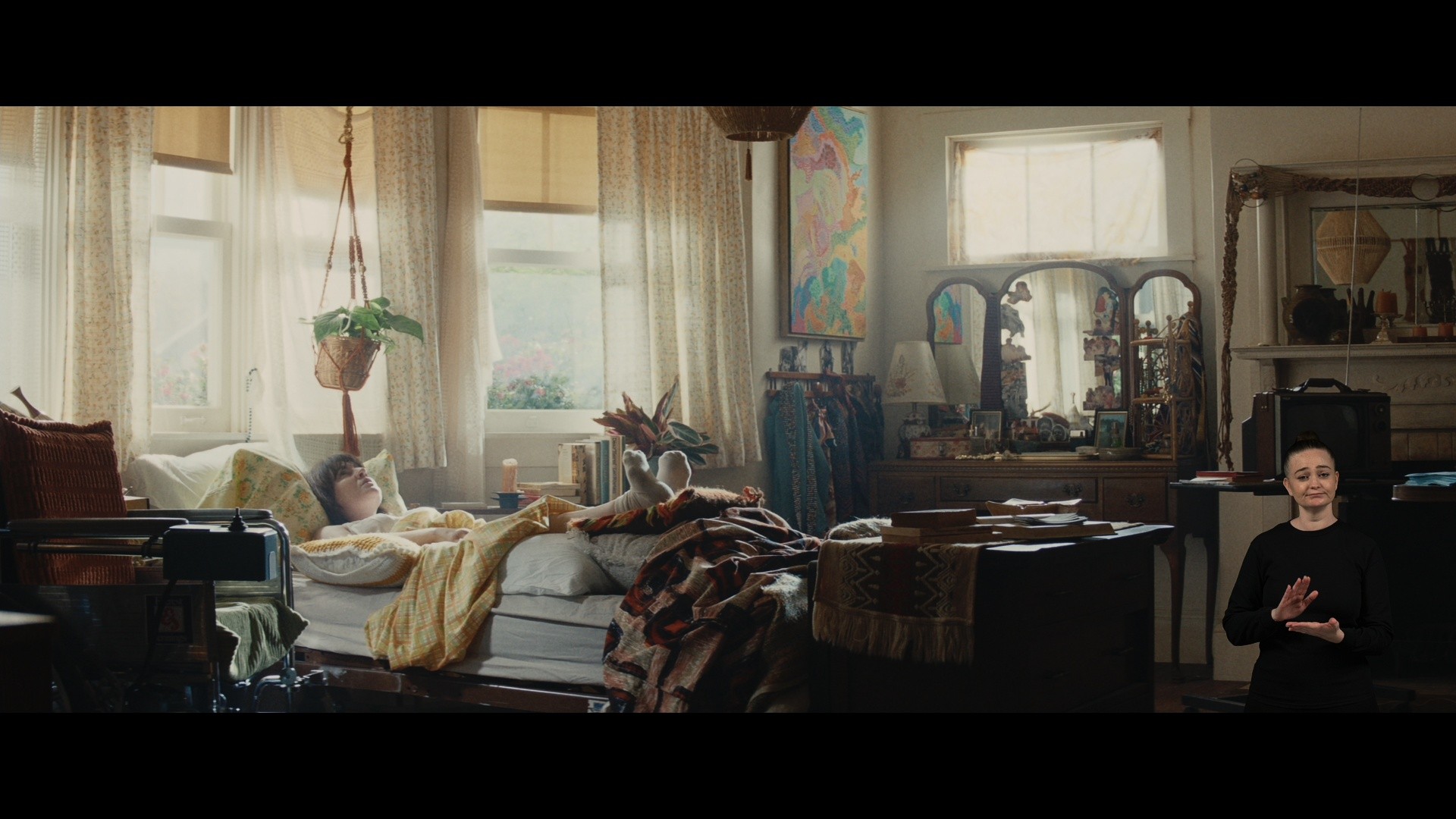
The first wave is small. Being Heumann debuts with the feature on November 13. Apple's post names ASL and BSL explicitly for the movie F1, while MacRumors and AppleInsider report that Being Heumann offers both languages too. Way of the Warrior Kid and Greyhound follow later this year. Nothing else in the catalog has an interpreter today, so expect the icon on those titles only.
Sign language does not replace captions
Apple presents Sign Language as one more option on the title, alongside closed captions and SDH, not as a substitute. The two access methods answer different needs, and you can keep captions on with the interpreter running.
One mix-up to avoid: iOS 27.2 also added a separate FaceTime feature for adding a third-party sign language interpreter or live captioner to a call. Different app, different setting. The same goes for the recent Live Listen and Remote Control audio settings, which handle sound, not on-screen interpretation. This tip is only about the Apple TV app overlay.
Photo: Apple. Source: Apple Newsroom, 9to5Mac, TechCrunch.