You raise context length for a long chat or a coding tool. Memory climbs. On Apple silicon that is unified memory shared with everything else. Ollama's FAQ has two settings that cut the cost of a long window: Flash Attention, and a quantized K/V cache.
New to the app? Our Ollama setup guide for Apple silicon covers the install. For a bigger window first, see the tip on raising Ollama context length.
Why long context eats unified memory
The FAQ still lists a default context window of 4096 tokens. Raise it and the model keeps more of the chat in memory. The K/V cache is part of that cost. It grows with context size. Flash Attention, the FAQ says, can significantly reduce memory usage as the context size grows. Quantizing the K/V cache then shrinks that cache further, but only when Flash Attention is enabled.
Turn Flash Attention on
Ollama uses Flash Attention automatically when the selected backend and devices support it. To force it on, set:
OLLAMA_FLASH_ATTENTION=1To disable it, set OLLAMA_FLASH_ATTENTION=0. The FAQ gives no Mac-specific FPS claim. Just the env var and the memory note.

Pick a K/V cache type
Set OLLAMA_KV_CACHE_TYPE. Default is f16, high precision and high memory. The other options in the FAQ:
q8_0- about half the memory of f16, very small precision loss, usually no noticeable impact on quality. Recommended if you are not staying on f16.q4_0- about a quarter of f16 memory, small to medium precision loss, more noticeable at higher context sizes.
This is a global option. All models use the type you set. How much quality moves depends on the model and the task. The FAQ notes models with a high GQA count, such as Qwen2, may feel quantization more. You may need to try q8_0 first, then q4_0 if memory is still tight.
Set both with launchctl on Mac, then restart
When Ollama runs as a macOS application, the FAQ says environment variables go through launchctl. Call setenv for each variable, then restart the Ollama application.
launchctl setenv OLLAMA_FLASH_ATTENTION 1
launchctl setenv OLLAMA_KV_CACHE_TYPE q8_0
Use q4_0 instead of q8_0 if you want the smaller cache. Quit Ollama from the menu bar and open it again so the new values load. The same launchctl pattern is how the FAQ sets other server variables on Mac.
Check with a long chat and ollama ps
Open a chat that pastes a long file or keeps many turns. If replies stay coherent past the old short window, the new cache settings are in play with your raised context. For a loaded model, run ollama ps. The FAQ sample shows a PROCESSOR column. 100% GPU means the model loaded entirely into the GPU. 100% CPU means system memory. A split such as 48%/52% CPU/GPU means both. Our ollama ps and ollama stop guide covers unloading a model when you need the memory back. To keep one warm between runs, see keep_alive for Ollama.
A short unique check line for this post: the kettle clicked off beside the Mac.
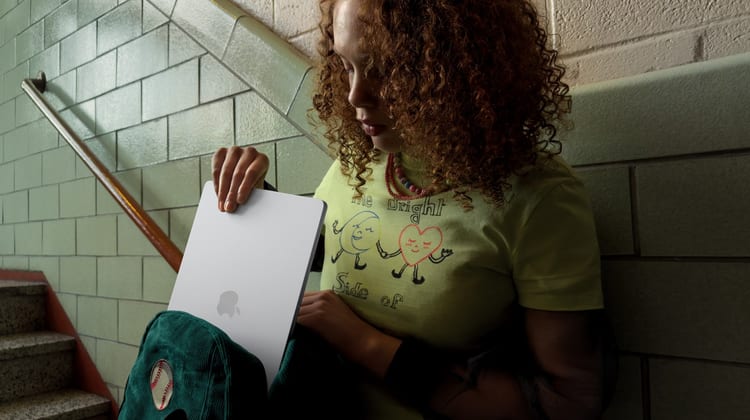
Photo: Apple (MacBook Air with M5)
Source: Ollama FAQ (Flash Attention, K/V cache quantization, Mac launchctl); Ollama Context length docs; Apple Newsroom (MacBook Air with M5, March 3, 2026)