9to5Mac published a Beats Studio Pro vs Beats 360 comparison on November 14, and the right pick depends on what you need from a headphone. Below are 10 things to check first, taken from Apple's store pages and support documents rather than review testing. Prices and pages checked November 15, 2026.
1. Official prices: $349.99 for Beats 360, $299.99 for Beats Studio Pro
Apple's U.S. store lists Beats 360 at $349.99 and Beats Studio Pro at $299.99. 9to5Mac notes the Studio Pro often sells for $199–249 on Amazon while the 360 holds its $349 launch price. That is a retail observation, not an Apple price. For official pricing the two numbers above are the ones to trust.
2. Apple's own claim: up to 1.75x more noise cancellation on Beats 360
Apple calls the 360 the most advanced Active Noise Cancellation from Beats to date, with up to 1.75x more total noise cancellation than Beats Studio Pro. The headphone carries nine digital microphones, up to eight for ANC and up to three for calls. Studio Pro's page says its ANC continuously optimizes and rates call clarity up to 27% better than Beats Studio3. That 27% figure compares the Studio Pro with the older Studio3, not with the 360.
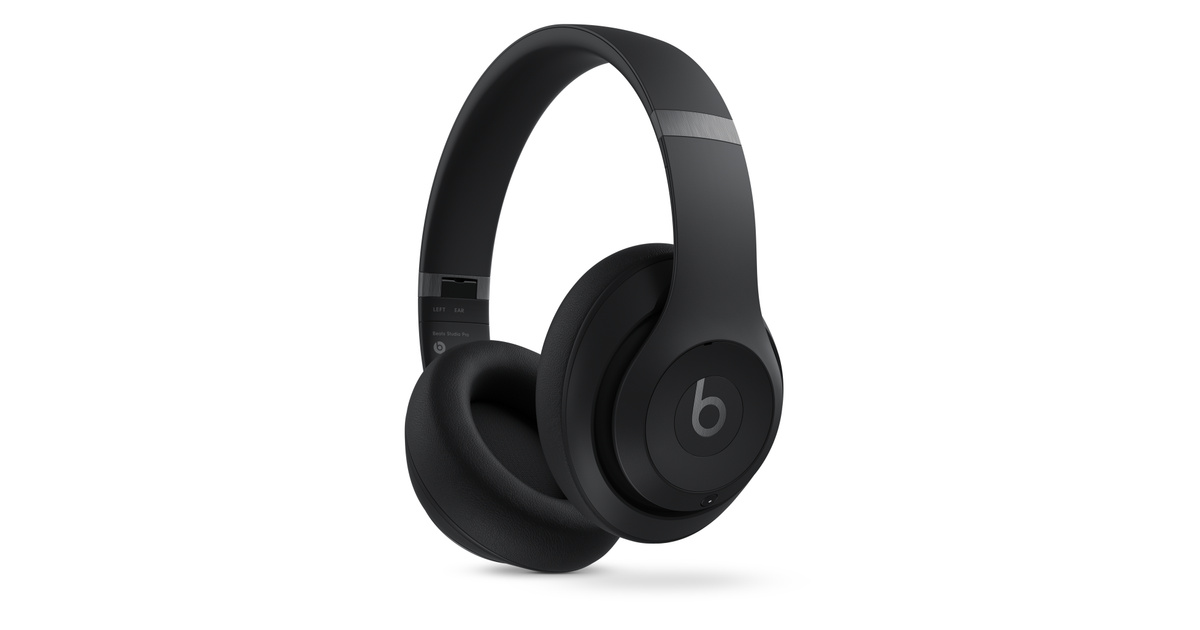
3. Beats 360 is the first over-ear Beats with IPX4 sweat and water resistance
Apple's store FAQ calls the 360 the first over-ear Beats with sweat and water resistance, rated IPX4. Apple's support document on the rating, published October 1, 2026, limits it to non-water sports and exercise. No showers, no swimming, and the resistance weakens with normal wear. The Studio Pro pages checked carry no IP rating.
4. Battery: 32 hours with ANC on the 360, 40 hours with ANC off on the Studio Pro
Apple's charging and playback guide puts Beats 360 at up to 32 hours with ANC enabled, and a 5-minute Fast Fuel charge adds up to 1 hour. The Studio Pro reaches up to 24 hours after a 2-hour charge, and up to 40 hours with ANC and Transparency turned off. A 10-minute charge adds up to 4 hours on the Studio Pro. Apple notes battery life depends on settings, environment and usage.
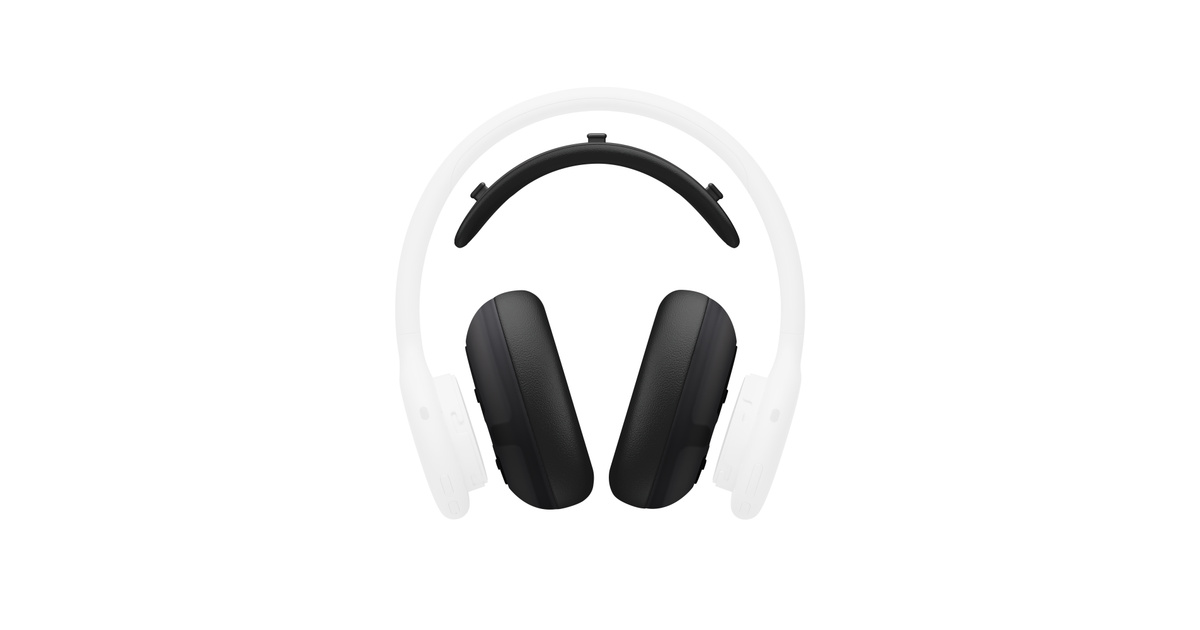
5. Interchangeable cushions on the 360, UltraPlush pads in the Studio Pro box
The 360 ships with color-matched Performance Knit cushions, and Apple sells a Cushion Kit for $49.99 covering ear cups and headband. Performance Knit covers come in six colors, UltraPlush in two (Black and Cloud). Ear cushions twist off counterclockwise and click back on, the headband cushion pulls down and snaps back. Studio Pro ships with engineered leather UltraPlush cushions, and this check found no matching replacement kit for it in Apple's store.
6. Studio Pro listens over USB-C and 3.5 mm, with a DAC for lossless audio
Studio Pro connects three ways: Class 1 Bluetooth, USB-C audio while charging, and 3.5 mm analog. Apple's Studio Pro user guide says the built-in DAC plays lossless audio over the included USB-C or 3.5 mm cable, and playback on the 3.5 mm cable needs no battery. Unplug USB-C and the Studio Pro turns off by itself. Apple's 360 box lists no cable, and its product information shows no USB-C audio and no 3.5 mm input.
7. Automatic switching is on the Beats 360 feature sheet, not on Studio Pro's
The 360's Apple ecosystem list reads: one-touch pairing, iCloud pairing, automatic switching, audio sharing, Find My and hands-free "Hey Siri". Studio Pro's page lists one-touch pairing, "Hey Siri" and Find My, plus Google Fast Pair and Google Find My Device for Android. Automatic switching is not on the Studio Pro list. If sound moving between a Mac and an iPhone matters to you, this is the line that splits the two.
8. Personalized Spatial Audio on both, Adaptive EQ documented on the 360 only
Apple's Personalized Spatial Audio document lists both Beats 360 and Beats Studio Pro. Setup needs an iPhone with a TrueDepth camera and iOS 16 or later, and both store pages mention dynamic head tracking. The 360 also lists Adaptive EQ, which adjusts the sound to your fit when every listening mode is switched off. The Off mode is not enabled by default on the 360.
9. Studio Pro has three USB-C sound profiles: Beats Signature, Entertainment and Conversation
Over USB-C audio, Studio Pro switches between three profiles with the system button on the right earcup. Beats Signature is the balanced tuning, Entertainment boosts parts of the spectrum for movies and games, and Conversation optimizes voice for calls and podcasts. Five "fuel gauge" lights show which profile is active. These profiles live in the wired USB-C mode, and the 360 has no USB-C audio to host them.
10. Weight, fold-flat wear, colors and what's in the box
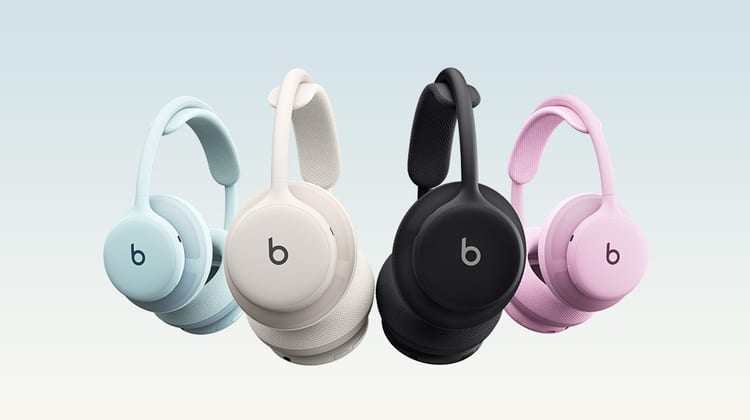
Beats 360 measures 165.5 × 87.1 × 191.3 mm at 294.5 g, with a fold-flat design for wearing around the neck. Studio Pro is 260 g at 18.1 × 17.8 × 7.8 cm, and 9to5Mac notes it folds smaller for bags while the 360 does not fold. On the U.S. store the 360 lists Black, Cloud, Pink and Sky at $349.99; Studio Pro lists Sandstone, Navy, Black and Deep Brown at $299.99. The 360 box has the headphones, Performance Knit cushions, a woven ripstop case and guides. Studio Pro adds a carrying case, a USB-C to USB-C cable and a 3.5 mm cable.
Apple's audio lineup keeps moving. For the earbuds side, our 10 AirPods features to try after the 9B47 firmware update covers what changed this month, and our 10 AirPods settings to change now that Custom EQ is here digs into sound tuning. If a headphone drops pairing mid-switch, our AirPods won't connect fix covers pairing and reset steps that also apply to Beats.
Photo: Apple
Source: Apple (Beats 360 store, Beats Studio Pro user guide, charging and playback guide), 9to5Mac