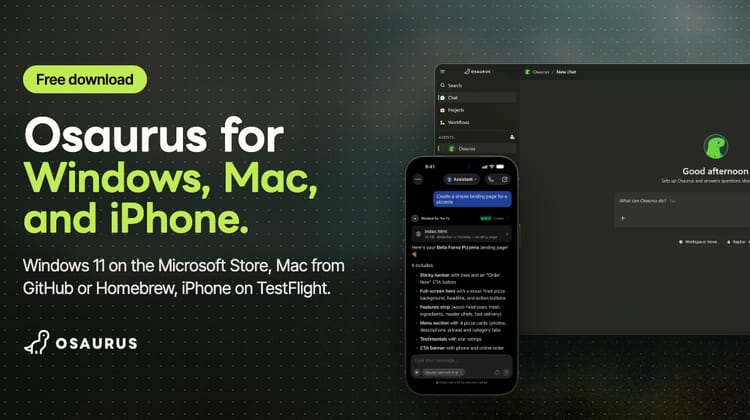
Osaurus is a free, open-source Mac app that runs AI models on your own machine. Version 1.0.4 was published on GitHub on November 14, 2026. The install is the usual Mac routine. Download a .dmg, drag the app into Applications. Below is the official path, plus what fits on 8 GB and 16 GB Macs, and how to keep personal data away from cloud models.
Install Osaurus 1.0.4 from the .dmg or Homebrew
Download Osaurus from osaurus.ai or GitHub Releases. The file ends in .dmg. Open it, drag Osaurus into your Applications folder, then eject the disk image in Finder. Open the app with ⌘ Space, type "Osaurus", press Return. Apple has signed and notarized the releases, so no security warning appears. The app updates itself through Sparkle each time you open it. The official install docs also cover the Gatekeeper fix and uninstall steps.
Homebrew users get one command: brew install --cask osaurus. It also sets up the osaurus command-line tool. Update later with brew upgrade --cask osaurus.
Each release ships two builds of the same app. The standard Osaurus-1.0.4.dmg weighs 116 MB on the release page (the install docs still describe this class as about 70 MB; the live asset is what you download). The full Osaurus-1.0.4-full.dmg is 3.7 GB and bundles Raptor 0.7, hosted on Hugging Face and linked from the 1.0.4 release notes. After a full install, later updates are the small standard download. With the full build, setup skips the model choice only when Raptor 0.7 has finished copying and fits comfortably in memory.
Choose "Keep it private, on this Mac" on first launch
A welcome window opens with the Osaurus dino. Click Get started. The Share anonymous usage data switch is optional, and the quickstart says it never includes your chats, files or keys.
Then Osaurus asks "What matters most to you?" Three choices:
- Keep it private, on this Mac (recommended) downloads Raptor 0.7, about 3.7 GB. Free, works offline, nothing you type leaves your Mac. You can start while the download finishes.
- Start chatting right away uses Osaurus Cloud, with free credit to start.
- Use an AI account you already have covers signing in with a ChatGPT, Grok or OpenRouter account, using Claude Code, or pasting a key from OpenAI, Anthropic, Gemini and others.
Skip setup, top right, starts you on Osaurus Cloud instead. You can add a local model later in Settings. One warning for readers following older screenshots: the marketing homepage still shows Raptor 0.6 in one module. The docs and the 1.0.4 notes say Raptor 0.7.
Check "Fits This Mac" before adding a model
Open the Apple menu, choose About This Mac, and read the Memory line. Then open Settings (the gear at the bottom of the left strip, or ⌘,) and go to Local Models. Each row can show a Fits This Mac label. Top Picks carry a star. Click Download, then click the model name in the message box to switch to it. The official model guide gives the rough sizing:
- 8 GB Mac: small models, such as Raptor 0.7 4B (about 3.7 GB) or LFM3-VL 2B (about 2 GB).
- 16 GB Mac: small and mid-size models up to about 8 GB run comfortably.
- 32 GB or more: models of 20 GB and up become an option, like Flint 40B-A2.5B (about 23 GB) or Qwen3.8 27B (about 27 GB).
On macOS 26 or later, Foundation (Apple Intelligence) also sits in the picker with nothing to download. It is small and good for quick questions, and the guide says it can't build workflows. Downloaded models land in ~/MLXModels/ (change it with OSU_MODELS_DIR); app data lives in ~/.osaurus/. If you would rather feed a model to other tools, see our Ollama 0.40.16 and Ripple Preview walk-through or the TwIL-8B on llama.cpp and MLX guide.
Turn on the Privacy Filter before a cloud model reads your text
Local models keep everything on the Mac. Cloud models send that chat to the provider. For that case Osaurus has a Privacy Filter, still marked experimental. Open Settings → Privacy & Security → Privacy Filter and turn on Scrub Personal Data Before Sending to Cloud Providers. Built-in rules work with no download. They catch emails, URLs, phone numbers, credit cards, ID, tax, health and bank numbers for more than 100 countries, IBANs and API keys.
Names, addresses, dates and free-form secrets need the optional on-device Detection Model. Click Install next to Detection Model, which opens Models → Local Models → Privacy Detection. Rampart, the small one, is listed first. The Privacy Filter docs tell you to check the review sheet either way. Before Send, that sheet lists what was found and shows the outgoing text. Placeholders look like [PERSON_1], [EMAIL_1], [PHONE_2]. Real values come back on your Mac after the reply. Local models skip the filter because nothing leaves the machine. Bradley Chambers' November 14 Apple @ Work column on 9to5Mac described a small local model that scans text first. The official default is the built-in rules; the local model is the extra.
For scale, Apple's Machine Learning Research blog wrote on October 15, 2026 that Muse Spark Open (816B parameters total, 42B active, evaluated in NVFP4) generates over 36 tokens per second across four Mac Studios at 8,192 context, and one Mac Studio carries up to 512 GB of unified memory. 9to5Mac put that four-machine run at a peak near 300 watts per machine. Different world from a single install. Our November 15 news brief on the Mac Studio cluster has the details.
Photo: Osaurus, Apple MLX. Source: Osaurus docs and 1.0.4 release notes.