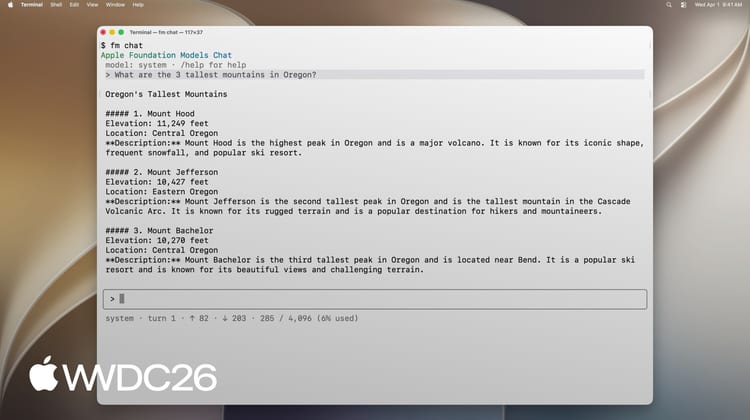
On macOS 27 you can talk to Apple's Foundation Model straight from Terminal. The tool is called fm, and Apple says it comes pre-installed with macOS 27. No install step. No API key. Type fm chat and the conversation starts on the device.
Two commands cover most work. fm chat is the interactive one. fm respond runs a single prompt and prints the answer, which makes it easy to drop into a shell script. Both use the on-device model by default. Both can send the prompt to the larger model on Private Cloud Compute instead.
Typing fm lists the commands on your Mac
Getting started is one word. Type fm and Terminal lists the available commands. Session 334 names three of them on the page: respond to prompt the model and return a response, chat to start an interactive interface, and schema to create a schema, "and more". The full list lives on your machine, and that matters near the end of this article.
fm chat starts a live conversation with the on-device model
fm chat opens an interactive session with the on-device model, right in the terminal window. Two slash commands appear in session 334. /model switches the conversation to use the Private Cloud Compute model. /save saves the current conversation to resume later. Apple's "What's new in the Foundation Models framework" talk (session 241) shows the same tool for everyday work: fm chat for interactive use, and output piped into shell scripts to summarize, extract, or generate content. Testing prompts this way needs no rebuild of your project in Xcode.
fm respond runs one prompt and prints the answer
For one question and one answer, use fm respond. This exact sample is from the session 334 code block:
fm respond "Provide a basic regex in Swift to parse an email address"The response prints as terminal output. That is what makes the command script friendly. fm respond has a number of options. The model option prompts the Private Cloud Compute model. The image option attaches an image to your prompt, as in the second sample from the session:
fm respond "What app is the user using in this screenshot?" --model pcc \
    --image Screenshot.png
To see every option, run fm respond --help. Session 334 says the help option lists them all.
--model pcc moves the prompt to Private Cloud Compute
The default is the on-device system model, which session 334 calls "always available". Session 319 gives the numbers for both models. The on-device model works offline, has no request limits, and offers a 4K context. The Apple Foundation Model on Private Cloud Compute needs an internet connection and has a daily limit per user. Users can upgrade to iCloud+ for higher limits. In exchange PCC gives 32K context and supports reasoning.
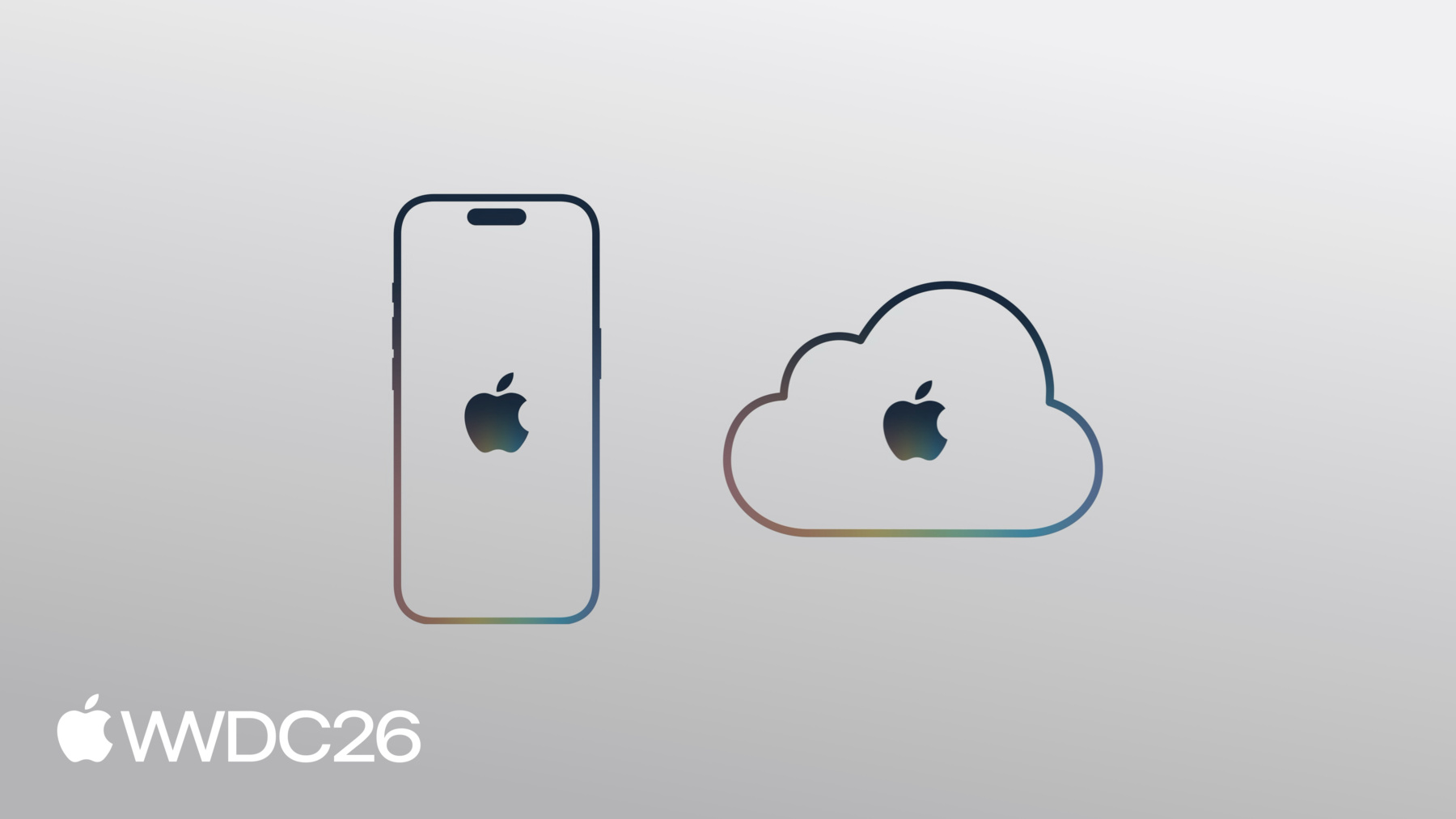
One flag switches the model. Sample from session 334:
fm respond "Provide a comprehensive regex in Swift to parse an email address" --model pccfm schema turns the answer into JSON
For structured output, define a schema first with fm schema object, then pass it to fm respond:
fm schema object --name AppsIdentified --string app_names --array > schema.json
fm respond "What apps are the user actively using in this screenshot?" \
    --image Screenshot.png --model pcc --schema schema.json
The session shows the model answering as JSON: {"app_names": ["Messages", "Mail", "Calendar"]}. The same pattern drives the file-triage automation at 7:55 in the talk, a schema with final_files and draft_files arrays plus fm respond --instructions, and then a shell loop sorting the files by result.
What Apple has not documented about fm
Community posts and search results mention more subcommands. fm serve as a local HTTP server. sudo fm license. Token counting helpers. None of that appears on the WWDC26 pages for sessions 334, 241, 319 or on the Foundation Models framework page. Those pages name respond, chat, schema "and more", and fm respond --help is the ground truth on your machine. If a guide tells you to run sudo fm license as a first step, check the help output before you type it.
Session 334 also covers one adjacent path: the Foundation Models SDK for Python, installed with pip install apple_fm_sdk. The page lists Python 3.10 or newer, Xcode installed, and an Apple Silicon Mac as requirements. It is a separate tool, not a flag on the fm CLI.
If you just want to know whether Apple's on-device model can handle your prompt, fm chat answers that in ten seconds. Scripting comes after. For other local backends we covered the oMLX menu-bar MLX inference server and running LM Studio from Terminal with the lms command. Developers who want a different model behind Xcode can point Xcode chat at a local Ollama model.
Photo: Apple Developer, WWDC26 session 334 "Build AI-powered scripts with the fm CLI and Python SDK" / Source: Apple WWDC26 sessions 334, 241, 319.