An Apple threat notification on the Lock Screen means someone likely spent a lot of money trying to hack one iPhone. Yours. The check order does not change: confirm the alert at account.apple.com, install the latest iOS update, then turn on Lockdown Mode. The notification itself is not proof that spyware is on the phone.
Why now. Germany's federal cybersecurity office BSI said over the weekend that members of the Bundestag and other public figures received these Apple alerts. Digital minister Karsten Wildberger said on ARD's Bericht aus Berlin that a BSI letter put the first alerts on affected phones at October 29, 2026, Euronews reported. One notification seen by a Beirut filmmaker said the batch went out to users in 99 countries, according to TechCrunch. So if you search "Apple threat notification" this week, you have plenty of company.
A genuine Apple threat notification shows in three places, and never asks for a code
Apple delivers the warning three ways at once, per its threat notification support page. An alert appears on the iPhone Lock Screen and in Settings. Email goes to addresses linked to the Apple Account, sent from threat-notifications@email.apple.com as of 2026. And a banner sits at the top of account.apple.com after you sign in.
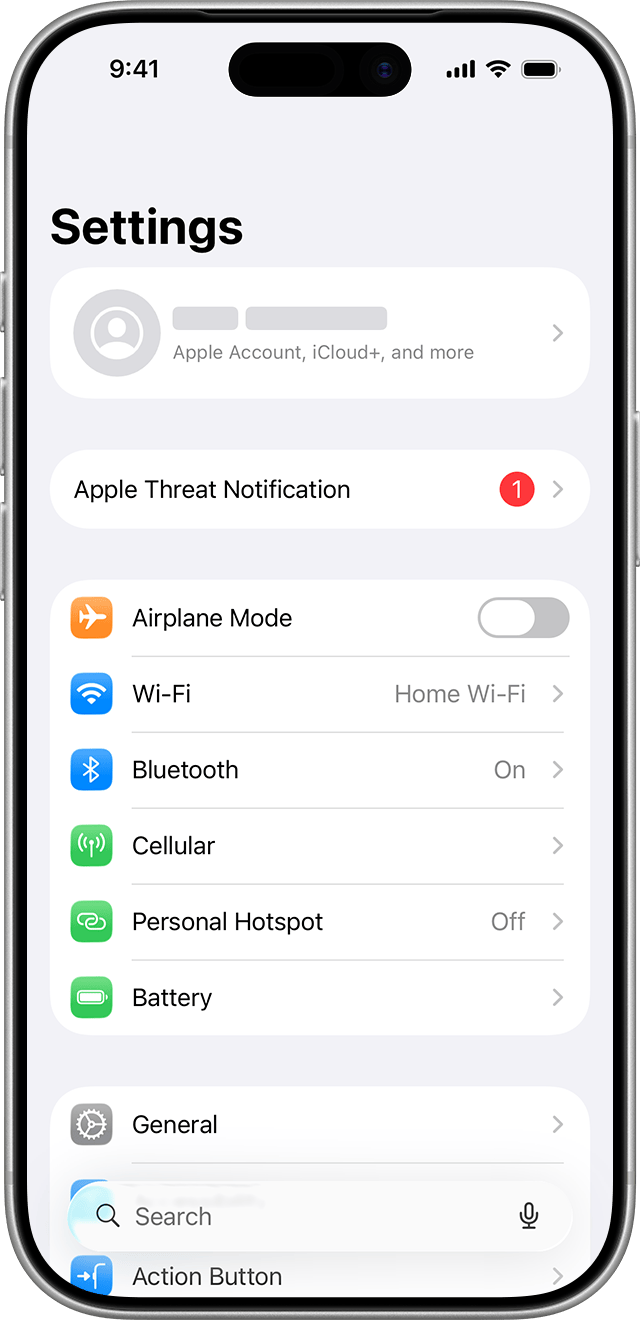
To verify, ignore any link in an email or text. Type account.apple.com yourself, sign in, and look at the top of the page. If Apple sent a threat notification, the banner is there. The fakes are greedy. Apple says its threat notifications never ask you to click links, open files, install apps or profiles, or give an Apple Account password or verification code by email or phone. Any message that does is fake.
Update iOS first, then turn on Lockdown Mode at Settings > Privacy & Security
Order matters. Lockdown Mode blocks attack paths, but the iOS update closes the known holes. Apple says to update devices to the latest software for a complete set of protections before turning the mode on.
- Settings > General > Software Update. Install the latest public iOS.
- Settings > Privacy & Security > Lockdown Mode.
- Tap Turn On Lockdown Mode, then Turn On & Restart, and enter the device passcode.
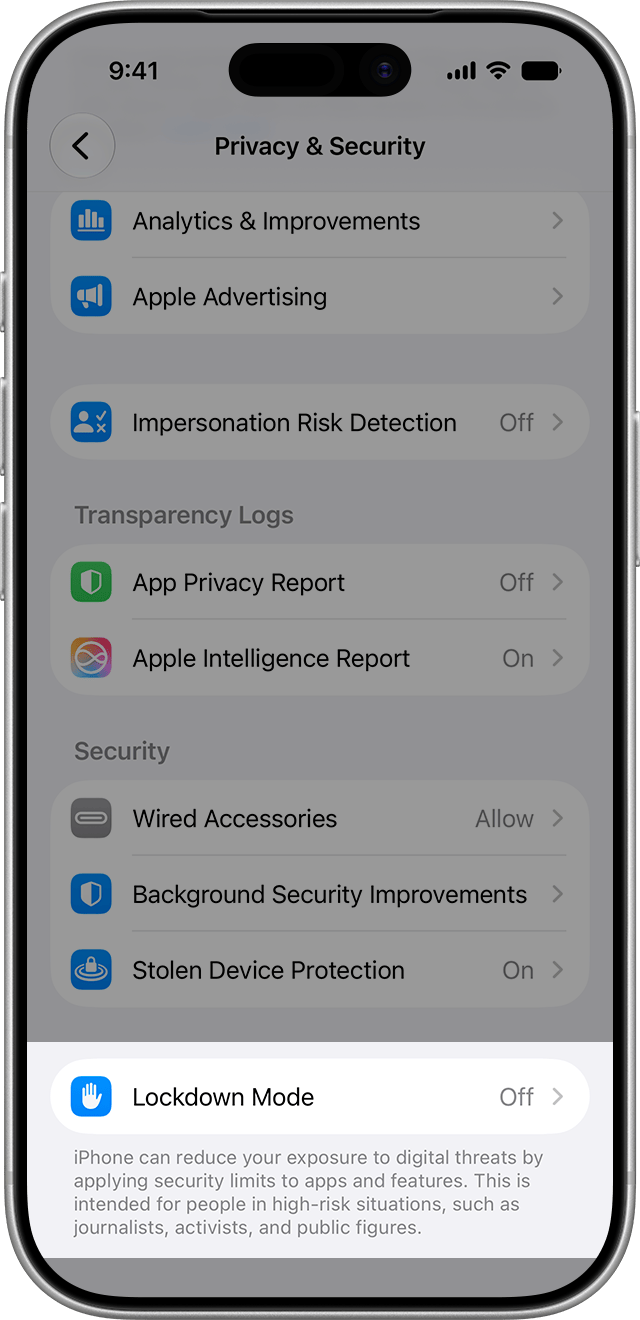
Lockdown Mode needs iOS 16 or later, and extra protections arrived in iOS 17. It turns on for a paired Apple Watch with the iPhone, but the iPad and the Mac need their own turn-on (on Mac: System Settings > Privacy & Security > Lockdown Mode). Miss that and one device stays open.
Lockdown Mode blocks attachments, link previews, and unknown FaceTime calls
The mode trades convenience for attack surface. Apple's Lockdown Mode page lists what stops working. Most Messages attachment types are blocked, with exceptions for some images, video, and audio. Links and link previews go away. Incoming FaceTime calls are blocked unless you called or contacted that person in the past 30 days. Some websites break because complex web technologies are blocked. Shared albums disappear from the Photos app. The iPhone stops joining non-secure Wi-Fi, and 2G and 3G are turned off.
Phone calls, plain text messages, and SOS emergency calls keep working. One trap on iOS 27: Settings > Privacy & Security > Lockdown Mode > Customize Web Sites and Customize Contacts let you carve out exceptions, and every exception reduces protection. Apple's own page says to exclude only trusted sites, apps, or contacts, and only if necessary.
What BSI told German lawmakers: assume the device may be compromised
Here the two statements differ on purpose. Apple calls the notification a high-confidence alert of targeting, and it does not say an attack succeeded or name who ran it. BSI told those affected to assume, as a precaution, that the device may be compromised, because the alert cannot show whether the attack worked. Both are in the same direction: take it seriously, act fast.
Apple points notified users to expert help, like the 24/7 Digital Security Helpline at Access Now. Note what Lockdown Mode is not. It hardens the device against what comes next. It is not a scan, and it does not tell you whether spyware is already sitting on the phone.
Most readers will never see one of these notifications. If the account.apple.com banner is there for you, skip the research spiral: update, turn on Lockdown Mode, and contact the helpline if your work could make you a target.
Related on iPhone Wired: the German MPs receiving Apple threat notifications over mercenary spyware, our 10 iPhone security settings to check after the DarkSword spyware report, and the iVerify find of a new DarkSword spyware variant.
Photo: Apple Support. Sources: Apple Support threat notifications and Lockdown Mode pages (accessed 2026-11-03), TechCrunch, Euronews.