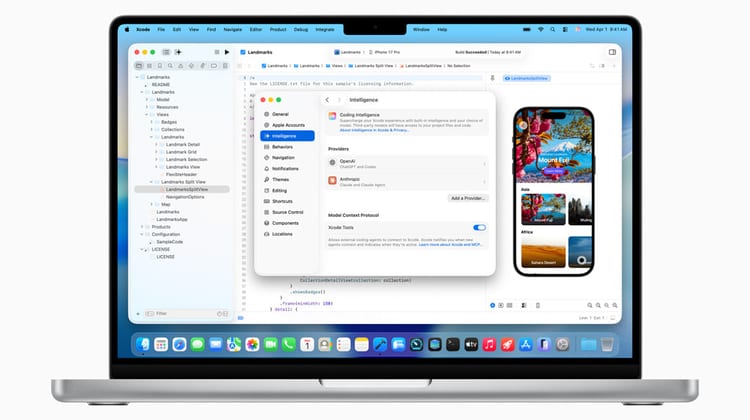
Chat in Xcode no longer has to leave the Mac. Apple's Intelligence settings accept third-party chat providers, and Ollama's default server on this Mac already speaks the right API. Wire the two together and code questions stay on the machine. Apple documents the pane in Setting up coding intelligence; Ollama has its own Xcode integration page with the exact clicks.
Apple's Intelligence settings take a port, not a URL, for local providers
Open Xcode > Settings and select Intelligence in the sidebar. Under Chat, click Add a Chat Provider. The dialog offers two routes. Internet Hosted asks for a URL and details. Locally Hosted asks for a port and an optional description. That is the whole local setup: no account, no key, nothing leaves 127.0.0.1.
Apple also spells out what a provider must do. It needs to support the Chat Completions API, with endpoints that list models and perform completions at {base}/v1/models and {base}/v1/chat/completions. Ollama's server is built on that same OpenAI-compatible shape, which is why port 11434 works here.
The same sidebar is where Apple's own options live. ChatGPT in Xcode has a Turn On row. Claude Sonnet & Opus has a Sign In row. Agents got their turn in Xcode 26.3, when Apple unlocked agentic coding with Claude Agent and OpenAI's Codex. Adding Ollama is a third path, the local one.
Ollama needs a model pulled and the server running
Check the basics before touching Xcode. The macOS app asks for macOS Sonoma or later, and Apple silicon is preferred for GPU support. Open the app, or run ollama serve in Terminal. Either way, http://127.0.0.1:11434 should answer.
Then a model. ollama pull with a chat-capable model name, and ollama list to confirm something is there. Do not pick by benchmark you have not measured; a model already on the Mac is fine. Keep Ollama in the menu bar while Xcode is open. Quit the app and the provider in Xcode has nothing to talk to.
Readers of this site already know the neighbors. An Ollama Modelfile bakes a reusable persona, and ollama launch runs Claude Code against the same local models. Xcode's chat pane is one more front end on that server.
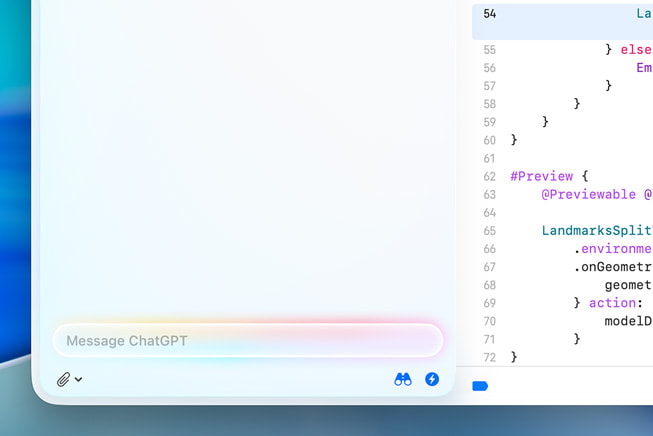
Add Locally Hosted on port 11434, then pick the model in the chat picker
Ollama's steps, in order. Xcode in the top left corner, then Settings. Select Locally Hosted, enter port 11434, click Add. Ollama's page lists Xcode v26.0 and an already set-up Apple Intelligence as prerequisites. Check both against the installed build before going further.
After adding, the model does not appear on its own. Per Ollama's guide, click the star icon at the top left of the chat UI, open the dropdown, choose My Account, and pick the Ollama model. Control labels move between Xcode releases, so trust what the installed pane shows over any screenshot.
When the picker shows no models
Three checks, in this order. Ollama is running. ollama list is not empty. Xcode restarted after the provider was added, which is the fix third-party writeups keep repeating.
Other local servers fit the same Locally Hosted field, one port per entry. LM Studio's local server listens on port 1234, and a draft model speeds up big ones there. On MLX, mlx_lm.server serves an OpenAI-compatible API worth pointing at the same dialog. Want the cloud route instead? Internet Hosted, URL https://ollama.com, API key from ollama.com, Add.
Photo: Apple Newsroom. Sources: Apple Developer Documentation, Ollama Documentation, Apple Newsroom.