Apple brought back the redesigned Health app in the iOS 27.3 developer beta on November 3, after removing it from iOS 27.2 testing before that update launched. The new Health app adds an Insights tab, a Longevity tab, Health Age, at-home movement evaluations, and expanded language support that now covers Simplified and Traditional Chinese and Japanese. Here are 10 features to try first, each with what it needs and where Apple puts it. If you only have ten minutes, start with items 1 and 6.
1. Open the new Insights tab in the iOS 27.3 Health app
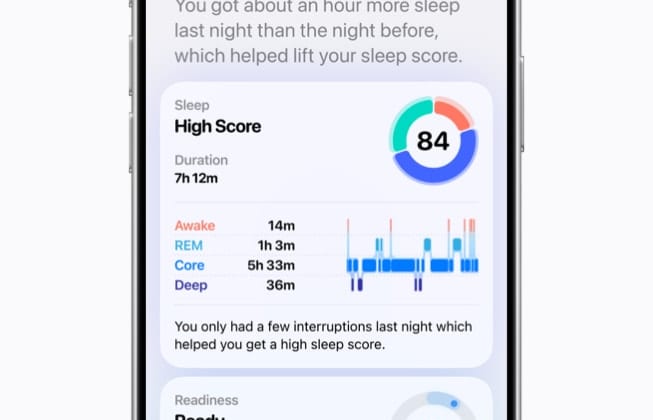
Insights surfaces summaries across heart, sleep, readiness, fitness, vitals, and cycle tracking data through the day. In the beta, MacRumors found Activity Rings, heart rate, sleep score, and vitals sharing one view. It becomes the first screen worth checking each morning.
2. Let For You personalize the guidance
A For You section inside Insights gives recommendations matched to your daily habits. Apple's own example: after several nights of interrupted sleep, the app suggests adjusting your wind-down routine. The app also pairs your data with educational videos and articles from Health app clinical experts.
3. Check the Readiness score before you train
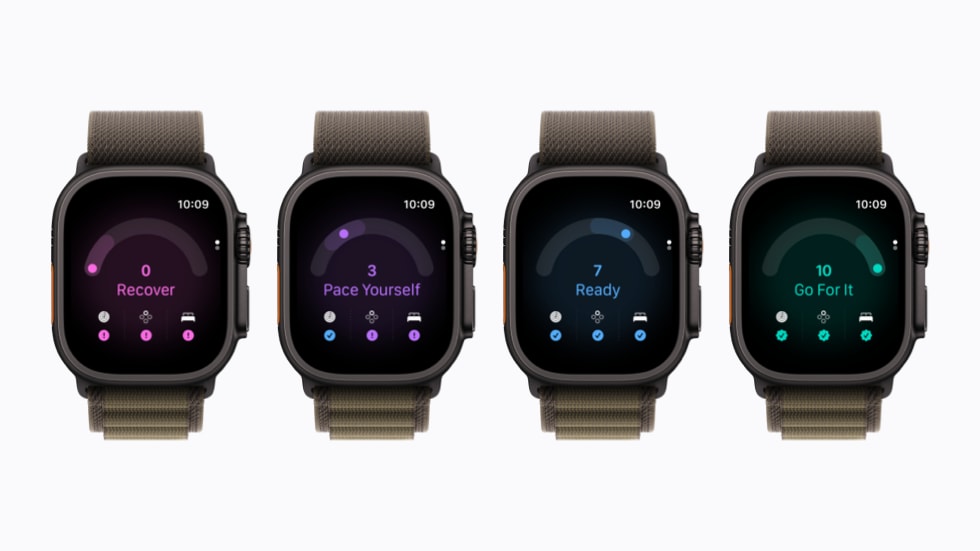
Apple Watch Series 12 and Apple Watch Ultra 4 owners see a readiness score in the Insights tab and on the watch itself. It is built to help you choose between pushing harder, taking a recovery day, or training as usual. Apple has not said whether older watches will get the score. Our Ultra 4 review walks through the watch's health sensors.
4. Compare overnight and daytime Vitals
The redesigned Vitals section now splits into overnight and daytime views. HRV joins the metric list, with separate readings for overall HRV and recovery HRV. Two HRV numbers say more about recovery after hard days than a single heart rate reading.
5. Browse the Longevity tab across seven categories
Longevity looks at long-term trajectories instead of the current day. It assesses seven categories: heart health, sleep, mental wellbeing, movement, metabolic health, hearing, and nutrition. Open this tab when you care about where a metric is heading, not what it was this morning.
6. See your Health Age
Health Age translates Apple Watch data, including VO2 max, resting heart rate, sleep, and heart rate variability, into a number that reflects how your body tracks relative to your actual age. Health Age requires an Apple Watch, and some related features require users to be 18 or older. Our Health Age how-to covers the exact navigation.
7. Add clinical lab results such as A1c and LDL
You can fold clinical laboratory data into the long-term picture, including A1c and LDL cholesterol. MacRumors reports Apple will offer a $119 laboratory panel through Quest Diagnostics, and those results contribute to Health Age. Uploading recent lab results or syncing medical records works too. The $119 panel first surfaced in our September coverage of the Health redesign preview.
8. Run movement evaluations at home
The iPhone camera and Apple Watch can measure flexibility, strength, balance, movement mechanics, and VO2 max, with real-time audio and visual feedback. Apple says the evaluation runs on on-device vision-based AI models developed with clinical experts. No video is ever recorded, stored, or shared. One catch: the VO2 max test requires an Apple Watch, AirPods Pro 3, or a third-party heart rate sensing device.
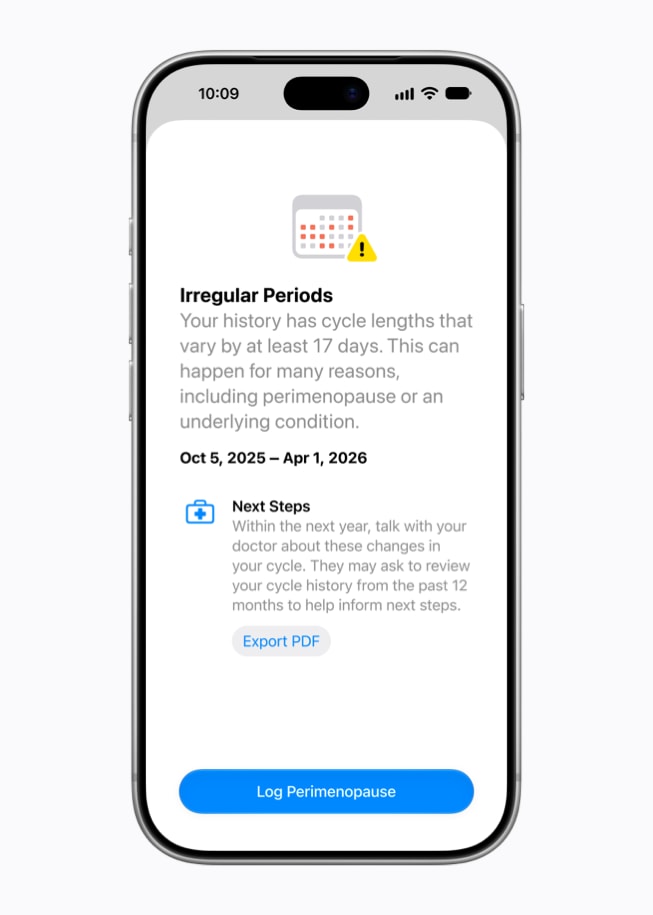
9. Log perimenopause or menopause stages in Cycle Tracking
Open Health, tap Browse, then Cycle Tracking, then Menopause Stages to log perimenopause or menopause, plus symptoms like hot flashes, night sweats, and sleep changes. Apple's support guide notes that cycle deviation notifications inclusive of perimenopause are for ages 40 and above. The feature is not for birth control and not a diagnosis.
10. Set up Medical ID and review Health sharing
Tap your profile picture in the Health app, then Medical ID. Turn on Show When Locked and Share During Emergency Call so first responders can see allergies, medications, and emergency contacts without your passcode, following Apple's setup guide. Enhanced Emergency Data is not available in all countries. While you are in there, check who receives your shared Health data and which third-party apps can read or write it.
Photo: Apple Newsroom. Source: Apple Newsroom, MacRumors, Apple Support.