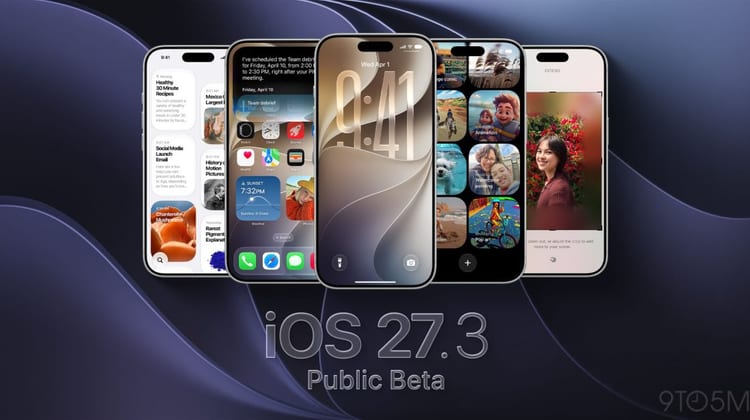
Apple released the first iOS 27.3 public beta on November 5. It is the same feature set as the iOS 27.3 developer seed from November 3, now open to everyone through Apple's beta program. The headline change is the redesigned Health app. Safari Vertical Tabs and new Siri AI actions come with it. If you were waiting on the public channel instead of the developer seed, this is the build to install.
Public beta 1 arrived November 5, two days after the developer seed
MacRumors reports Apple seeded the first public betas of iOS 27.3, iPadOS 27.3, macOS Golden Gate 27.3, tvOS 27.3, and watchOS 27.3 on November 5. The developer betas went out two days earlier. Apple has not said when the final iOS 27.3 release lands, but MacRumors expects all of these updates to launch in December.
The redesigned Health app returns with Insights and Longevity tabs
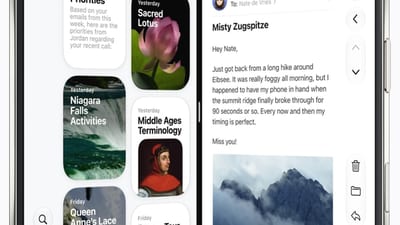
9to5Mac notes the Health redesign first appeared during iOS 27.2 testing and did not ship in the final iOS 27.2. It is back in 27.3. On iPhones that support Apple Intelligence, the Insights tab groups trends from sleep and activity. The Longevity tab adds Health Age, a comparison of your metrics against what is typical for your age. The number is drawn from Apple Watch data, so no Apple Watch means no Health Age.
Safari Vertical Tabs and more Siri AI actions are the other iPhone changes
Safari gains a Vertical Tabs layout and Adaptive Dark Mode, which darkens websites that do not ship their own dark theme. We covered both in our Safari Vertical Tabs and Adaptive Dark Mode rundown. Siri AI can now make and save a playlist, schedule an iMessage to send later, and create a Journal entry. Developers can also build custom actions for Siri to carry out. iPhone Duo gets Reachability on the unfolded display, shifting content toward either side so your thumb can reach it. StandBy picks up more customizable clock faces on other iPhones. Apple Music adds Selfie Sing.
On the Mac, macOS Golden Gate 27.3 carries the same Safari changes and brings Live Activities to Macs without a Dynamic Island. watchOS 27.3 adds Audio Intelligence testing on Apple Watch Series 12 and Ultra 4: Live Rewind transcribes the last 15 seconds of speech, and Siri Recap summarizes conversations across the day.
How to install the iOS 27.3 public beta
Back up the iPhone first. Early betas carry bugs, and the backup is the way back. Then sign up for the free Apple Beta Software Program with the same Apple Account you use on the iPhone. Open Settings > General > Software Update > Beta Updates and select iOS 27 Public Beta. Return to Software Update and tap Update Now when iOS 27.3 appears. If you are already on the public beta track, the update shows up in Software Update directly. Developers are on beta 1, build 24C5037i, the seed that landed November 3.
Should you install now or wait for December?
AppleInsider says some bugs and incompatibilities are expected in these early builds and advises waiting if the device is mission-critical. That is the sensible line. Install now on a secondary iPhone if you want the Health redesign and Safari tabs this week. If the iPhone is the only one you depend on, wait for the final release in December.
Photo: 9to5Mac (featured), MacRumors (inline). Source: MacRumors, 9to5Mac, AppleInsider.