Quiet alarm week. Posts on X through October keep repeating the same complaint. The phone is right next to the pillow, an alarm or an alert fires, and the sound comes out soft. People blame the speaker, factory-reset the phone, buy a new one. Most of the time nothing is broken. A Face ID setting is doing exactly what Apple designed it to do.
Photo: Apple (iPhone 18 Pro lineup, Apple Newsroom)
Attention Aware lowers alert volume when it sees you
Apple's support page on Attention Aware features spells it out. "When attention is detected, your iPhone will lower the volume of your alerts." The same page says the display will not dim until you stop paying attention, and that the feature picks the right device when you say "Hey Siri" near an iPhone and a HomePod together.
The detection uses the TrueDepth camera. Apple adds that these features work "even if you don't enroll in Face ID." So a glance at the screen is enough. That is the exact position most people are in when an alarm goes off by the bed, phone inches from the face.
Where the toggle is, both paths
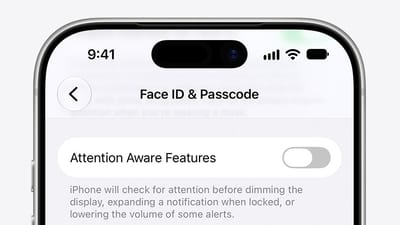
Support gives the first path: open the Settings app, tap Face ID & Passcode, and turn off Attention Aware Features. The iPhone User Guide lists the same control in a second place, Settings > Accessibility > Face ID & Attention, where Apple describes it as the switch for checking attention before dimming the display, expanding a notification when locked, or lowering the volume of some alerts. Turning it off in either spot stops the volume behavior.
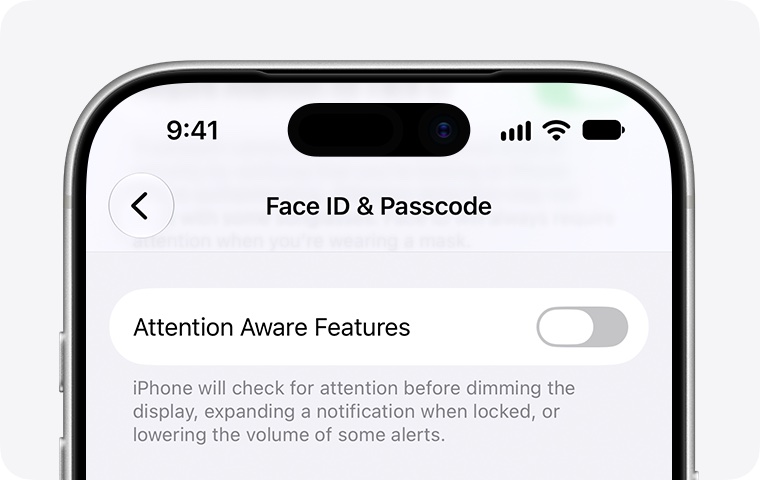
Photo: Apple Support, iOS 27 Settings screenshot
Which phones have it. Any iPhone with the TrueDepth camera, meaning iPhone X or later except iPhone SE. Apple's footnote also lists iPad Pro 11-inch, iPad Pro 12.9-inch (third through sixth generation), and iPad Pro 13-inch.
Rule out the silent switch, Focus and Adaptive Power first
Three other things make an alarm or alert quiet, and none of them are Attention Aware. The ringer/silent switch on the left edge. A Focus mode running on a schedule. And Adaptive Power, the iOS battery feature that slows the phone to stretch the charge; our tip on Adaptive Power Notifications covers how to see when it kicks in. Low Power Mode belongs to the same family. Alarm and timer volume also has its own slider, separate from the ringer; here is how to set a separate volume for alarms and timers.
Apple says alerts, not Clock alarms, so run one test
One honest limit. The wording in Apple's document is "alerts." Apple does not name Clock app alarms on that page. So test before deciding. Turn Attention Aware Features off, start a one-minute timer, look at the screen while it fires, then compare against a run with the toggle on. If attention was the cause, the difference is immediate. Our longer list of Face ID and Attention Aware settings to check when alarms go quiet walks through the rest of that checklist.
Still quiet after all that, and the problem is Face ID itself rather than volume. That is a separate fix, usually the passcode prompt loop, not a sound setting.
Photo: Apple (iPhone 18 Pro, Apple Newsroom); Apple Support (iOS 27 Settings screenshot)
Source: Apple Support, Attention Aware features; iPhone User Guide, Change attention settings; iPhone User Guide, Wake, unlock and lock iPhone