Speech models read text aloud. Ollama streams the audio as it generates, so playback can start before the whole line is done. On a Mac that already runs local chat models, Phonon adds text-to-speech without leaving the same stack. Needs Ollama v0.40.9 or later.
If you are still installing the app, start with our Ollama setup on Apple silicon. Apps that already talk to the local OpenAI-compatible base can reuse the same host for speech; see the tip on pointing apps at Ollama's API.
Pull phonon and list the voices
Download Gradium's 31M English checkpoint:
ollama pull phononPhonon ships with Gradium's English voices such as Zoey, Easton, and Freya. With no voice set, it uses the checkpoint's own voice, labeled default. Run ollama show phonon to list every voice. Names work in any case, with or without accents.
Speak from Terminal with afplay
ollama run plays through the Mac's speakers via afplay:
ollama run phonon "Hello from Ollama."Pick a voice:
ollama run phonon --voice Zoey "Hi, this is Zoey."Pipe text from another program, or from a chat model:
echo "Text from another program works too." | ollama run phonon
ollama run gemma4 --hidethinking "Tell me a fun fact about owls in two sentences." | ollama run phonon
Piped text is spoken as it arrives. A chat answer can start playing after the first sentence or two. Run ollama run phonon alone to type at a >>> prompt; each line speaks on Enter. Ctrl+C stops speech. Type /bye or press Ctrl+D to exit.
Redirect to a WAV file
When stdout is redirected, ollama run writes a WAV instead of playing:
ollama run phonon "Save this to a file." > speech.wavThat also works on a headless Mac mini with no speakers attached. To hear a remote Ollama host, run the CLI on your own Mac and point it with OLLAMA_HOST=my-server:11434. Audio plays where the command runs.
Call /v1/audio/speech from a script
Use the OpenAI-compatible endpoint. Example with curl:
curl http://localhost:11434/v1/audio/speech \
  -H "Content-Type: application/json" \
  -d '{
    "model": "phonon",
    "input": "Hello from Ollama.",
    "voice": "default"
  }' --output speech.wav
Default response_format is wav: 16-bit, mono, 24 kHz. pcm returns raw 16-bit little-endian samples at the same rate, with no header. input can be up to 4,096 characters per request; the CLI splits longer text at paragraph and sentence breaks. Speech-only models reject chat, completion, and embedding calls with a 400. An unknown voice also returns 400 and lists the available voices.
Keep the chat model warm between pipes with our note on keep_alive. If you want prompts to stay on-device, see turning off Ollama cloud models.
A short unique check line for this post: the coaster under the mug still felt warm after Phonon finished Zoey.
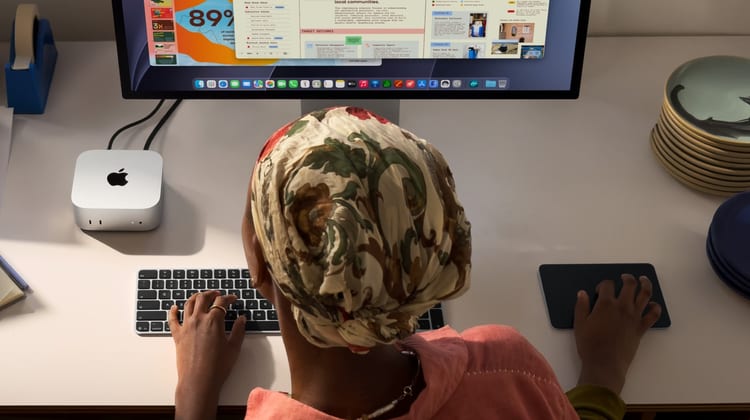
Photo: Apple (Mac mini / Mac Studio)
Source: Ollama Speech docs; Apple Newsroom (Mac mini with M6 / M5 Pro, Mac Studio with M5 Max / M5 Ultra, August–September 2026)