A friend comes over. The router sits behind the TV and the sticker on it is half gone. On iPhone you do not need to read out a long string of letters. The phone can send the password to a nearby iPhone, iPad or Mac, and the other person only taps the network name.
The feature is not new. It still fails a lot, and usually for the same reason. Apple's support article on sharing a Wi-Fi password puts the conditions first, before any steps.
Check these before you try
- Wi-Fi and Bluetooth are on, on both devices.
- Each person is signed in to their own Apple Account.
- Personal Hotspot is off on both devices.
- Each person has the other's Apple Account email or phone number in Contacts.
- The two devices are close to each other.
Apple also asks for the latest iOS, iPadOS or macOS on both sides.
Share the password from your iPhone
- Keep your iPhone unlocked and connected to the Wi-Fi network.
- On the other device, the person goes to Wi-Fi settings and taps the network name.
- On your iPhone, wait for the Wi-Fi Password notification, then tap Share Password.
- Tap Done.
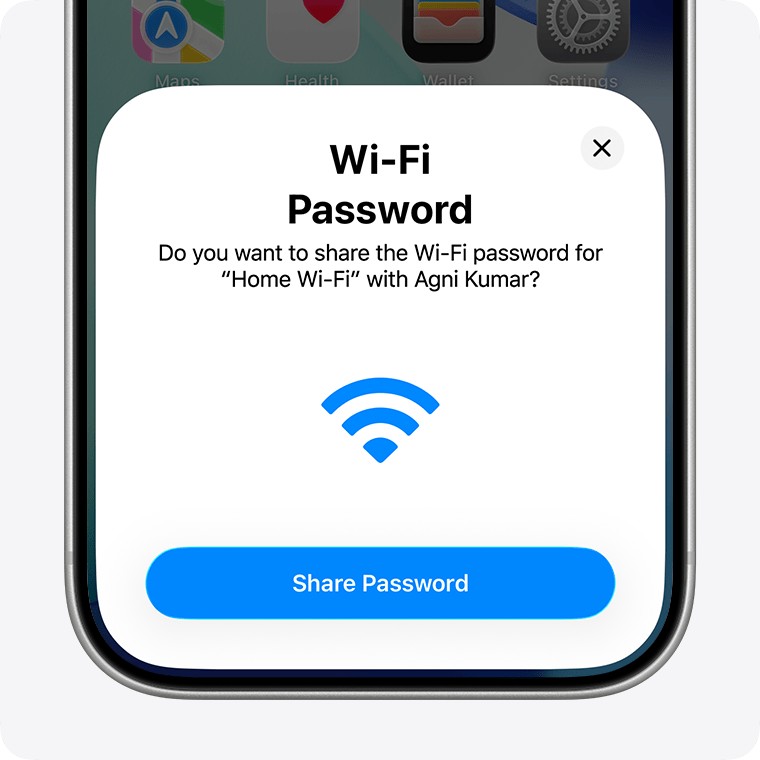
Photo: Apple Support. The Share Password prompt
How does the phone know who is asking? Apple's platform security guide says the exchange works in a way similar to AirDrop. The device that wants the password sends out a Bluetooth Low Energy request. The iPhone that has it needs the requester's contact information, and the requester has to prove who they are before the password is sent.
No prompt at all? Apple's advice is short. Restart both devices and try again. If that fails, type the password by hand.
The common mistake is a contact card with the wrong details
Many people think "she is in my contacts" is enough. Often it is not. The card needs the email address or phone number that person uses for their Apple Account. A friend saved only under an old work number will not trigger the prompt. Same for a family member whose Apple Account email was never added to the card.
The fix takes a minute. Open Contacts, edit the card, add the right email or number. Ask them to do the same with yours, because the rule goes both ways.
Personal Hotspot is the second trap. If either phone is sharing its cellular connection at that moment, password sharing will not work.
Find the password yourself, or show a QR code
Sometimes the guest has an Android phone, or it is a smart TV. Then you need the password itself. The iOS 27 user guide's Wi-Fi password page sends you to the Passwords app.
- Open the Passwords app.
- Tap Wi-Fi. The network you are on shows at the top, with networks you joined before listed too.
- Tap a network, then tap the Password field. Tap Copy Password to paste it somewhere else.
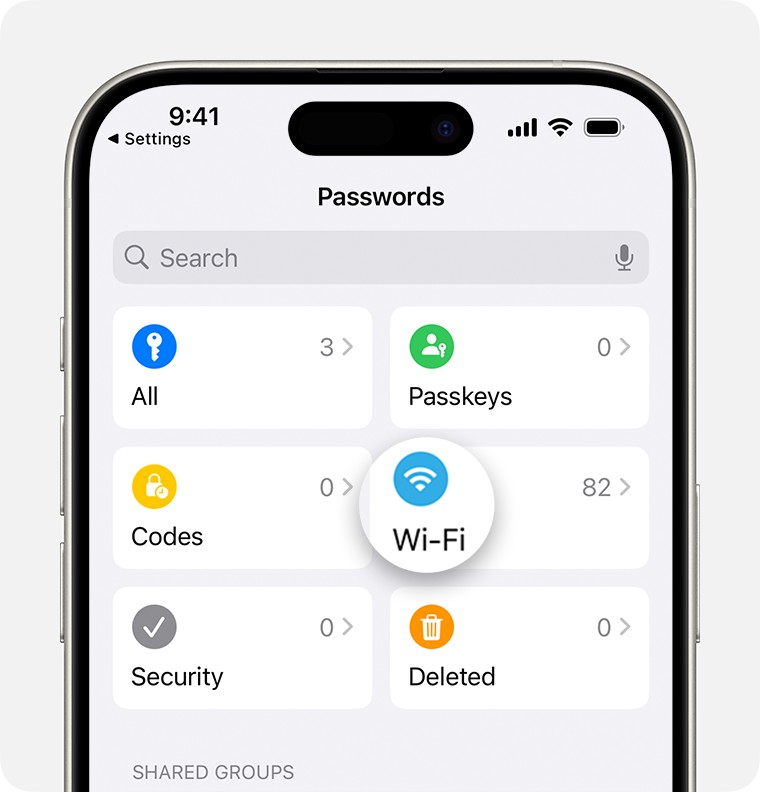
Photo: Apple Support. Wi-Fi in the Passwords app
The same network screen has Show Network QR Code. Friends and family can scan it to join.
Settings still works as well. Go to Settings > Wi-Fi, tap the Info button next to the network, then tap the Password field. Apple's saved Wi-Fi passwords article says Face ID, Touch ID or your passcode unlocks it.
If the problem is the Wi-Fi connection and not the password, our fix for an iPhone that can't connect to Wi-Fi goes through grayed-out switches and No Internet Connection. Picking up a new phone this week, with iPhone Duo walk-in stock limited on October 23? Our Quick Start guide for moving to a new iPhone covers the setup.