Pavel Durov is telling iPhone users to update iOS right now. The Telegram founder wrote Friday at 23:08 UTC that "iPhone users are being hacked on a massive scale," and that an even slightly outdated iOS version puts all device data at risk. Telegram has begun sending its own warning to users on older iOS versions. Apple, meanwhile, has not announced any new attack or any new patch. The path is still Settings > General > Software Update, and the latest public title is iOS 27.2.1 from November 9, 2026.
Durov's post: "iPhone users are being hacked on a massive scale"
Durov's message on X (Friday, November 27, 2026, 23:08:38 UTC) is blunt. "iPhone users are being hacked on a massive scale," he wrote. "If your iOS is even slightly outdated, all your data is at risk. Just opening a website can be enough to get you hacked. We're sending this warning to all our users on older iOS versions." The post carries an attached warning image. By Saturday morning it had drawn 103,577 impressions and 1,304 likes, plus 238 bookmarks.
The Defiant followed with a short post of its own: "CEO Pavel Durov said just visiting a website can be enough to compromise an iPhone running outdated software." Durov named no exploit, no website, and no iOS version number in the warning.
Telegram's warning reached users before the X post
The X post was not the start of the push. Cointelegraph posted at 22:30:19 UTC, about 38 minutes earlier, that "Telegram is urging iPhone users to update their iOS immediately, warning that security vulnerabilities in outdated versions put their data and accounts at risk." That timing suggests in-app warnings were already reaching users on older iOS versions before Durov went public. The message is the same in both places: update iOS now.
No new Apple update: iOS 27.2.1 from November 9 is still the tip
Apple shipped no new security release with this story. The current advisory, About the security content of iOS 27.2.1 and iPadOS 27.2.1, is dated November 9, 2026 and covers iPhone 11 and later. Our firmware brief still lists the public tip as iOS 27.2.1, build 24B156 (iPhone Duo, 24B91034), with no newer seed through Friday, and it explains which iPhone update is the right one for your device. Older trains see 26.7.3 or 18.7.12 instead.
Two things Durov did not say, and Apple did not either. Apple has not confirmed a new in-the-wild campaign against fully updated iPhones. And no new official patch arrived alongside the warning. If your iPhone already runs 27.2.1, there is nothing newer to install today, as of November 28, 2026. For what that release fixed, see what iOS 27.2.1 changes on the iPhone.
How to update iPhone today: Settings > General > Software Update
Apple's own update page is short. Back up the iPhone first, then open Settings > General > Software Update and install what is offered.
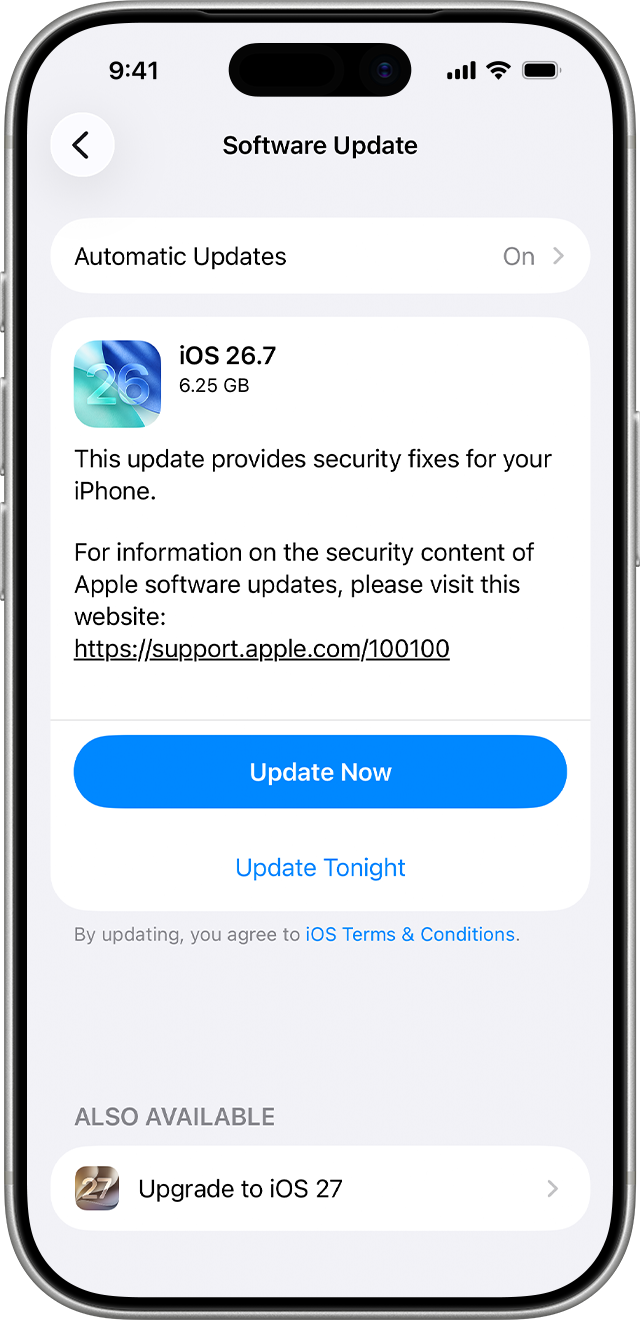
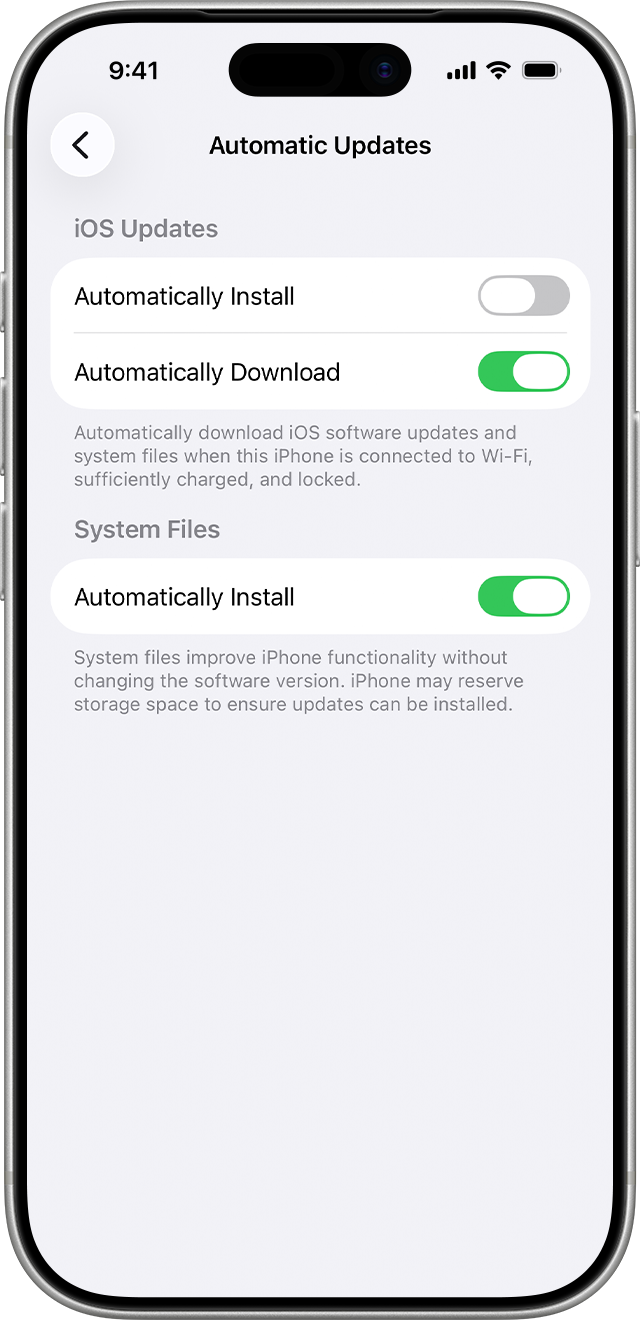
If the download hangs on Preparing Update, there is a separate fix for software update stuck on Downloading or Preparing Update. Turning on Automatic Updates, on the next screen, closes most of the gap Durov is describing.
And if the warning makes you want to tighten the phone anyway, start with these iPhone security settings to check after a threat notification.
Photo: Apple
Sources: Pavel Durov on X, The Defiant, Apple Support 149715, Apple Support 118575