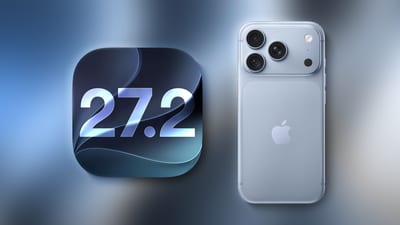
Apple has not shipped a new iOS seed today. On November 22, Apple Developer Releases still lists iOS 27.3 beta 2 v2 (24C5049f), dated November 19, as the newest iOS title. No 27.3 RC, no 27.2.2. If you use an iPhone on public software, your version is still iOS 27.2.1 (24B156), released November 9 and now thirteen days old. This post checks what that version fixes and how to install it.
The public tip is still iOS 27.2.1 (24B156), thirteen days after release
Apple's release rows are unchanged. iOS 27.2.1 (24B156) and the iPhone Duo SKU iOS 27.2.1 (24B91034), iPadOS 27.2.1 (24B156), macOS 27.2.1 (26B131), watchOS 27.2.1 (24S132) and visionOS 27.2.1 (24N124) are all dated November 9. tvOS 27.2.1 (24K157) is dated November 13. We mapped those build numbers in our iOS 27.2.1 build map.
Apple's About iOS 27 Updates page still has no 27.3 section. Its latest section is still 27.2.1: "This update provides bug fixes and security updates for your iPhone."
What iOS 27.2.1 fixes in Apple's security content
Apple's About the security content of iOS 27.2.1 and iPadOS 27.2.1 page, published November 9, gives the reasons to install. Two Messages fixes stand out. CVE-2026-113961: a remote attacker may be able to join an iMessage group chat and receive its messages. CVE-2026-113960: a user added to an iMessage group may be able to access messages sent before they joined. Both were reported by an anonymous researcher, and we covered them in the iOS 27.2.1 release write-up.
CVE-2026-113968 (AirPlay) and CVE-2026-113964 (CoreUtils) both cover pairing code rate limits, CVE-2026-113964 adding pairing without user interaction. CVE-2026-113965 lets a malicious Bluetooth device establish a pairing without user interaction. CVE-2026-113970 (Bluetooth) is process memory corruption from an attacker in Bluetooth range. CVE-2026-113969 (rapportd) covers AirPlay pairing code attempts from the same network. App Intents, CVE-2026-113963, is an app accessing sensitive user data. The brotli row adds CVE-2026-111497, an out-of-bounds write from maliciously crafted input. The page lists these for iPhone 11 and later. HomeView Software Version 27.2.1 on Apple's security releases index is a different row with no published CVE entries. That line is for HomeView, not for iOS.
How to update iPhone to 27.2.1
Apple's How to download iOS 27 page is the official path, unchanged since its October 22 publish date. Back up the device first. Then open Settings, tap General, tap Software Update. If the update is listed, tap Download and Install and follow the onscreen instructions.
Automatic is the other route. Settings > General > Software Update > Automatic Updates, then choose Automatically Install or Automatically Download. Automatically Install downloads and installs overnight while the iPhone charges on Wi-Fi. Automatically Download only downloads while charging and locked; to see it, first turn off Automatically Install. Apple's security releases index warns that an installed iOS update cannot be downgraded. If 27.2.1 lands badly on your phone, start with our iOS 27.2.1 battery drain checks.
iOS 27.3 beta vs 27.2.1: testers are on 24C5049f, and it is not an RC
Testers on the 27.3 tracks are running iOS and iPadOS 27.3 beta 2 v2 (24C5049f), the November 19 build that went to developers and public beta testers both. macOS 27.3 beta 2 is 26C5047e, watchOS 27.3 beta 2 is 24S5296d, tvOS 27.3 beta 2 is 24K5298d, visionOS 27.3 beta 2 is 24N5298d. Those official titles are dated November 16.
None of them is an RC, and none of them is public. On 27.2.1 you do not have 27.3 features, including the iPhone Duo front camera face unlock that stays in the beta for now. MacRumors' weekend recap on November 21 covered that beta 2 change again. Nothing new.
Nothing on today's page forces your hand. If 27.2.1 is not installed yet, do it after a backup.
Photo: Apple / Source: Apple Developer Releases, Apple Support