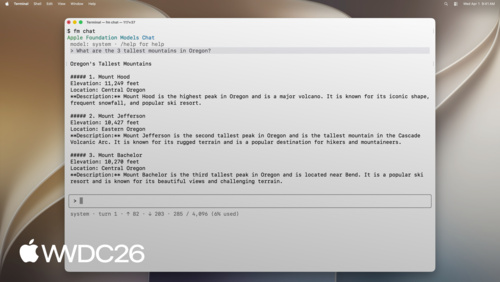
The fm command comes preinstalled with macOS 27. No install step, no API key. Open Terminal, type fm, and Apple's Foundation Models answer from the other side of the prompt. The default model runs on the device. Pass --model pcc when a harder question needs the larger model on Private Cloud Compute.
First run refuses to agree for you: sudo fm license
Before any model answers, fm stops at a license gate. The fm(1) manual page, a community-hosted copy of the Xcode man pages, lists a license command for the Legal Notice & Terms. Read the terms with fm license --show, then agree as an administrator:
sudo fm licenseThe agreement covers every user on the machine, so a plain user-level run is not enough. fm license --status confirms it. On Corey Daley's M2 Pro MacBook Pro on macOS 27.2 it printed "Agreed to license FM1 version 1.1", and fm asked again after Apple changed the terms. Declining exits with status 69.
fm models and fm quota-usage report what this Mac can use
fm models lists availability. On Daley's machine it showed system (AFM 3 Core) and pcc (AFM 3 Cloud). That is one machine's display text, not Apple product naming. The system model is the on-device Apple Foundation Model and the default for every command. Apple's WWDC26 session 334 on the fm CLI and Python SDK, from the Foundation Models Framework team, describes it as always available.
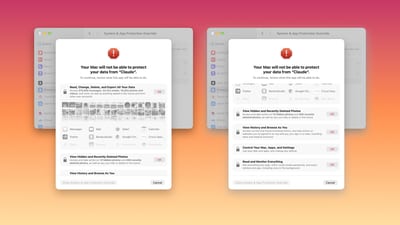
The pcc model runs on Private Cloud Compute, with two catches. It needs a network connection. And in Daley's test it refused outside Terminal.app: "Private Cloud Compute is not available in this context. Please use the Terminal app." The on-device model worked from anywhere. fm quota-usage is meant to show remaining quota, but on his Mac it printed only "PCC: ✓ Available", with no number. Apple publishes no cap. Apple's support document 121115 says server-side features carry daily usage limits that vary by feature, request complexity, and system demand. So script against the on-device model.
fm respond answers once, and fm schema object turns the answer into JSON
For one question and one answer, the man page example is fm respond 'What is Swift?'. Output streams by default; --no-stream stops it. Text enters through standard input, with --text for segments and -i for rules. --image /path/to/photo.png adds a picture to the prompt.
For structured output, write a schema first:
fm schema object --name Person --string name --integer age > person.jsonThen hand it back with fm respond --schema person.json "...". The model fills the schema and a script can parse the result. One footnote: the man page example writes --int age while its SCHEMA section documents --integer. Run fm schema object --help and use what it prints.
--model pcc sends the prompt to Private Cloud Compute
Switching models is one flag: fm respond --model pcc --stream 'Summarize this article', straight from the man page. WWDC calls the PCC model much larger and better on complex problems. Inside fm chat, /model switches the running conversation over, and /save stores the session. Sessions land in ~/.fm/sessions/, configuration in ~/.fm/config.json. An earlier walkthrough covers the basics of fm chat and fm respond in the macOS 27 Terminal.
Privacy note. Apple's Mac Help says many Apple Intelligence tasks stay on the device, and PCC requests keep their data no longer than the request needs.
fm availability follows Apple Intelligence, so check the Mac first
If fm models shows nothing usable, the cause is usually eligibility. Support document 121115 lists MacBook Neo (A18 Pro) and Mac models with M1 or later on macOS 27 Golden Gate, with device language and Siri language set to the same supported language. Storage runs up to about 14GB on M3 or later Macs with at least 12GB of unified memory, up to about 8GB on other eligible Macs. Apple Intelligence and Siri AI are not available in mainland China. Eligible Macs can also turn on Siri AI or check Apple Intelligence model storage in System Settings.
For Python scripts, Apple ships the Foundation Models SDK for Python: pip install apple-fm-sdk, for macOS 26.0+, Xcode 26.0+ and Python 3.10+. It targets the on-device model. For the bigger model from a script, the Terminal route stays --model pcc.