Face Unlock missing on your iPhone Duo? The camera is probably fine. As of November 23, 2026, the public release is still iOS 27.2.1, and Unlock with Front Camera only exists in iOS 27.3 tester builds. On a tester build the feature does work, but it unlocks less than people expect. Here is what the setting actually does, why Apple Pay still asks for a finger, and what to use when the camera gives up.
No Unlock with Front Camera switch usually means iOS 27.2.1
Check the version first. Open Settings, tap General, then tap Software Update. The screen shows the currently installed version of iOS and whether an update is available. If it says iOS 27.2.1 and nothing is waiting, that matches Apple's own documentation.
Apple's About iOS 27 Updates page, with a published date of November 9, 2026, still ends at iOS 27.2.1 ("This update provides bug fixes and security updates for your iPhone"). There is no 27.3 section on it and no mention of Unlock with Front Camera. Apple's security releases page still lists 27.2.1 as the latest iOS version. So a missing switch on the public release is expected behavior, not a Settings bug.
The feature lives in the iOS 27.3 tester line. The newest build Apple lists is iOS 27.3 beta 2 v2 (build 24C5049f, November 19, 2026), and Face Unlock arrived in iOS 27.3 beta 2, not as Face ID. Do not install a tester build just to get the switch. Apple has published no release date for the public 27.3. MacRumors expects December. That is an outlet expectation, not an Apple date. For how long the public line has stood still, see our iOS 27.2.1 status note.
Face Unlock opens the phone but will not approve Apple Pay
What does the switch do? The Settings description, quoted by 9to5Mac, says: "Use the front camera, along with a recent Touch ID or passcode authentication, to quickly unlock iPhone Duo when it's closed. Face recognition data never leaves your device."
Note the conditions. The camera unlock works only when the Duo is closed and only after a recent Touch ID or passcode authentication. AppleInsider quotes one more official sentence from the same screen: "To use Apple Pay or to access your passwords, Touch ID is still required." 9to5Mac reports the same limit. The setting only unlocks the iPhone Duo. Apps and other authentication still want Touch ID or a passcode. After 45 minutes without unlocking, the face unlock turns off until you authenticate again. Unfolded, it does not work at all.

So a banking app prompt or an Apple Pay sheet that refuses the camera is behaving as documented. And this is not Face ID. iPhone Duo has no TrueDepth hardware, which is also why the guardrails above exist.
Dark room failures come from the standard front camera
Hands-on reports say the same thing. Mark Gurman's November 22 Power On wrote that iPhone Duo face unlock in iOS 27.3 "works well with good light, but fails in a dark room and can't authorize Apple Pay, passwords or banking apps." MacRumors' Juli Clover wrote on November 16 that "You aren't going to have much luck in a dark room because it's just using the standard front camera, but if the lighting is decent, you can unlock without Touch ID."
These are media hands-on findings, not official Apple fault codes. Apple publishes no light level for the feature and no night mode switch for it. In the dark the fix is more light, or the documented fallbacks below.
When the camera will not open the Duo: Touch ID, passcode, Apple Watch
Apple's iPhone User Guide still documents the original unlock paths for iPhone Duo: "To unlock iPhone Duo, rest your finger on the side button using the finger you registered with Touch ID. You can also use your Apple Watch to unlock your iPhone Duo." The guide has no Unlock with Front Camera section at all.

No fingerprint handy? Swipe up from the bottom of the Lock Screen and enter your passcode. For the Apple Watch path the watch needs its own passcode, must be unlocked, on your wrist, and near the iPhone. One caveat: Apple's watchOS setup page is written for Face ID iPhones and points at Settings > Face ID & Passcode. On iPhone Duo the biometric settings live under Touch ID & Passcode. Check the menu on your own device.
One trap before you file a bug. iOS 27.3 also adds a separate "Close to Lock" switch under Settings > Display & Brightness. It locks the Duo when you fold it instead of moving content to the outer display. That switch is not the Face Unlock switch.
So check the iOS version first, then check which authentication is failing. Most "Face Unlock is broken" reports on the Duo are one of these documented limits.
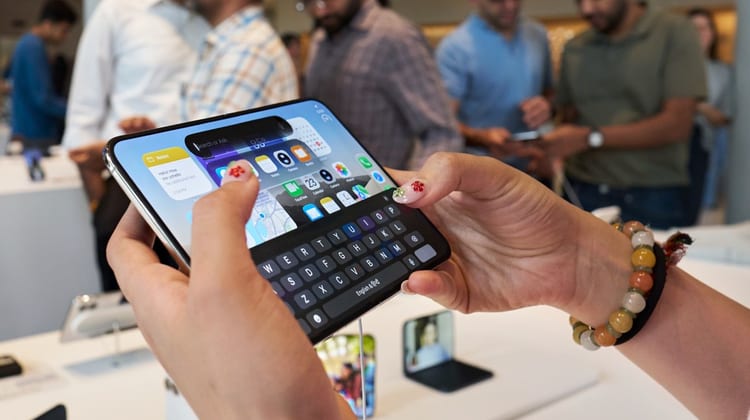
Photo: Apple (iPhone Duo customer demo at Apple BKC in Mumbai; launch moment at Apple Domain NORTHSIDE, Austin; front camera sample)
Source: 9to5Mac, AppleInsider, Apple Support, iPhone User Guide