If "Use Number on This iPhone and Another" never appears under Cellular, or the shared number does not move when you unlock the second iPhone, the hardware is usually fine. iPhone Handoff in iOS 27 has a fixed requirements list, and one missing item keeps the setup hidden. Apple's Set up iPhone Handoff support page, updated November 3, 2026, is the checklist to work through first. Fresh attention from 9to5Mac's explainer this week brought the same failure points back.
What iPhone Handoff needs before the option appears
Apple's list is specific. Two devices running iOS 27 or later, both on Wi-Fi. Both signed in to the same Apple Account, with Messages in iCloud on and FaceTime and iMessage signed in with that account. Both on current software: Settings > General > Software Update shows the installed version, and iOS 27.2.1 is enough. Plus an eSIM from a carrier that supports iPhone Handoff.
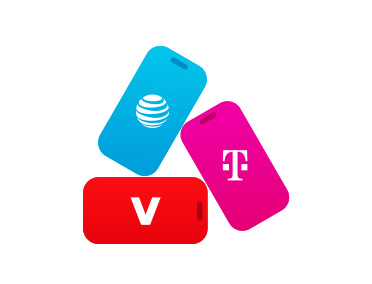
The last condition is where most setups stop. The support page lists three carriers only: USA: T-Mobile, Germany: Telekom, United Kingdom: EE. The US and Canada carrier feature table (Wireless carrier support and features for iPhone, September 15, 2026) shows iPhone Handoff under T-Mobile USA and does not list it under Verizon Wireless or AT&T. Apple has published no date for more carriers. Carrier fees might apply when enrolling. Apple says to contact your carrier for details.
Where Use Number on This iPhone and Another actually lives
On the new iPhone, open Settings, tap Cellular, then tap Set Up Cellular or Add eSIM. Select Use Number on This iPhone and Another and tap Continue. Tap Continue again to start setup. Pick which iPhone keeps the main eSIM: Other iPhone leaves it on the current device, This iPhone moves it to the new one. Tap Continue on the current iPhone and follow the prompts on both screens. Our full iPhone Handoff setup walkthrough covers the flow in more detail.
One naming note. Apple documents no Settings row called "iPhone Handoff". The option sits inside the Cellular setup flow. If a guide sends you hunting for a toggle with that name, it is guessing.
Why the number does not switch when you unlock the other iPhone
After setup, one iPhone is the main iPhone and the other is the secondary iPhone sharing the number. The main one should be the iPhone you use most often. Switching is automatic: unlock the iPhone you want to use and the number becomes active there. The iPhone you left shows an arrow icon at the top. The iPhone you picked up shows "Switched to this iPhone". The number is active on one iPhone at a time.
When no banner appears, check three documented things. Unlock again with the passcode. Keep a passcode enabled and private, which Apple says keeps you in control of which iPhone is active. And remember Call Forwarding, Caller ID, and carrier account management only work from the main iPhone.
When iMessage or FaceTime sign-in stalls the setup
Both devices need FaceTime and iMessage signed in with the same Apple Account. If activation hangs, Apple's iMessage and FaceTime activation page has the reset: turn off iMessage under Settings > Apps > Messages, turn off FaceTime under Settings > Apps > FaceTime, restart the iPhone, then turn both back on. That page also notes a carrier might take up to 24 hours to verify a number with Apple. That is an iMessage activation window, not a Handoff timer. The same stall is covered in our iMessage Waiting for activation fix.
Apple Watch, Wallet, and app limits that look like bugs
Some behaviors are documented, not broken. Apple Watch pairs to the iPhone you use most, and iPhone Handoff does not switch the watch to your other iPhone. Payment cards added to Wallet during setup work on both devices, but some transit passes, IDs, or corporate badges might work on one device at a time. Banking apps may ask you to approve access on the existing device first.
One billing trap is worth repeating. Turning off iPhone Handoff requires contacting your carrier. Apple's page warns that if you delete the eSIM, your carrier may continue to charge you until you ask them to turn off the service.
Check the carrier list before anything else. If your carrier is not T-Mobile, Telekom, or EE as of November 2026, the option will not appear, and no iOS update changes that today.
Photo: Apple. Sources: Apple Support, 9to5Mac.