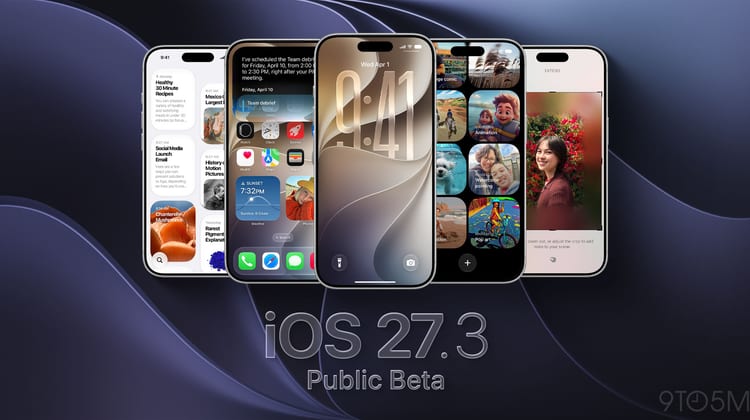
iOS 27.3 public beta 2 arrived November 19 as build 24C5049f, and tester threads filled up with three complaints. The update is not in Software Update. The download fails. Or the beta is installed now and the phone should go back to iOS 27.2.1 (24B156). Apple documents all three paths. The checks below follow that order.
Apple seeded 24C5049f on November 19 to the tester channels
Apple's Developer Releases page lists "iOS 27.3 beta 2 v2 (24C5049f)" and the matching iPadOS build for November 19, with no separate public beta title line. Aaron Perris reported the same build reaches public testers. Everyone else stays on iOS 27.2.1 (24B156; iPhone Duo 24B91034), per our iOS 27.2.1 build map. Apple's About iOS 27 Updates page still lists 27.2.1 as current as of November 20, 2026. December talk is outlet reporting, not an Apple date. Changes in the seed: our 24C5049f build recap.
Why iOS 27.3 public beta 2 may not show up in Software Update
A device that never joined the Apple Beta Software Program shows public releases only in Software Update. The missing 27.3 row is normal there. Enrolled testers open Settings, General, Software Update and see the beta. First-time testers back up, join the free program, then Settings > General > Software Update > Beta Updates, iOS 27 Public Beta, as 9to5Mac walked through for this seed. The toggle itself: our earlier Beta Updates how-to.
Apple's Update your iPhone or iPad page adds two smaller causes: a VPN or proxy blocking the update servers, and updates not offered over the air at all.
Apple's checks when the iOS 27.3 beta download fails
Apple's "If your iPhone or iPad won't update" page lists why a wireless update stalls: unsupported device, not enough storage, slow download, no route to the update server, or an update that does not complete. It quotes its alerts word for word, like "Unable to Check for Update. An error occurred while checking for a software update." Codes outside that list are not Apple-documented.
Work down the page in order. Retry on the same network, then another network, then a Mac or iTunes. For storage: Settings > General > [device] Storage, tap Enable next to Offload Unused Apps. Stuck download: same screen, find the update, tap Delete Update, then check Software Update again. If the Apple logo holds for minutes with no progress bar, Apple sends you to recovery mode. All of it comes from Apple's support page for iPhones that will not update.
Beta Updates to Off stops future betas only
Want off the test track without downgrading. Settings > General > Software Update > Beta Updates, then Off. That path needs iOS 16.4 or later. Apple's wording is that the device no longer receives these updates. The installed 27.3 beta stays, and the next commercial version installs from Software Update when Apple ships it. The old profile removal under VPN & Device Management is for iOS 16.3.1 and earlier. Edge case from the same page: if the beta went in with a computer, only a restore takes it out.
Going back to iOS 27.2.1 means erase and restore
Apple's uninstall-beta page is blunt. To install the current publicly released version, you erase and restore the device. Recovery mode on iPhone 8 and later is volume up, then volume down, then hold the side button until the recovery screen appears. Click Restore. If the download takes more than 15 minutes and the phone leaves recovery mode, let it finish, then repeat recovery mode. Full sequence: Apple's uninstall iOS beta page.
The backup rule is the part people miss. Backups made on beta software might not work with earlier iOS versions. Apple's own example: going back to iOS 18.1 from an iOS 18.2 beta, where a beta-era backup will not restore. Set up from the archived pre-beta backup, not one made on 24C5049f. Sidebar: Apple still notes HomeView Siri requests can fail when the speaker is paired with a device on the iOS 27.3 beta, and leaving the beta is not documented as the fix.
Check enrollment first. If the device is not in the beta program, no reinstall makes 27.3 appear. If it is enrolled and the row is still missing, the storage and network checks catch the rest.
Photo: 9to5Mac (featured), Apple (inline). Source: Apple Support, Apple Developer Releases, 9to5Mac.