Apple published the fine print on November 16. The new support document 127901 confirms that Siri AI and some Apple Intelligence features get daily usage limits, starting with the 27.3 release, and that an iCloud+ plan with at least 200 GB of storage raises those limits. The 12 TB plan goes up to 20X the standard device limit. Existing iCloud+ prices do not change. The rules are being tested in the iOS 27.3 beta now: developer beta 2, build 24C5049d, seeded November 16. The public iOS tip is still 27.2.1, so your daily driver is not metered yet.
What the 27.3 daily limits cover
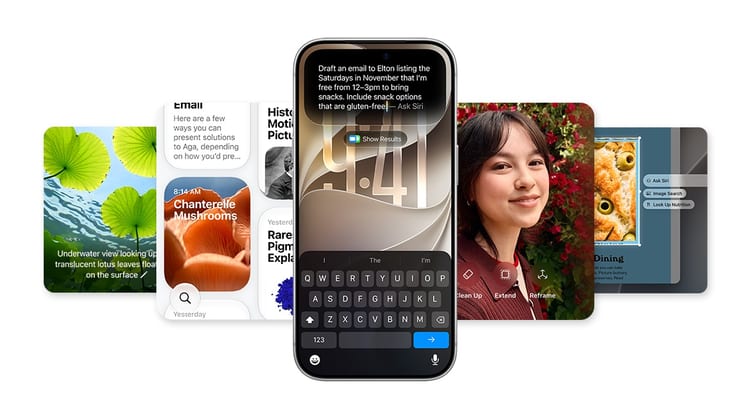
Four categories carry limits, per Apple. Siri AI itself. Image tools (Clean Up, Extend, Spatial Reframing, Image Playground). AFM Cloud and Cloud Pro models in Shortcuts. Third-party apps that call Apple Foundation Models through Private Cloud Compute. Apple says limits vary by feature category, request complexity, and system demand. It has published no request counts, and there is no Settings screen showing a remaining balance. 9to5Mac reports the warning appears inside the feature as you near the limit, with Image Playground as the example.
Keep one separate rule out of this math. Home app video summaries are capped by camera count: 1 camera on the 2 TB plan, 2 on 6 TB, 5 on 12 TB.
iCloud+ 200 GB and up: up to 2X to 20X more per day
| Plan | Select Apple Intelligence features and Siri AI | Shortcuts with AFM Cloud Pro |
|---|---|---|
| Free | Standard device limit | No access |
| iCloud+ 50 GB | Standard device limit | No access |
| iCloud+ 200 GB | Up to 2X | Access to AFM Cloud Pro Model |
| iCloud+ 2 TB | Up to 5X | Up to 5X access |
| iCloud+ 6 TB | Up to 10X | Up to 10X access |
| iCloud+ 12 TB | Up to 20X | Up to 20X access |
The 50 GB plan does nothing for your limits. Same standard device limit as free. U.S. list prices, per Apple's iCloud+ pricing page: $0.99, $2.99, $9.99, $29.99, and $59.99 a month for 50 GB, 200 GB, 2 TB, 6 TB, and 12 TB. Taxes may apply, and other regions list different numbers on the same page.
How the pool works also matters. Each device spends its own standard daily limit first. Only then does the iCloud+ increase kick in, and that increase is shared across every device signed in to your Apple Account and any Family members sharing the plan, first-come, first-served.
How to check your iCloud+ plan in Settings on iOS 27
Apple's buy or upgrade iCloud+ page gives the iOS 27 path. Open Settings. To upgrade an existing plan, tap your name, tap iCloud, then tap Manage Plan under iCloud+ Features. If you are not subscribed yet, tap iCloud, tap Storage (or Almost Full), then tap Get More Storage. A Storage Almost Full notification at the top of Settings also jumps straight there. One warning: the iPhone User Guide words the same route slightly differently (iCloud, Storage, Manage Plan). Use the row your phone actually shows.
Two prerequisites before the extra limits matter. Siri AI has to be on: Settings, Siri, Try Siri AI (Beta), and it needs an Apple Intelligence-capable device (iPhone 15 Pro models and later, iPhone 16 models or later, iPhone Duo, iPhone Air) with matching device and Siri languages. And this is not the one-time $49.99 Intelligence Usage Packs for Logic Pro and Creator Studio apps. Those are separate, one-time purchases. The iCloud+ multipliers are recurring capacity on your plan.
What still works after the limit, and when it resets
Hitting the cap does not mute Siri. Apple's own examples of everyday requests still work: "Set a timer for 3 minutes", or texting a friend where a party is. What pauses is the advanced tier, like telling Siri to text someone an address and work out when to leave home to arrive on time. Advanced requests resume when the limit resets or when you upgrade.
Leftover requests do not carry over to the next day. All categories reset daily at the same time, around midnight in your current time zone. Three exceptions, from 127901. Traveling internationally, the reset follows midnight in the central time zone of your Apple Account's country or region. Sharing iCloud+ through Family Sharing, the reset follows the plan purchaser's time zone. Not signed in to your Apple Account, the reset lands about 24 hours after you started using that feature category.
Where iCloud+ does not raise the limits
Two exclusion lists, and they are not identical. Increased access to select Apple Intelligence features with iCloud+ is not available in China, Brazil, the EU, the UK, or South Korea. Increased access to Siri AI with iCloud+ is not available in Brazil, the EU, the UK, or South Korea. China is in the first list only. MacRumors also reports Apple is not planning usage add-ons beyond the 12 TB plan at this time. That part is reporting, not a line in 127901.
Apple is using the 27.3 beta period to tune the numbers, so treat the multipliers as current policy rather than physics. For where the beta stands, see our iOS 27.3 beta timeline, and for what to run once your limits stretch, our list of 10 Apple Intelligence features to try.
Photo: Apple (apple.com/apple-intelligence, apple.com/icloud, apple.com/ios). Source: Apple Support 127901, 108349, 108047; MacRumors; 9to5Mac.