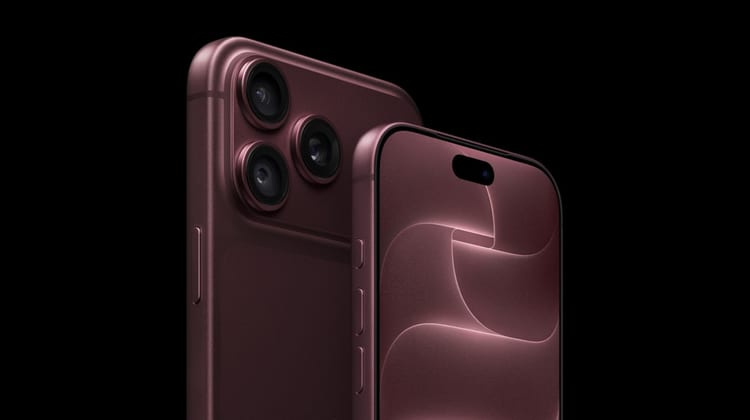
CNET ranked the iPhone 18 Pro Max first in a battery comparison of 32 smartphones, published November 11, 2026. The phones were not run until shutdown. CNET measured what charge remained after two fixed sessions and averaged the percentages. These 10 items cover the reported results, Apple's official hour ratings for the same phones, and the settings that change how long a charge actually lasts.
1. CNET ranked iPhone 18 Pro Max first in its 32-phone test
CNET tested 32 phones in two sessions, both starting at 100%: three hours of Wi-Fi video streaming at maximum screen brightness, then 45 minutes mixing video playback, video calls, gaming, and social media. The publication averaged the remaining percentages for its overall ranking. iPhone 18 Pro Max finished first, with iPhone 17, iPhone 18 Pro, Motorola Razr (2026), and OnePlus 15 tying for second, as MacRumors reported on November 11. In the mixed-use session the iPhone 18 Pro Max and iPhone Duo each kept 99%, and the smaller iPhone 18 Pro had the best streaming result at 94%.
2. Apple's official iPhone 18 Pro Max ratings: 30, 45, and 40 hours
Apple's iPhone 18 Pro tech specs rate the 18 Pro Max at up to 30 hours of typical use, 45 hours of video playback, and 40 hours of streamed video playback. The hours come from testing in July and August 2026 on preproduction units. Apple also says five minutes of wired charging on the 18 Pro Max gives around seven hours of video playback, and fast charging reaches 50% in around 15 minutes with a 60W-capable adapter with Adjustable Voltage Supply. Apple publishes hours, not milliamp-hours. The 5,567 mAh figure in CNET's table, as republished by 9to5Mac, is a test-report number, not an Apple spec. CNET credited the overall lead to a larger battery than the iPhone 17 Pro Max, A20 Pro efficiency, and iOS 27 optimizations.
3. iPhone 18 Pro ratings run lower at 24, 36, and 33 hours
The same spec table rates the smaller iPhone 18 Pro at up to 24 hours of typical use, 36 hours of video playback, and 33 hours of streamed video playback. This does not conflict with CNET. The 18 Pro won the streaming session at 94% remaining while its official hours run below the Pro Max. Do not convert CNET's percentages into hours. The two methods measure different things.
4. eSIM-only models add two hours of video playback
Apple Newsroom writes that eSIM-only models of iPhone 18 Pro and 18 Pro Max use the space of the removed physical SIM tray for a larger battery, adding two hours of video playback. These models sell in Bahrain, Canada, Guam, Japan, Kuwait, Mexico, Oman, Qatar, Saudi Arabia, the UAE, the U.S., and the U.S. Virgin Islands. The U.S. spec sheet lists Dual eSIM, storing eight or more eSIMs and no physical SIM card. Earlier reporting on the four iPhone 18 Pro Max SKUs with a bigger battery on eSIM models has the full picture.
5. Adaptive Power adjusts iPhone on heavier days
Adaptive Power uses on-device intelligence to predict when you will need extra battery, based on recent usage, then adjusts as the day goes. It can make performance adjustments, lower brightness slightly, limit background activity, and switch on Low Power Mode at 20%. It is on by default on iPhone Duo, 18 Pro Max, 18 Pro, 17 Pro Max, 17 Pro, iPhone Air, 17, and 17e. It is off by default on iPhone 16 models, 16e, and 15 Pro models. The path is Settings > Battery > Power Mode, and an earlier tip covers Adaptive Power Notifications when iPhone slows to save battery. Apple's footnote says it needs at least 7 days of charging habits before it engages, and it does not manage performance while the camera is open or Game Mode is on.
6. Low Power Mode is one tap in Settings or Control Center
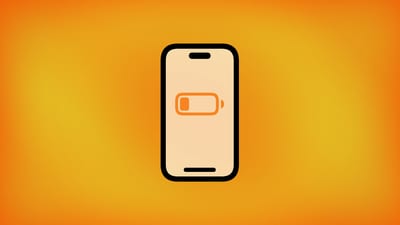
Low Power Mode cuts background activity when the battery runs low. On iPhone 15 and later it sits at Settings > Battery > Power Mode; on iPhone 14 and earlier it is at Settings > Battery. The battery icon in Control Center and Siri also toggle it. It sets Auto-Lock to 30 seconds, lowers brightness, pauses iCloud Photos, and turns off automatic downloads, mail fetch, and Background App Refresh. The status bar battery turns yellow, and the mode switches off at 80% charge.
7. Charge Limit stops charging between 80 and 100 percent
On iPhone 15 and later, Settings > Battery > Charging lets you set a Charge Limit between 80% and 100% in 5% steps. The phone charges to within a few points of the limit and stops. If the level drops more than 5% while plugged in, charging resumes. iOS sometimes recommends a limit, for example: "Based on your iPhone habits, a charge limit of 95% is recommended to help preserve your battery." With a limit under 100%, the phone still charges to 100% occasionally to keep its battery estimates accurate.
8. Optimized Battery Charging runs only at a 100 percent charge limit
Optimized Battery Charging delays charging past 80% in certain situations, and it is available only when Charge Limit is set to 100%. It is on by default when you set up a new iPhone. When it is working, the Lock Screen shows when the phone will be fully charged; touch and hold the notification and tap Charge Now to skip the wait. Apple's footnote says it needs at least 14 days and at least 9 charges of 5 hours or more in one location before it engages. On iPhone 14 and earlier the switch is at Settings > Battery > Battery Health & Charging, and Apple warns that turning off charging optimizations can reduce battery lifespan.
9. Daily Usage and Insights explain today's battery drain
The Daily Usage chart in Settings > Battery needs iOS 26 or later and compares today's usage with your last seven days. Suggestions and Insights sit just above the chart, such as enabling auto-brightness or a note that an Ongoing iOS Update is using power in the background. View All Battery Usage breaks down app and system activity, including No Mobile Coverage and Low Signal. Apple also advises using Wi-Fi where possible, Airplane Mode in dead zones, and 5G Auto on iPhone 12 and later. If a recent update seems to drain the battery, check Battery Insights before blaming the update.
10. Battery Health shows Service when replacement makes sense
How long a charge lasts depends on battery capacity and on your software and hardware use. Lithium-ion batteries are consumable parts and may eventually need replacement. On iPhone 15 and later, check Settings > Battery > Battery Health; on iPhone 14 and earlier the path is Settings > Battery > Battery Health & Charging. If Service appears next to Battery Health, Apple says to consider replacing the battery to restore full performance and capacity. A battery health percentage is not the same measurement as CNET's remaining-charge test.
Photo: Apple Newsroom / Source: MacRumors, Apple Support