Wi-Fi that shows a checkmark but no internet is a common iPhone stuck point. So is a network that never appears after a router password change. Apple’s path starts in Settings, Wi-Fi. The last step on the support page is Reset Network Settings. That clears saved Wi-Fi passwords, cellular data settings, VPN and APN entries you added yourself.
It does not erase Photos or apps. On iOS 27 the menus sit under Settings, General, Transfer or Reset iPhone. New iPhone 18 Pro units in stores use the same Reset list.
Check Wi-Fi before you reset
Open Settings. Tap Wi-Fi. Confirm Wi-Fi is on. Tap the network name. A blue checkmark means the phone joined that SSID.
If you still cannot load a page, go back to Settings and turn Airplane Mode off. Tap Wi-Fi again. Apple’s current Wi-Fi help page says to make sure Connectivity Assist is off. If the Wi-Fi row looks dimmed, restart the iPhone first.
A “No Internet Connection” note under the network name is not the same as a failed join. The phone is on the router but the wider path is broken. Check the modem and router before you wipe the phone’s network list.

Forget one network, or turn off Auto-Join
If only one SSID misbehaves, forget that network instead of a full reset. Apple’s forget-network page puts the steps here.
Open Settings, Wi-Fi. Tap Edit to see known networks. Tap the More Info button next to the network. Tap Forget This Network, then Forget. The password leaves the phone. Join again only when you are ready to type it.
Or leave the password and turn Auto-Join off. After you leave range or toggle Wi-Fi, the phone will not rejoin that network on its own. You can still pick it manually later.
Forgetting is also useful after you change the router password or channel. Old cached settings stay until you remove the network.
Reset Network Settings on iOS 27
Use this when several networks fail, or when forget-and-rejoin does not help. Apple says to reset network settings only after the lighter steps.
Open Settings. Tap General. Tap Transfer or Reset iPhone. Tap Reset. Tap Reset Network Settings. Enter your passcode if asked.
Wi-Fi turns off, then on. Saved home and work networks drop. VPN and APN settings you entered yourself go with them. The device name under Settings, General, About returns to “iPhone”. Manually trusted certificates go back to untrusted.
Wi-Fi and Ask to Join Networks stay on. You will need to join each SSID again and type passwords. Cellular plans on eSIM usually stay, but roaming switches may flip. MDM or configuration-profile VPN is different. Remove those under Settings, General, VPN & Device Management if IT installed them.
Router checks Apple still lists
If other phones join the same Wi-Fi fine, the router side is healthier than the stuck iPhone. Still restart the router and cable modem: unplug, wait, plug back in. Move closer. If the access point offers 2.4 GHz and 5 GHz SSIDs, try the other band.
VPN or security apps can block joins. Apple’s Wi-Fi article says to uninstall that software, restart, then test. If Wi-Fi returns, talk to the VPN vendor before you reinstall.
After a reset, join the network again and open Safari. If the status bar shows Wi-Fi but pages fail, contact the ISP. Try a café or phone hotspot to see whether only one site is broken.
What this reset does not fix
Reset Network Settings is not Erase All Content and Settings. Media stays. It also is not a storage cleanup. If updates stall for space, use Offload Unused Apps instead.
Battery Charge Limit under Settings, Battery, Charging is unrelated. Today’s 80% Charge Limit tip lives on a different path. Firmware build notes such as Xcode 27.1 beta 27A9269 with public iOS 27 on 24A437 matter for install failures, not for a single bad SSID.
School or work phones under MDM should ask IT before Reset Network Settings. Profiles can put networks back, or block the reset path.
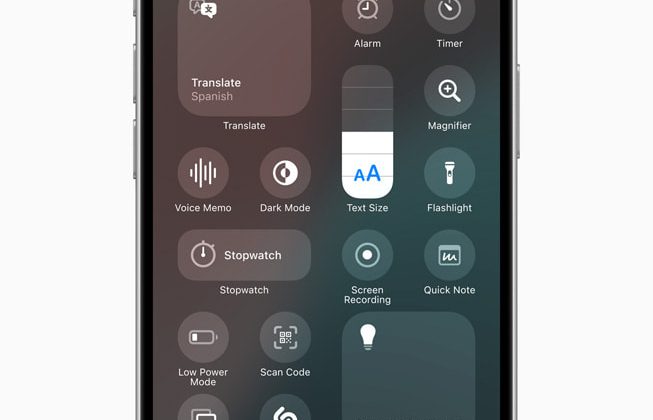
Photo: Apple Newsroom / Control Center controls panel; OS availability lifestyle; iPhone 17 Lock Screen
Source: Apple Support — If you can’t connect to Wi-Fi on your iPhone or iPad; Forget a Wi-Fi network; iPhone User Guide — Reset iPhone settings