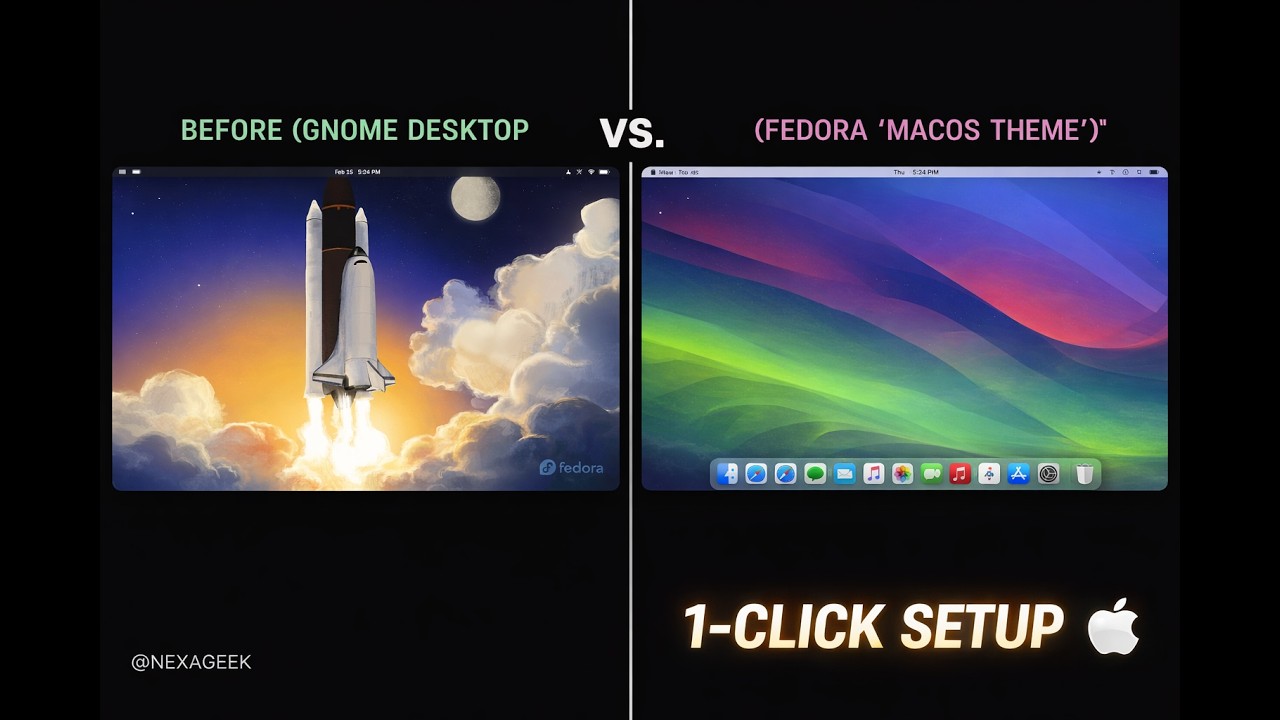
🚀 Ready to turn your Fedora workstation into a sleek, macOS-inspired powerhouse? In this video, I’ll show you how to automate the entire process using my custom scripts!
We’ll be using the WhiteSur theme, high-quality icons, and the perfect dock setup to give you that premium Apple feel on the best Linux distro.
🔥 Get the Scripts here:
👉 https://github.com/AbDuus/Fedora-macOS-NEXAGEEK/
Commands used in this video:
1️⃣ git clone https://github.com/AbDuus/Fedora-macOS-NEXAGEEK/
2️⃣ cd Fedora-macOS-NEXAGEEK
3️⃣ chmod +x *.sh
4️⃣ ./nexageek-mac-themes.sh
5️⃣ ./nexageek-mac-dock.sh
WALLPAPERS link :: https://github.com/vinceliuice/WhiteSur-wallpapers.git
FOREFOX theme :: https://github.com/vinceliuice/WhiteSur-firefox-theme.git
⚠️ Note: After running the scripts, log out using:
loginctl terminate-user $(whoami)
Then log back in and run ./nexageek-mac-dock.sh one last time!
Timestamps:
0:00 – Intro
0:19 – Installing Themes & Icons
4:06 – Configuring the Dock
5:30 – Final Tweaks & Result
7:00 – Outro
If this helped you, don’t forget to LIKE, SUBSCRIBE, and STAR the GitHub repo! 🌟
#Fedora #Linux #macOS #GNOME #NEXAGEEK #TechTutorial #Customization
Note: NEXAGEEK is the original author of this video, we just embed it, if you have any questions please contact him via Youtube.