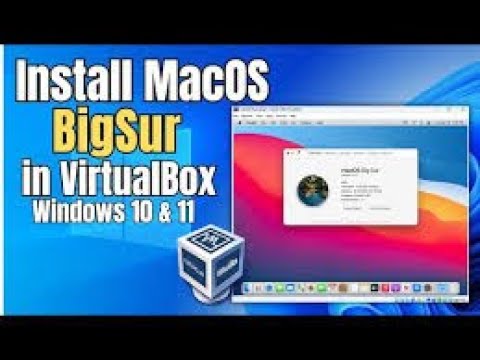
how to install macOS big sur on VirtualBox ?
needed files
———– Disable Hyper-V ————-
bcdedit /set hypervisorlaunchtype off
———– Patch Virtual Machine ———-
# Intel Processor
cd “C:Program FilesOracleVirtualBox”
VBoxManage.exe modifyvm “macOS” –cpuidset 00000001 000106e5 00100800 0098e3fd bfebfbff
VBoxManage setextradata “macOS” “VBoxInternal/Devices/efi/0/Config/DmiSystemProduct” “iMac19,3”
VBoxManage setextradata “macOS” “VBoxInternal/Devices/efi/0/Config/DmiSystemVersion” “1.0”
VBoxManage setextradata “macOS” “VBoxInternal/Devices/efi/0/Config/DmiBoardProduct” “Iloveapple”
VBoxManage setextradata “macOS” “VBoxInternal/Devices/smc/0/Config/DeviceKey” “ourhardworkbythesewordsguardedpleasedontsteal(c)AppleComputerInc”
VBoxManage setextradata “macOS” “VBoxInternal/Devices/smc/0/Config/GetKeyFromRealSMC” 0
VBoxManage setextradata “macOS” “VBoxInternal/TM/TSCMode” “RealTSCOffset”
# AMD Processor
cd “C:Program FilesOracleVirtualBox”
VBoxManage.exe modifyvm “macOS” –cpuidset 00000001 000106e5 00100800 0098e3fd bfebfbff
VBoxManage setextradata “macOS” “VBoxInternal/Devices/efi/0/Config/DmiSystemProduct” “iMac19,3”
VBoxManage setextradata “macOS” “VBoxInternal/Devices/efi/0/Config/DmiSystemVersion” “1.0”
VBoxManage setextradata “macOS” “VBoxInternal/Devices/efi/0/Config/DmiBoardProduct” “Iloveapple”
VBoxManage setextradata “macOS” “VBoxInternal/Devices/smc/0/Config/DeviceKey” “ourhardworkbythesewordsguardedpleasedontsteal(c)AppleComputerInc”
VBoxManage setextradata “macOS” “VBoxInternal/Devices/smc/0/Config/GetKeyFromRealSMC” 0
VBoxManage modifyvm “macOS” –cpu-profile “Intel Core i7-6700K”
VBoxManage setextradata “macOS” “VBoxInternal/TM/TSCMode” “RealTSCOffset”
————- Increase Display Resolution & Memory —————-
cd “C:Program FilesOracleVirtualBox”
VBoxManage setextradata “macOS” VBoxInternal2/EfiGraphicsResolution 1920×1080
Choose a Resolution:
1280×720 | 1920×1080 | 2560×1440 | 2048×1080 | 3840×2160
HD FHD QHD 2K 4K
VBoxManage modifyvm “macOS” –vram 256
Note: Tech World is the original author of this video, we just embed it, if you have any questions please contact him via Youtube.