Learn how to install macOS Sequoia on a Windows machine using this step-by-step guide. Get your system running the latest OS today.
This tutorial walks you through the entire macOS Sequoia installation process, specifically designed for users running Windows hardware. Whether you are testing compatibility or setting up a dual-boot environment, this guide covers the essential steps required to prepare your system.
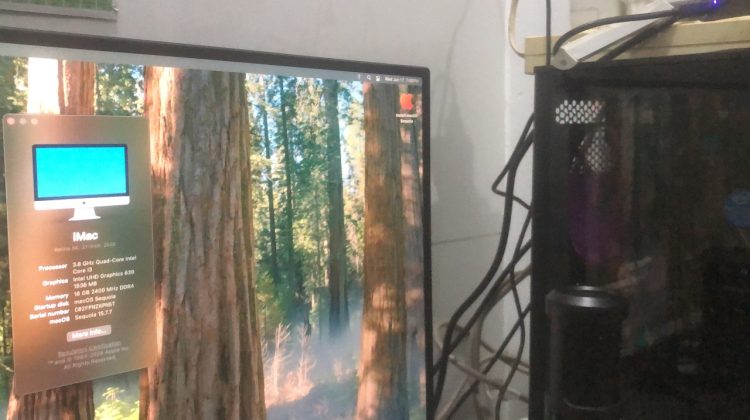
We start with the required installation files and move directly into the disk management tools needed for the setup. You will see the complete process, from initial configuration to the final macOS Sequoia boot screen, ensuring you have the visual roadmap necessary to replicate these results on your own PC. By following these instructions, you can successfully boot macOS Sequoia on your existing computer.
Subscribe for weekly operating system tutorials and leave a comment below if you want to see a guide on specific disk partition settings next.
Dual boot method: https://youtu.be/S6-vL4XVSiQ?si=aWQ_3PGE-9MHlYJP
macOS Sequoia 15.7.7 download: https://www.mediafire.com/file/127i0awbxqclpfd/Olarila+Sequoia+15.7.7.raw/file
EFI download: https://olarila.com/topic/5676-hackintosh-efi-folder-with-clover-and-opencore/
Proper tree download: https://github.com/corpnewt/ProperTree
GenSMBIOS download: https://github.com/corpnewt/GenSMBIOS
Balena etcher download: https://etcher.balena.io/#download-etcher
Disk Genius download: https://www.diskgenius.com/
Choosing the right SMBIOS: https://dortania.github.io/OpenCore-Install-Guide/extras/smbios-support.html