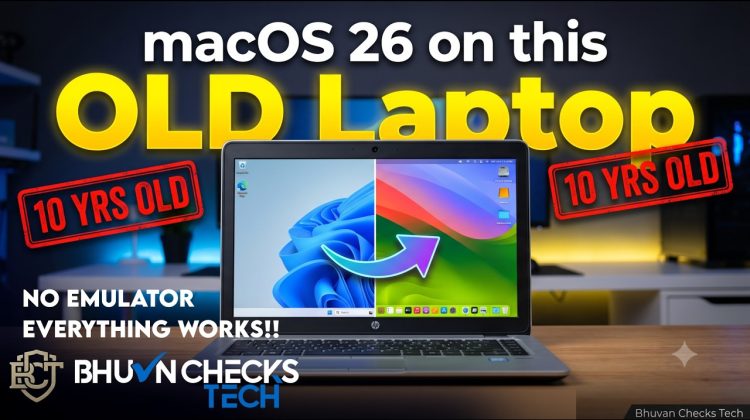
Mac OS ya Windows? Why not both? 💻🍏
In this video, I’ll show you exactly how to breathe new life into a 10-year-old Windows laptop by dual-booting macOS 26 and Windows 11. No slow emulators, no sketchy jugaad—just raw, native performance running on your original hardware!
We are using 5 essential tools: OpenCore Pkg, OC Aux Tools, USB Toolbox, OP Core Simplify, and Hardware Sniffer to make everything work perfectly.
### 🛠️ DOWNLOAD LINKS & TOOLS USED:
* **OpenCore Package (For macrecovery.py)**
https://github.com/acidanthera/OpenCorePkg
(Note: Unzip hone ke baad Utilities – macrecovery folder ke andar jana hai)
* **OCAuxiliaryTools (OCAT)** https://github.com/ic005k/OCAuxiliaryTools/releases
(Note: Windows setup ke liye OCAT-Win64.zip se download karein)
* **USB Toolbox (Windows Port Discovery Tool)**
https://github.com/USBToolBox/tool/releases
(Note: Ports scan karne ke liye Windows.exe download karein)
* **Op-Core Simplify (The Automation Magic)**
https://github.com/lzhoang2801/OpCore-Simplify
(Note: Python code base file download karne ke liye green Code button se Download ZIP karein)
* **Hardware Sniffer (Hardware and ACPI Tables Dumper)** https://github.com/lzhoang2801/Hardware-Sniffer/releases
(Note: Releases tab se Hardware-Sniffer.exe file download karein)
👇 GET THE FULL PDF INSTALLATION GUIDE HERE:
https://drive.google.com/file/d/1OXxqq7aBmEGVqo9LKT8UkuQEuHeQuKxY/view
MacOS 26 Recovery cmd command:
python macrecovery.py -b Mac-CFF7D910A743CAAF -m 00000000000000000 -os latest download
copy and paste it.
⏱️ Timestamps:
0:00 – The Ultimate Dual Boot Setup
0:06 – Software & Tools You Need
0:15 – Building the OpenCore EFI
1:57 – Fixing USB Ports (USB Toolbox)
3:16 – Downloading macOS 26 Recovery
3:39 – Creating the Bootable USB Drive
4:19 – Disk Utility & Dual Boot Setup
4:48 – Final Setup & Post-Installation
🔔 Subscribe to Bhuvn Checks Tech for more crazy PC builds, tech hacks, and DIY projects! If this guide helped you out, drop a LIKE and let me know in the comments what hardware you are running this on!
📱 Follow Me:
Instagram: https://www.instagram.com/bhuvncheckstech
⚠️ DISCLAIMER & WARNING
This video and the accompanying guide are strictly for educational and research purposes only. Bhuvn Checks Tech does not encourage, condone, or promote software piracy or the violation of any corporate Terms of Service.
Please be aware that installing macOS on non-Apple hardware violates Apple’s End User License Agreement (EULA). By following this tutorial, you assume full responsibility for your actions. We do not support or encourage commercial use of this method.
Bhuvn Checks Tech and its creators are not liable for any hardware damage, data loss, voided warranties, or “bricked” devices that may result from attempting these modifications. Proceed at your own risk, and always back up your personal data before modifying system partitions or flashing bootloaders.
—
⚠️ FAIR USE NOTICE:
1. This video is strictly for educational, research, and hobbyist purposes.
2. Trademark Disclaimer: All product names, logos, and brands (including iPad, macOS, Apple, Windows, and Microsoft) are property of their respective owners. All company, product, and service names used in this video are for identification and educational analysis purposes only. Use of these names, logos, and brands does not imply endorsement.
—