#ios27 #ios27beta #itunes
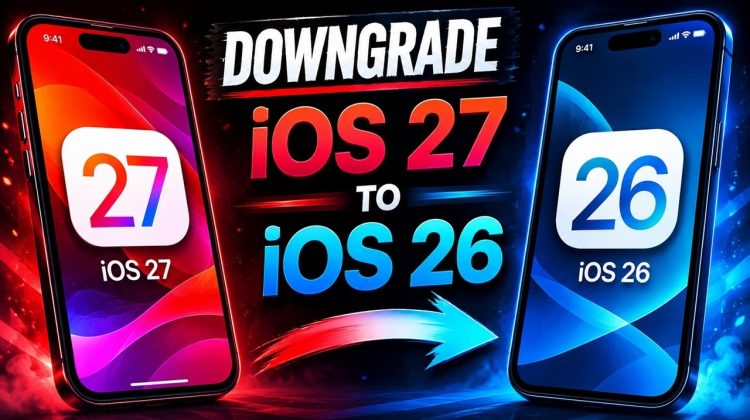
If you’ve upgraded to iOS 27 and want to go back to iOS 26, this video will show you how to safely downgrade your iPhone from iOS 27 to iOS 26 using iTunes on Windows or Finder on macOS. This step-by-step tutorial covers the complete downgrade process, including getting the latest version of iTunes, getting the correct IPSW file for your device, restoring your iPhone or iPad, and setting it up after the downgrade. Whether you’re experiencing bugs, battery drain, performance issues, or simply prefer iOS 26, this guide will help you return to a stable version quickly and easily.
Restore Newer iOS Backup to Older iOS Versions:
https://youtu.be/oM1O1VMML68
For A No Data Loss Downgrade:
1. Back up your iDevice running iOS 27 using iTunes.
2. Downgrade as shown in the guide.
3. Open the backup folder:
Press Win + R, then enter:
%appdata%Apple ComputerMobileSyncBackup
Open the folder that matches your device’s UDID (you can get the UDID from iTunes the same way you got the model identifier in the guide — just click on the serial number).
4. Open the Info.plist file in that folder with a text editor (like Notepad).
5. Press Ctrl + F and search for Product Version.
6. Change the Product Version from 27.0 to 26.5 or lower.
7. Press Ctrl + F again and search for the Build Version.
8. Change its value to 23F77 & save it.
Now restore the backup & it should succeed.
Topics Covered:
Downgrade iOS 27 to iOS 26
How to Downgrade iPhone iOS 27
iTunes Downgrade iOS 27
Restore iOS 26 from iOS 27
iOS 27 Downgrade Guide
Disclaimer:
The content on this channel is provided for educational and informational purposes only. I do not promote piracy, illegal activity, or the misuse of software. Jailbreaking is permitted under the Digital Millennium Copyright Act (DMCA) for personal use. All demonstrations shown in this video are intended to explain technical processes and share knowledge within the scope of lawful use. This content is not intended to encourage copyright infringement or unlawful behavior.
Enjoy!
If you liked my content, please do subscribe & leave a like!
#burhanrana