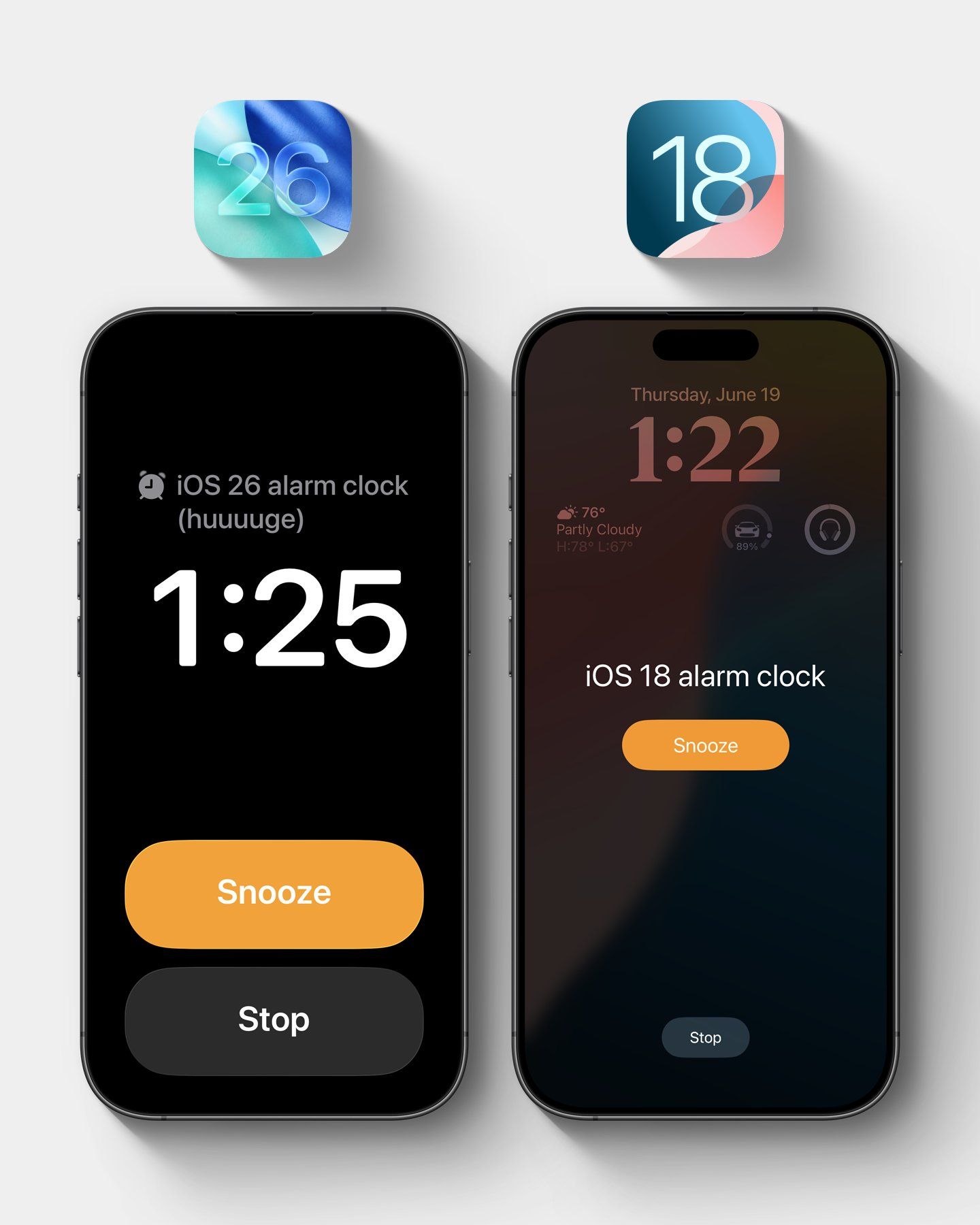
IT Home reported on June 25 that technology media MacRumors released a blog post yesterday (June 24), reporting that Apple has updated the alarm interface of the clock (Clock) application in the latest Beta 2 version of iOS 26, and the time display and button size have significantly increased.
IT Home Note: On iOS 26 system, after the alarm rings, users will see two large buttons of the same size, “Stop” and “Pause”, which are located side by side at the bottom of the screen.
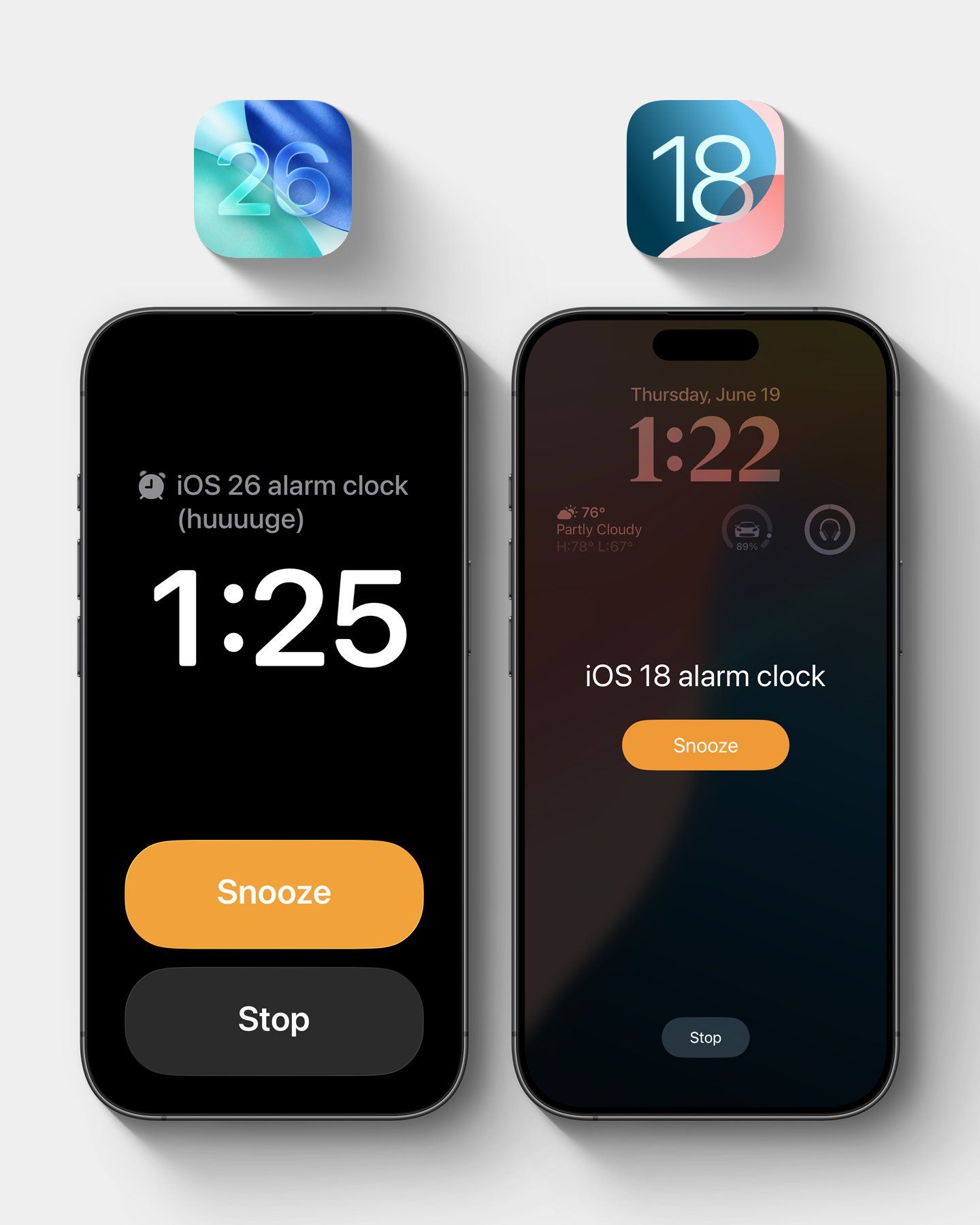
However, former Apple engineer Jack Fields pointed out that this design of the same large-sized button is inconsistent with the internal research he participated in before.
Fields said that during his tenure at Apple, he participated in a survey using a special-made clock application to record the screen clicking on the hot map after the user is woken up by the alarm clock.
“The survey documented the position of our hands slapped on the screen when we were half asleep and half awake to see how accurate we were to turn off the alarm,” Fields said.
The final result is counterintuitive, with the probability of the user accidentally touching “stop” when the “stop” and “pause” buttons are the same size and close to each other, which means that this actually increases the risk of oversleeping.
This is why recent versions of iOS have placed the Pause button in the center of the screen and are more prominent, while the Stop button is made smaller, farther down the screen. “By doing the ‘stop’ button so small, make sure you’re awake enough to really stop it,” Fields explained.
Regarding the new iOS 26 alarm interface, he added: “This new design is interesting and completely contrary to our previous research results, so I’m curious about what data they have to support this change. Now it’s scary.”
Advertising statement: The external redirect links (including, not limited to, hyperlinks, QR codes, passwords, etc.) contained in the article are used to convey more information and save selection time. The results are for reference only. All articles from IT Home include this statement.