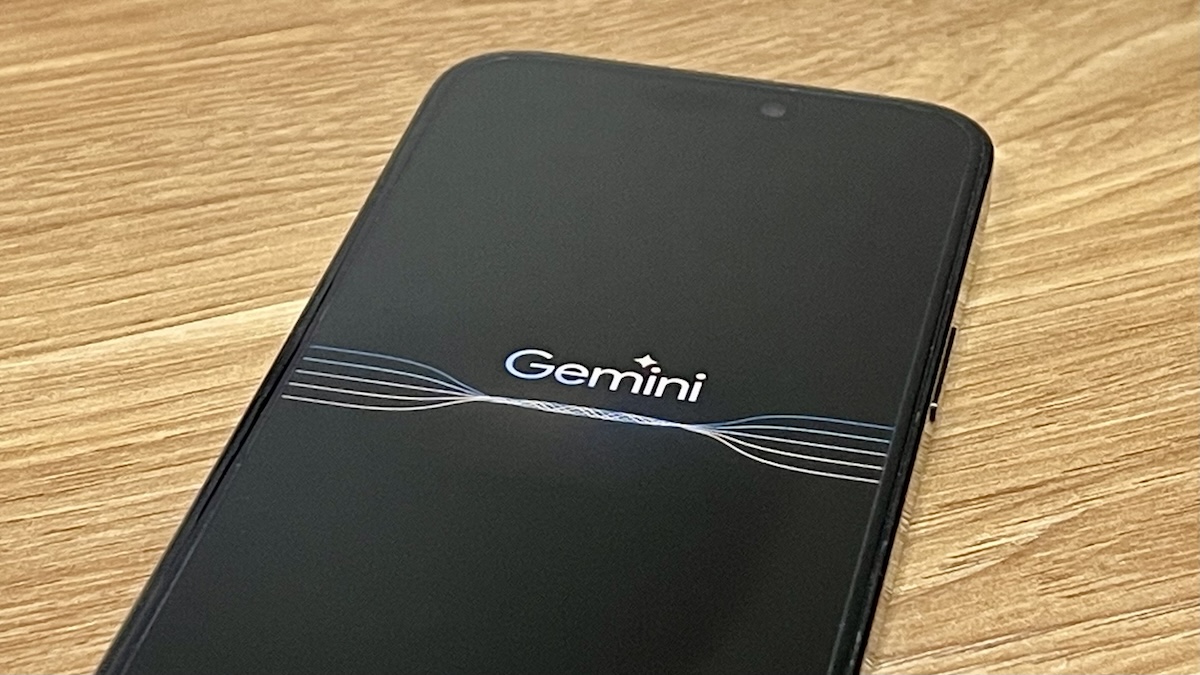
Google’s artificial intelligence (AI) app “Gemini” does not have an app for iPhone, so it must be launched via the Google app. However, we will show you how to launch “Gemini” in one go from the home screen or the action button on the iPhone 15 Pro.
You can easily call Gemini, which does not have an iPhone app
Many people probably use Gemini, a multimodal generative artificial intelligence (AI) model provided by Google that can handle text and images, on a daily basis.
Unfortunately, the Gemini app is not currently available for iPhone, so you’ll need to open the Google app to use Gemini.
So, here we introduce an explanation from American media 9to5Google on how to create a shortcut that will launch Gemini from your iPhone’s home screen.
If you set up a shortcut in this way, it can also be launched from the action button on the iPhone 15 Pro, which is beneficial for heavy Gemini users.
Call up the Gemini screen directly with a shortcut!
Here’s how to create a shortcut to launch Gemini.
- Open the Shortcuts app.
- Open the “Shortcuts” tab and tap the “+” in the top right.
- In the “Search for apps and actions” window, type “Open a URL.”
- In the “URL” field, enter the direct link to launch Gemini: “googleapp://robin” and tap “Done.” Note that you will be asked for permission to open the “Google” app only the first time you launch the app.
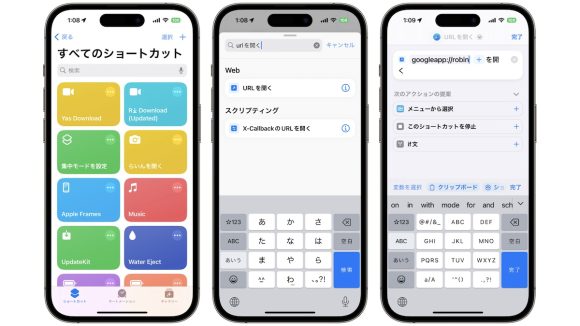
By executing this shortcut, you can directly access the Gemini screen of the Google app.
Change the name and icon to make it easier to use. Even easier to start on iPhone 15 Pro
Now that you have created a shortcut to launch Gemini, let’s make it even easier to use.
The name is “Open URL”, so go to “Change name” and change the name from “Open URL”. “Gemini” is a good choice for clarity.
The default icon is the Safari icon, so change it to your preferred icon. Here, select a sparkly icon that is close to the Gemini image from “Choose Icon”. This icon will be displayed in the “Things” category.
Then select “Add to home screen” to add the icon to your home screen.
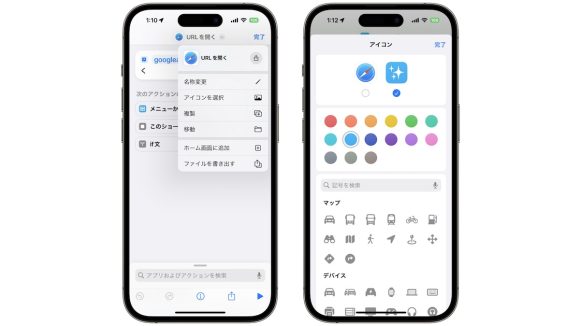
If you have an iPhone 15 Pro, you can assign a Gemini shortcut to the action button in the Settings app to make it even easier to call up.
Gemini may be included in iOS 18 in the near future
Apple Intelligence, a flagship feature of iOS18, can call up ChatGPT with user permission to respond to complex questions.
Apple executives have said that they want to allow users to choose between Google Gemini and ChatGPT in the future, which could lead to even more opportunities to use Gemini.
Source: 9to5Google
Source: iPhone Mania