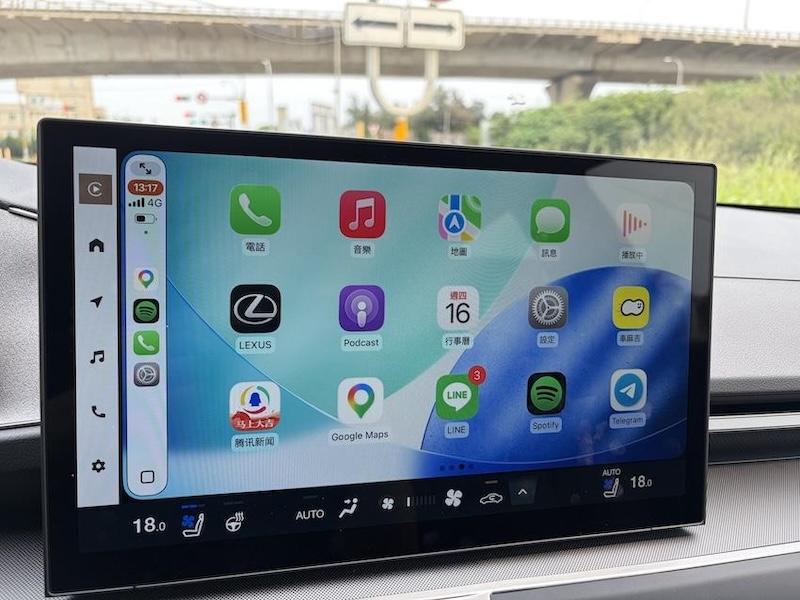
Apple is about to launch iOS 27. In addition to new features for the iPhone itself, CarPlay will also receive a wave of updates simultaneously. This time it not only replaces a new interface, but also enhances Siri, audio and video entertainment, navigation, wireless connections and electric vehicle functions, allowing CarPlay to further develop from a simple mobile phone and car projection tool to a smart vehicle platform. The following is a summary of 8 noteworthy new features of iOS 27 CarPlay.
Apple is about to launch iOS27, and CarPlay will also receive a wave of updates simultaneously. (Photo/photo by reporter Chen Yingjie)
1. Siri AI enters CarPlay, making the voice assistant smarter
Although the Siri function was convenient in the past, many users have always complained about its intelligence. This time, iOS 27 further brings the upgraded Siri artificial intelligence experience to CarPlay, supporting iPhone 15 Pro and newer models. In the future, drivers can directly ask for travel information, plan routes, and even get relevant content recommended by friends through voice, reducing the need to pick up their mobile phones to search for information while driving.
2. Sync Siri conversation history with iPhone so you can continue chatting after getting off the car
The conversation content between CarPlay and Siri can also be synchronized to the Siri App on iPhone. After getting off the car, users can still view previous conversation records and continue relevant content, making the AI experience between the car and the mobile phone more coherent.
3. CarPlay joins Apple TV for video playback and becomes the first wave of supported apps
One of the biggest highlights of CarPlay this time is the addition of video playback function. As long as the vehicle supports the CarPlay video function, users can play video apps that support AirPlay from their iPhone, and then select the vehicle screen through the AirPlay menu. It is currently confirmed that Apple TV will be one of the first supported apps.
In addition, Apple is also opening up developers to create CarPlay Apps with video browsing functions. In the future, there will be opportunities to directly search for videos through the car-machine interface. However, due to driving safety, the video can only be viewed when the vehicle is stopped, such as while waiting for parking or charging an electric vehicle. It cannot be played while driving; in addition, the support range may also be limited by the vehicle hardware specifications.
4. CarPlay puts on a new wallpaper Liquid Glass brings a new vision
The CarPlay interface has been updated simultaneously, and the new wallpaper will use the same design language as iOS 27 and macOS Golden Gate, making the visual style between Apple devices more unified. At the same time, App icons also import Liquid Glass design elements, including weather, maps and other commonly used apps, making the overall picture more layered.
5. Add music to MiniPlayer and you can control music without leaving the screen.
The media playback function is also more convenient. Supported music apps will provide a MiniPlayer in the upper right corner, which directly displays album cover, song information and playback control buttons. Users can also quickly understand the currently playing song when browsing maps or other content.
6. GPS positioning and navigation are optimized to make more stable intersection direction judgments.
iOS 27 also improves the CarPlay navigation experience, providing more accurate positioning information in some situations, while strengthening intersection steering and direction judgment, reducing positioning delays or inaccurate navigation direction judgments. For drivers who frequently use apps such as Apple Maps and Google Maps, it is expected to bring a more stable navigation experience.
7. Wireless CarPlay connection upgrade reduces disconnection problems
Many new cars now support wireless CarPlay. Car owners can connect automatically without plugging in USB after getting in the car. However, wireless connections may occasionally encounter problems such as disconnection, re-pairing, or failure to automatically connect. iOS 27 will be optimized for connections, improving automatic connection speed and stability, allowing car owners to enter CarPlay faster after getting in the car.
8. Maps share information with electric vehicles and can even help plan charging stations.
For electric vehicle owners, iOS 27 also strengthens the exchange of information between navigation apps and vehicle systems. Navigation apps, including Apple Maps and Google Maps, can provide navigation routes to vehicle systems, allowing electric vehicles to determine whether charging is needed based on remaining power and endurance, and recommend suitable charging stations along the way.
“You May Also Want to See”
USB 3.0 device is slowing down if the connection is too slow? Japanese industry players reveal the principles behind
No need to draw, no need to grab. Now use the APP to watch the news and you are guaranteed to win every day. Click me to download the APP. Click me to see the event details.