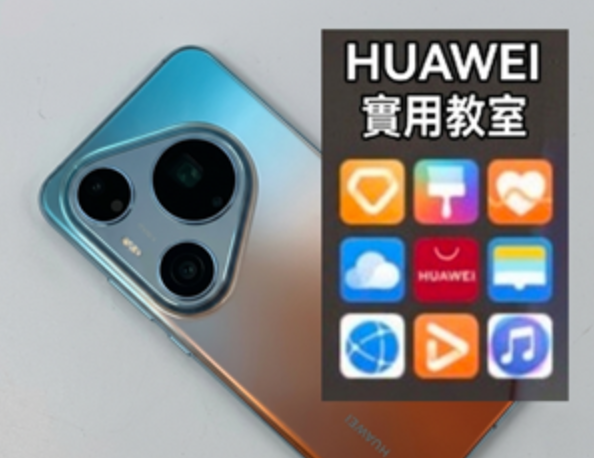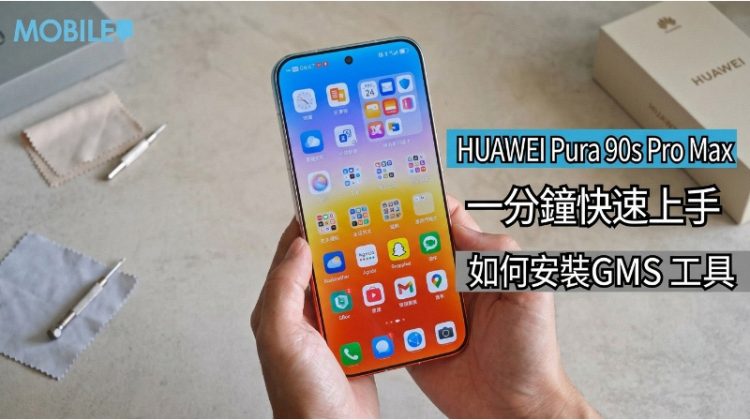
![[HUAWEI Practical Classroom]HUAWEI Pura 90s series simple installation of Google services tutorial!](https://iphonewired.pages.dev/wp-content/uploads/2026/07/IMG_20260725_003233-800x500_c.jpg)
Huawei’s new generation 5G flagship Pura 90s series officially debuted in Hong Kong. This is Huawei’s 5G international flagship product that has not been available for many years. The most important focus for users is still the compatibility of Google Services (GMS). According to our latest actual test on the Hong Kong version of the Pura 90s series, it is confirmed that the new EMUI 16 (Android 16) continues to provide convenient system flexibility. Users only need to use the simple “microG” solution to smoothly use various Google applications without reinstalling the system.
If you want to restore Google functions on the HUAWEI Pura 90s series, the first step is to enter Huawei’s own “App Store”. Users only need to enter “microG Service” or “microG Companion” in the search bar and click to install. The system will automatically detect and prompt to download these two key components. No matter which one the user chooses first, the device will guide you to complete the matching installation. The process is quite intuitive. After the installation is complete, open the microG interface and enter the “Google Account” option. After clicking “Add Google Account”, you can enter your account password to log in like a normal Android phone. Actual testing shows that the login process is very stable and the interface configuration is the same as the standard system.
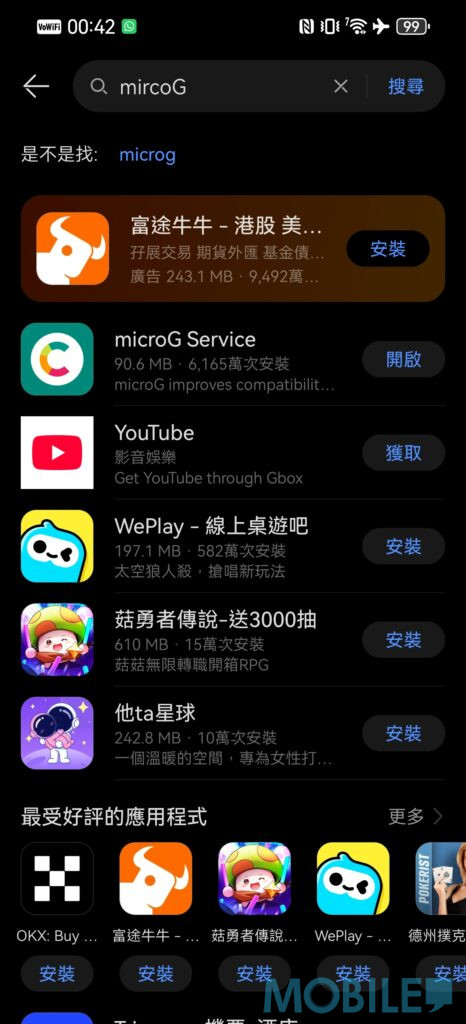
▲ Start the device and open the “App Store”, search for “microG Service” or “microG Companion”
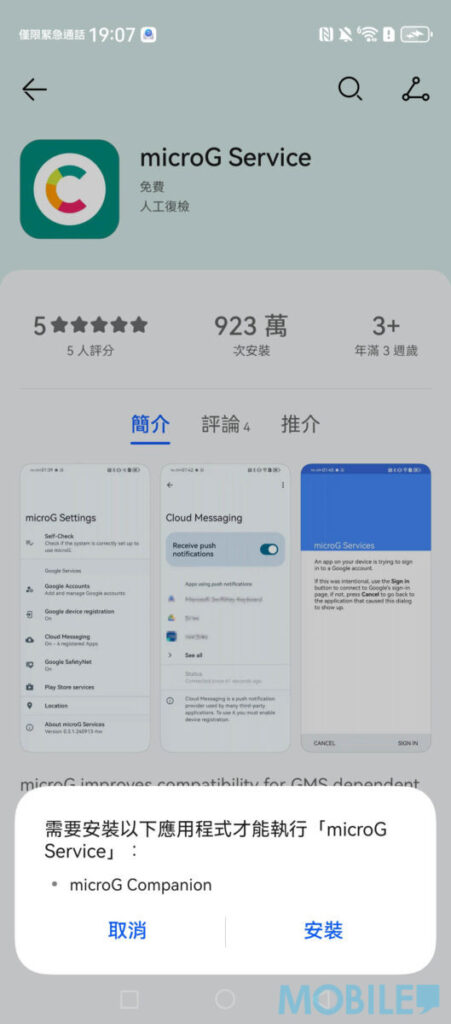
▲ Click Install, follow the prompts, and then select “Install”. The system will automatically download two programs.
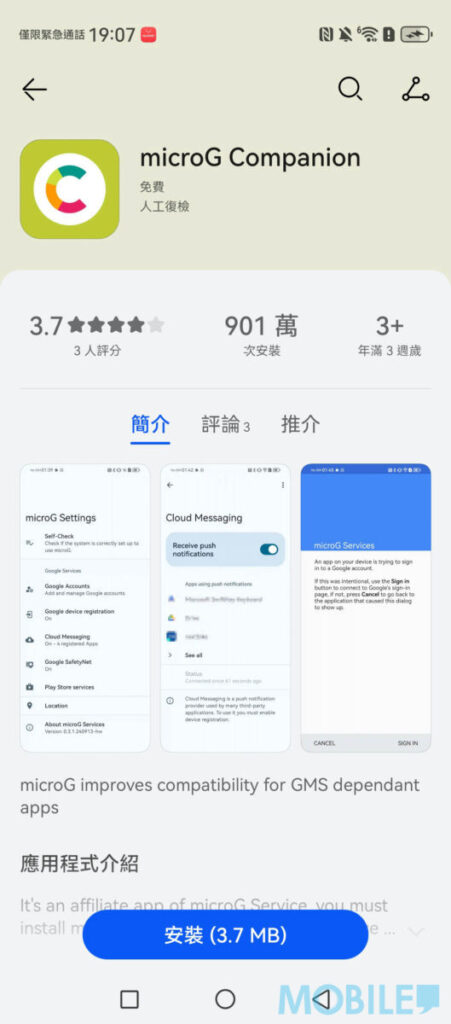
▲ No matter which microG tool you choose first, the system will prompt you to download another App. No need to worry.
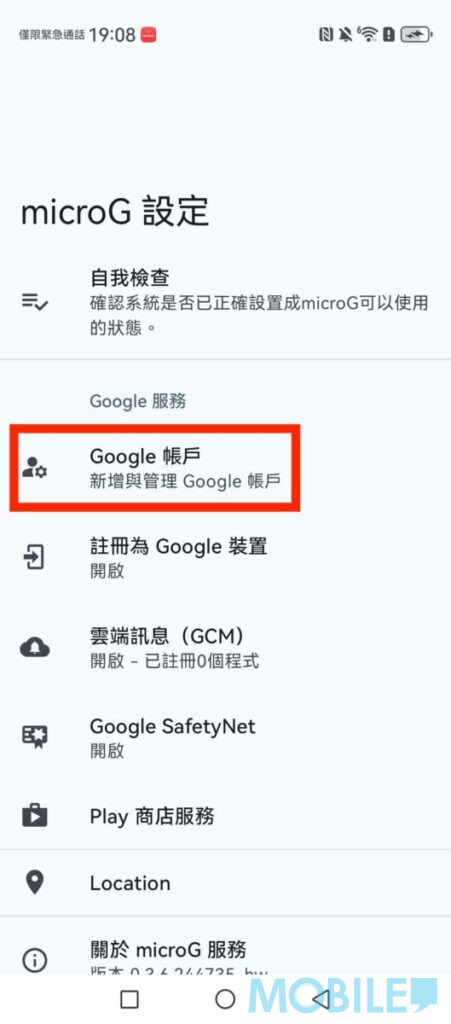
▲ After installation, open microG and click “Google Account”
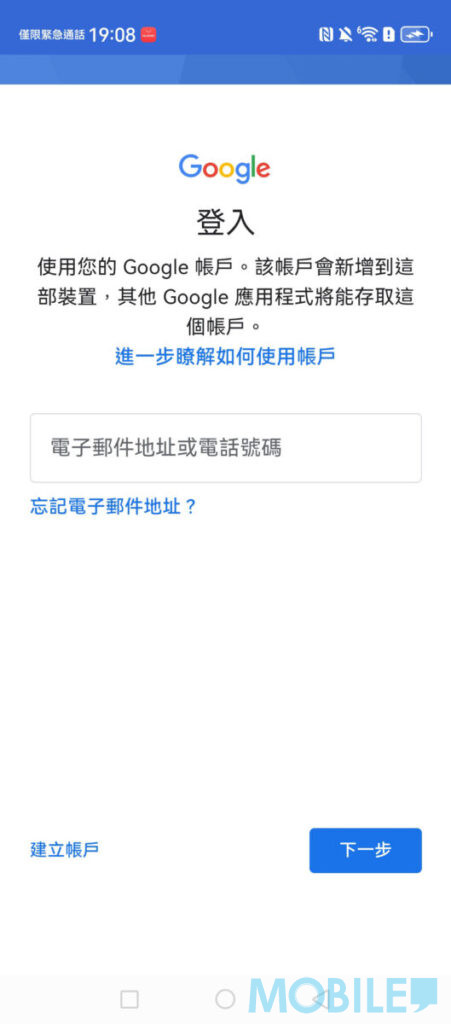
▲ Select “Add Google Account” to log in to your Google account normally
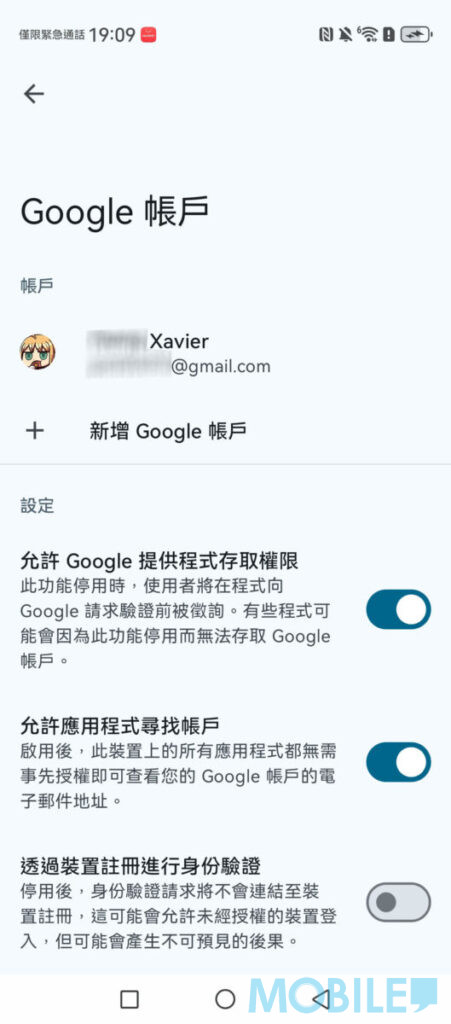
▲ After successful login, the interface display is the same as that of ordinary Android phones.
After completing the underlying account connection, if you want to further obtain the complete Google ecosystem experience, it is recommended to search for and download “GBox” through the “App Store”. Through the GBox launcher, users can directly download and install the official version of “Google Play Store”. After logging into the Play Store, whether it is Gmail, which is essential for daily work, Google Maps, which is preferred for navigation, or the video and audio streaming platform YouTube and Chrome browser, all can be downloaded and executed normally with one click.
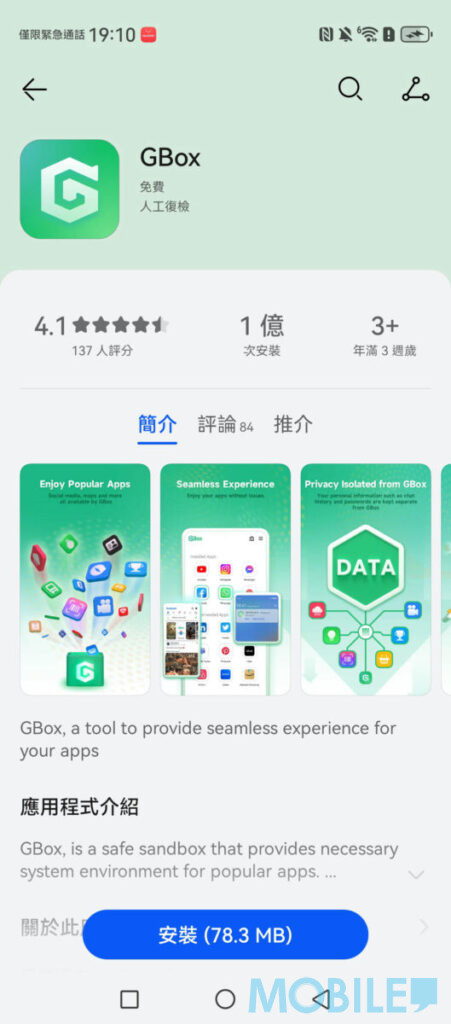
▲ To install various Google tools, you need to search and download “GBox” through the “App Store”
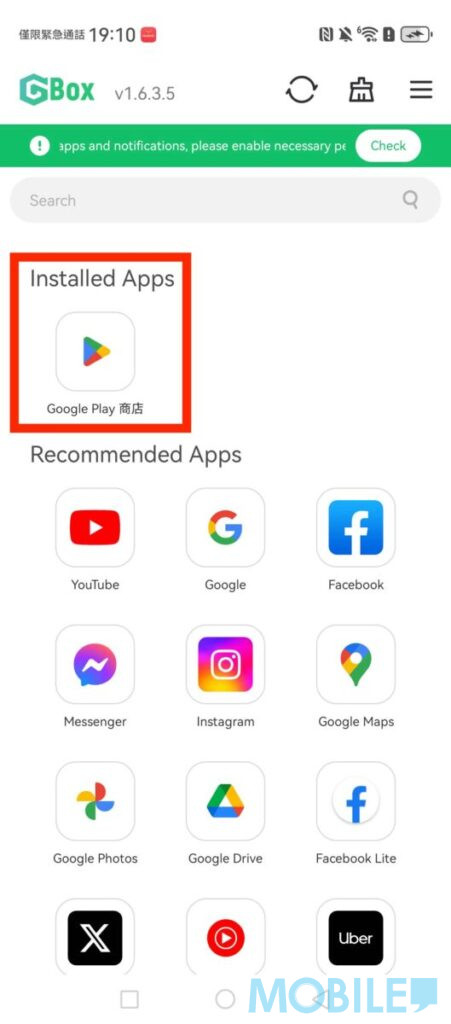
▲ After installing GBox, download “Google Play Store” first
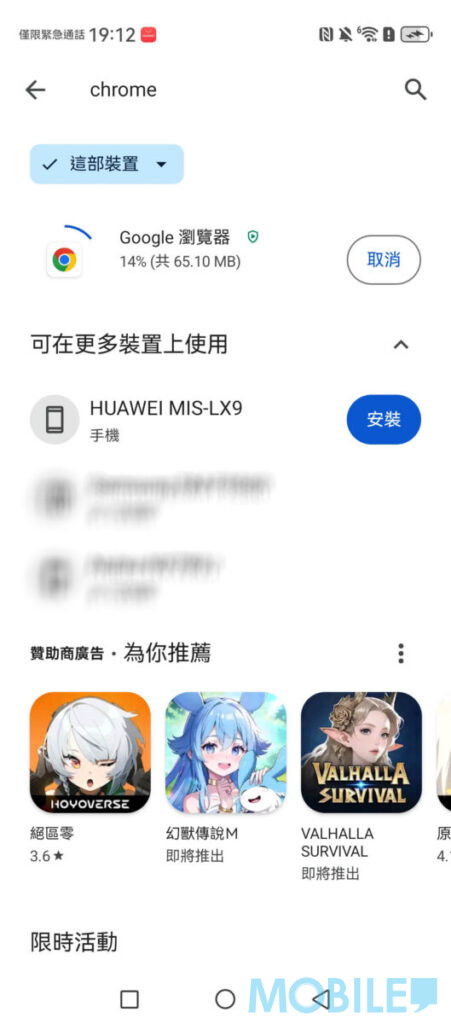
▲ Download and install the Google Play Store and log in to your account to download various Google tools normally
In actual testing, the HUAWEI Pura 90s series can log in and use the Google Play Store normally, as well as common tools such as Gmail, Google Maps, Chrome, YouTube, etc. The process is quick and easy, and there is no need to reinstall the phone.
If you want to know more tips on using HUAWEI mobile phones, you can browse the articles in[HUAWEI Practical Classroom]: