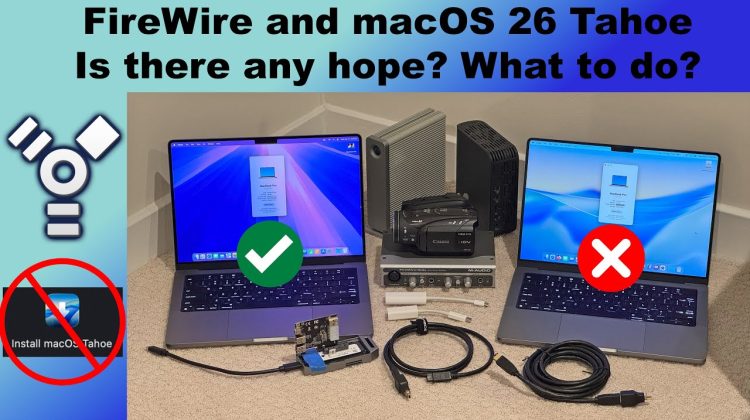
Apple’s newest release, macOS 26 Tahoe, quietly drops support for FireWire devices. In this video I show side-by-side tests proving FireWire camcorders and external drives that worked in macOS 15 Sequoia no longer work in Tahoe, even with Apple’s adapters. I also explain Apple’s silent handling of this change, what it means for legacy users, and what steps you can take if you still rely on FireWire. Below are timestamps, as well as links to the hardware you’ll need.
*Timestamps:*
00:00 Intro
00:24 FireWire Removal From Core Audio
00:43 FireWire still worked for other things
01:19 Changes in macOS Tahoe
01:33 Demo – Camcorders
02:08 Demo – External Hard Drives
02:18 Feedback Ignored
02:32 What can we do?
03:07 Can a tweak break it back?
03:23 Don’t upgrade to Tahoe
03:45 What’s holding you back?
04:08 Keeping an older Mac around
04:34 Wrap up
*Links to items mentioned in the video:*
FireWire cables and adapters:
https://amzn.to/4nd9o1x
Laptops with FireWire built in:
https://amzn.to/4nACh7K
Other items I recommend:
https://www.amazon.com/shop/scottschramm
(note the links above are affiliate links which helps support my channel. Your price stays the same but a small commission may come back to me if you decide to purchase anything using my links. It’s a win-win for everyone!)
*Other videos I’ve made about FireWire that may help you:*
https://youtube.com/playlist?list=PLeiKzXHZh57DW9y3cg_4i8WOeYs6a0O4c