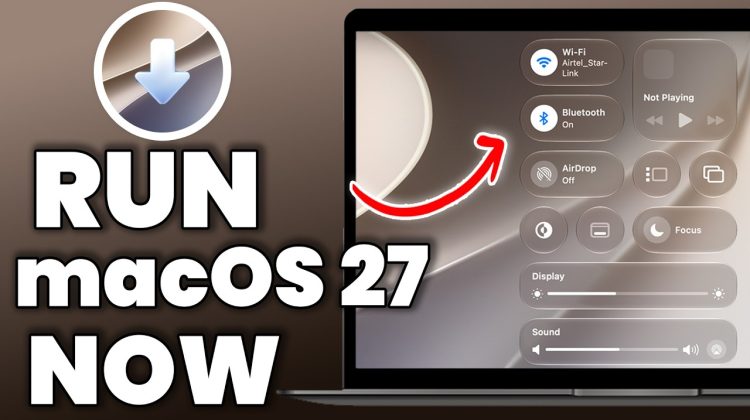
Want to try macOS Golden Gate (macOS 27) without risking your stable MAC setup? In this step-by-step guide I’ll show you how to dual boot macOS 27 With default OS on one Apple Silicon Mac — and switch between them in seconds, with zero data loss. No wiping, no second computer needed. We create a separate APFS volume, install the macOS 27 Golden Gate beta onto it, pick which macOS to boot from Startup Manager, and I’ll show you how to remove it cleanly later if you change your mind. Perfect for beta testers, developers, and anyone who wants to preview macOS 27 safely.
✅ Works on ONLY Apple Silicon Macs (M1/M2/M3/M4/M5 and MacBook Neo). macOS 27 does NOT support Intel Macs — Intel users, macOS Tahoe 26 is your last version.
*For Demonstration Purposes I used MacBook Air M1 running MacOS sequoia as Main OS*
⚠️ This is beta software. Back up before you start. On Apple Silicon, installing a beta updates shares system firmware that also affects your Tahoe volume, so only proceed if you’re comfortable testing pre-release software.
*Links*
macOS 27 Developer BEta: https://developer.apple.com/
MacOS 27 Public beta : https://beta.apple.com/
⏱️ *TimeStamps*
0:00 Run macOS 27 Alongside current OS
00:31 Will this delete my MAIN macOS ? (watch this first)
01:04 What you need: M-series Mac & free space
01:40 Download the macOS Golden Gate beta
03:15 Create a new APFS volume in Disk Utility
03:50 Install the beta to the NEW volume (not your main one)
05:16 Switch between macOS 27 and macOS Tahoe in Startup Manager
06:20 How to remove the beta and reclaim your space
*Relevant Tech Videos*
How to install windows 11 on Apple Silicon Mac: https://www.youtube.com/watch?v=zPL63pCYJz8
How to install Bazzite Linux – https://www.youtube.com/watch?v=_DPoRDyMNNQ
RASPBERRY Pi 5 – How to SetUp PLEX Media Server in 10 Minutes (2024) – https://www.youtube.com/watch?v=X0CvlNfIv9U
Raspberry Pi 5 – How To Build POWERFUL Home Server in 10 Minutes With CasaOS (2024) – https://www.youtube.com/watch?v=n3RzsdMozIs
Install Kali Linux On M1 / M2 / M3 Macs Using UTM in 5 MINUTES (NEW METHOD) – https://www.youtube.com/watch?v=znUvqWNPNLg
KDE Plasma 6 is Brilliant – TOP 6 NEW FEATURES – https://www.youtube.com/watch?v=_KrLiGhvd6Y
Install UBUNTU 23.10 On M1 M2 Macs NATIVELY || RUN New Ubuntu On Bare Metal On Apple silicon MAC – https://www.youtube.com/watch?v=Hvy07C1pPFA
FEDORA ASAHI REMIX + HYPRLAND Setup For M1 & M2 Macs 🔥 https://www.youtube.com/watch?v=Nfm3oyJx_Hk
Dual Boot popOS & windows 11 – https://www.youtube.com/watch?v=qYqPBrTudUY
*Support Me*
~ *MY Website* – https://www.kskroyal.com
~ *Buy Me A Coffee* – http://buymeacoffee.com/kskroyal
~ *Connect On Instagram* – @KSKROYALTECH
~ *For Business Enquires ONLY* – business.ksktech@yahoo.com
*© KSK ROYAL*
*MereSai*
#macOS27 #GoldenGate #DualBoot