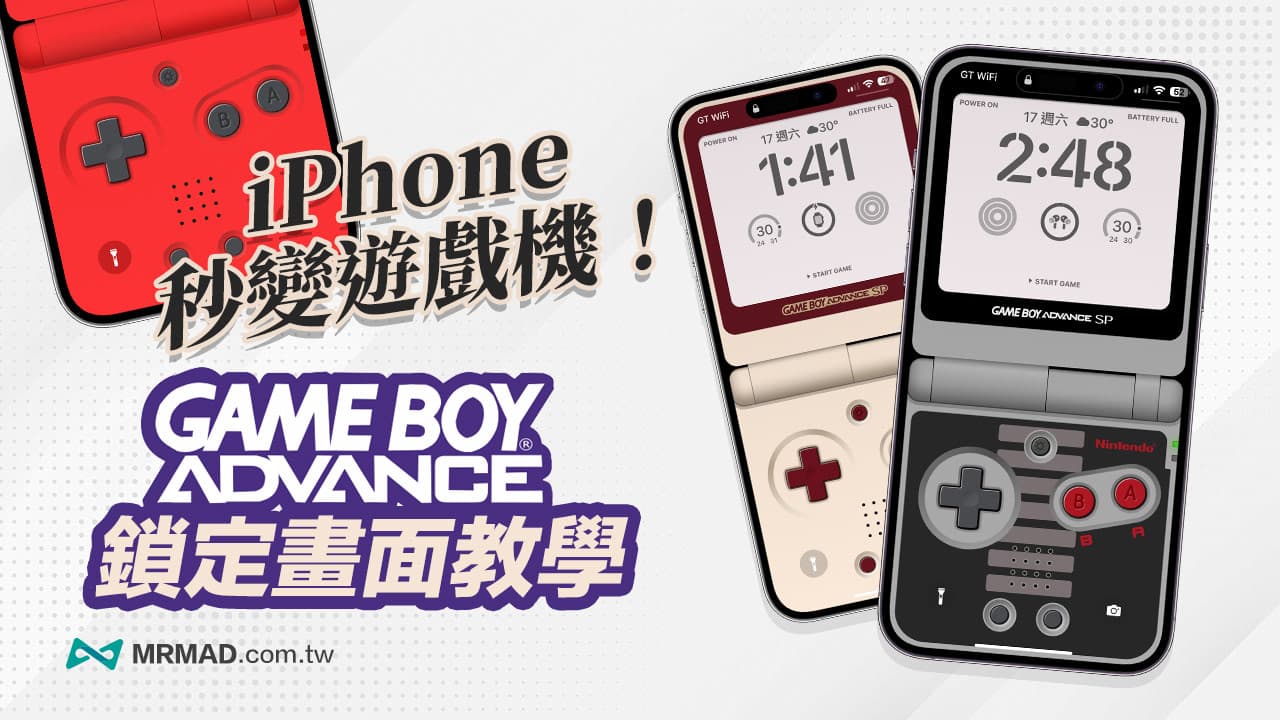
A while ago, I shared the GAMEBoy locking wallpaper technique teaching, which can turn the iPhone into a super classic handheld game. Is there any better-looking Game Boy wallpaper that can be applied?
If you want the iPhone lock screen to have the style effect of the Nintendo GameBoy SP handheld game console, you only need to use these 13 GameBoy Advance SP theme wallpapers. If you want to relive the nostalgic time of childhood, hurry up and learn how to apply the GameBoy SP style to Lock your iPhone screen now!
How to Add GameBoy SP Style Tutorial to iPhone Lock Screen
To apply the GameBoy SP lock wallpaper style, first upgrade the iPhone to iOS 16 or a newer version, then follow the steps below to apply the GameBoy Advance SP lock screen style to the iPhone. (Extended reading: iOS lock screen teaching strategy: use 16 tricks to create a personalized unlock screen)
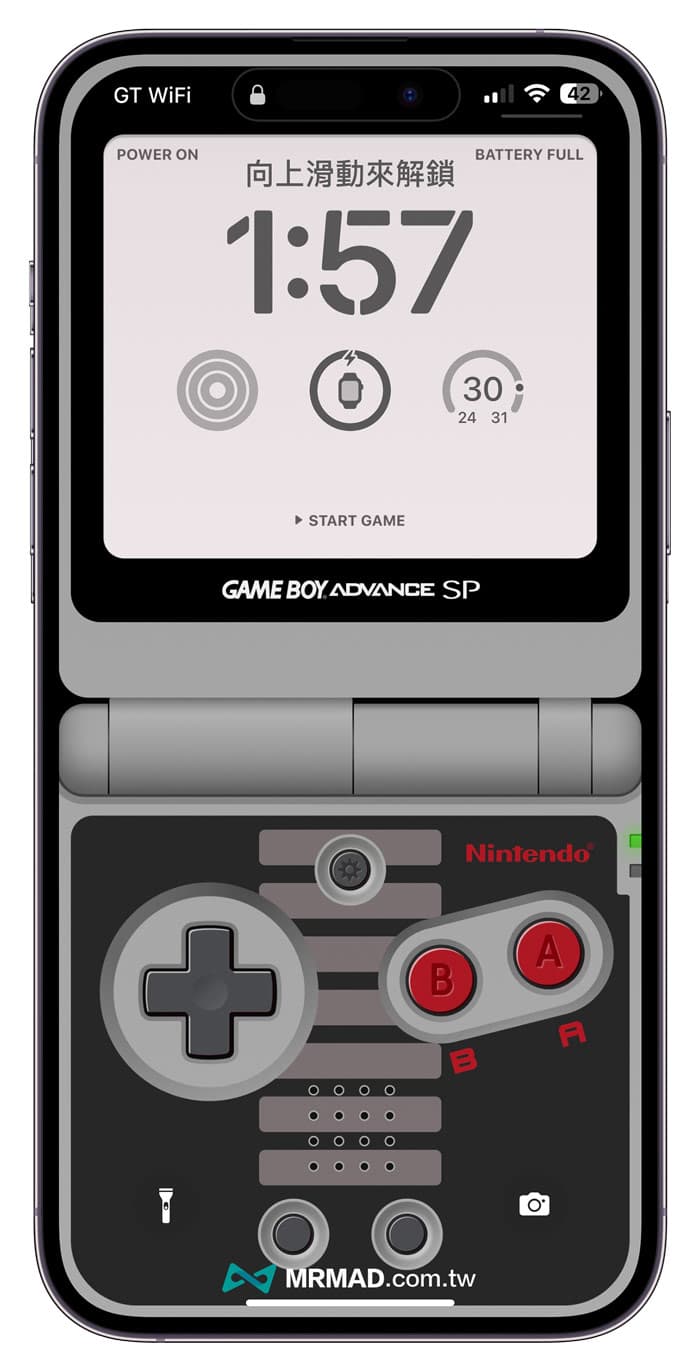
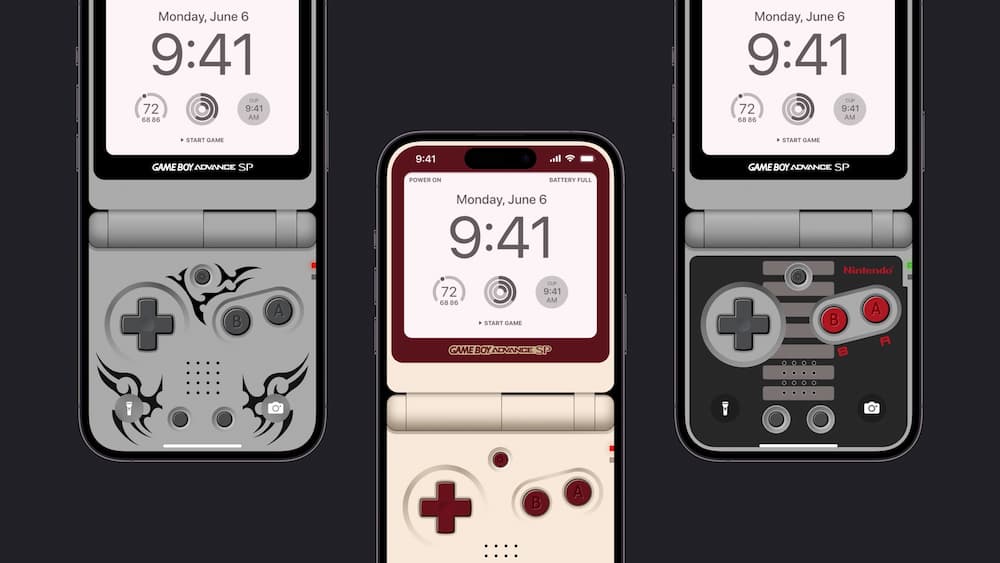 iPhone lock screen shows GameBoy SP game console interface effect
Step 1. Modify the background image
Step 1. Open the iPhone “Settings” app, select the “Background Picture” function, click “Customize”, you will enter the screen for modifying the lock screen style, and directly click the “Photo” button in the lower left corner.
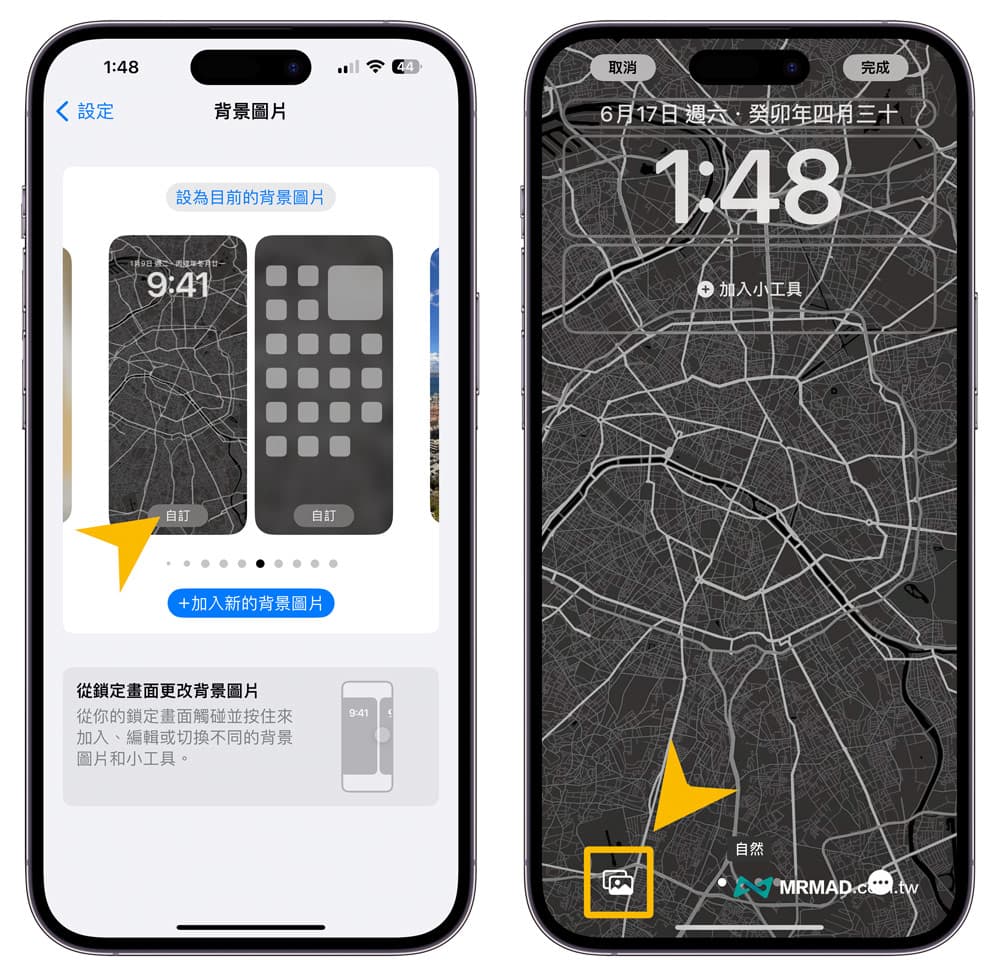
Step 2. Apply GameBoy SP wallpaper
Select the GameBoy SP lock wallpaper picture from the photo album (click me to download GameBoy SP lock wallpaper).
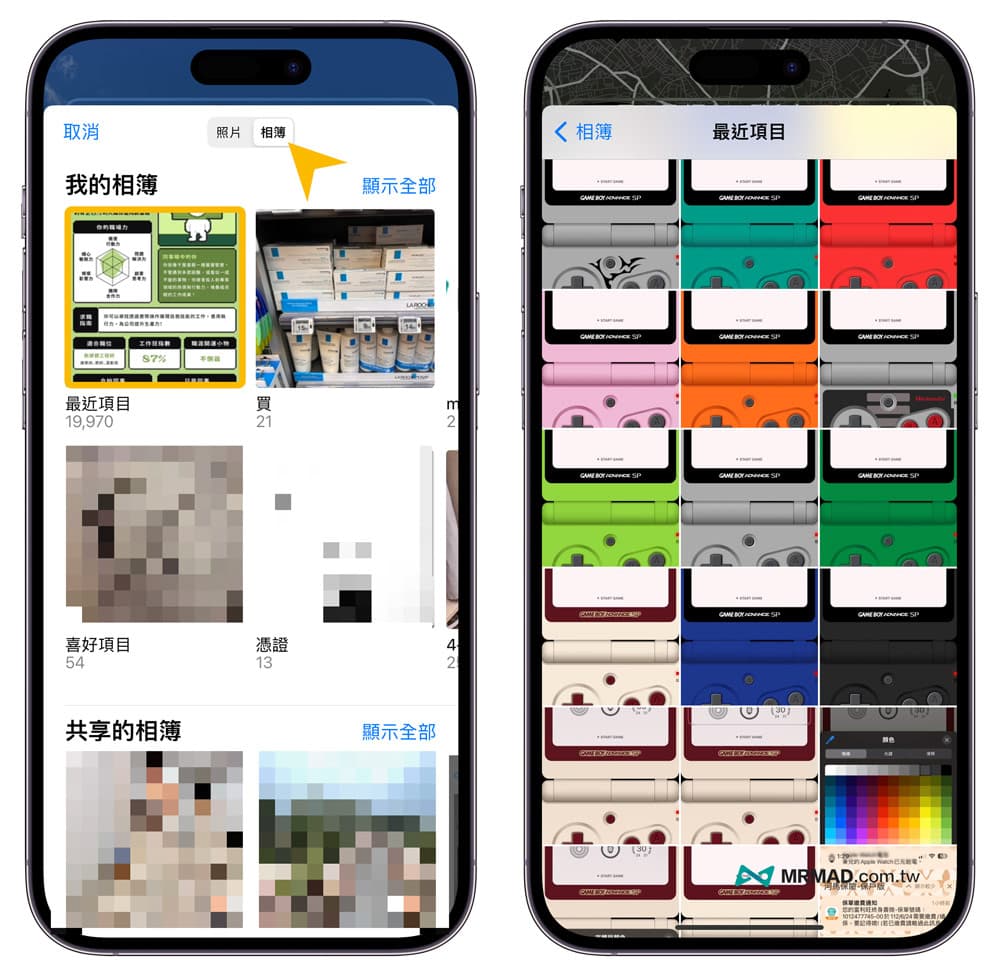
Step 3. Edit iPhone lock screen GAME Boy Advance SP style
After applying the GameBoy SP lock screen wallpaper, as long as the iPhone model with Face ID can be adapted, the widget at the top of the iPhone lock screen should be changed to “Weather Conditions” to avoid excessive word count.
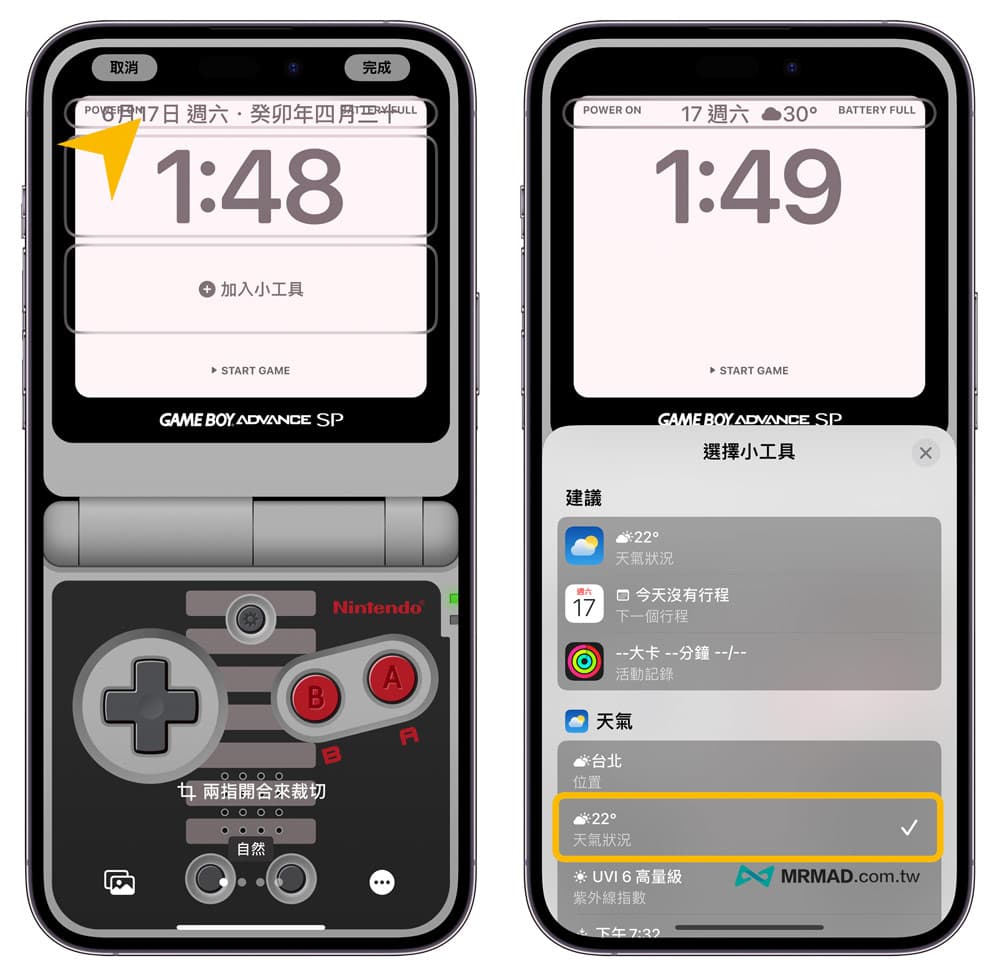
Click to lock the time style, you can customize the time font and color style displayed on the GameBoy screen, change the color to dark gray, and the screen will look closer to the real GameBoy screen display style.
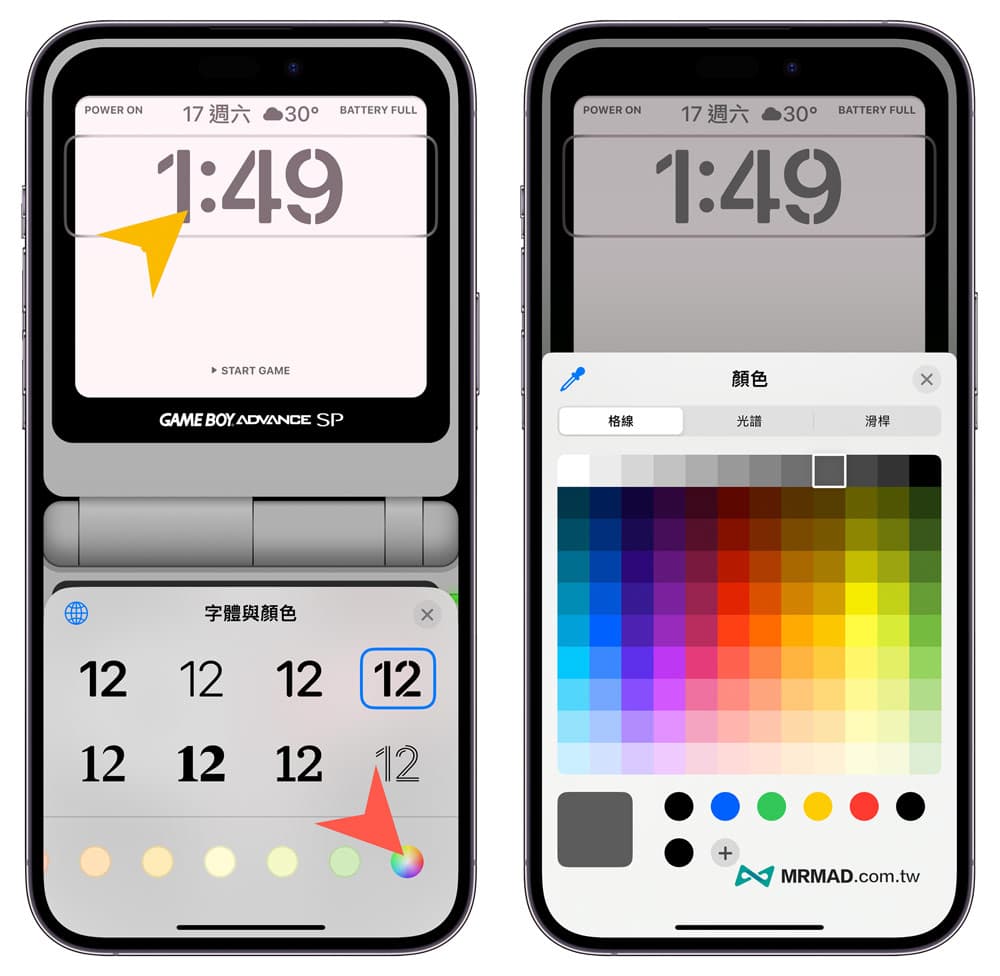
Finally, customize the iPhone lock screen widget. It is recommended to add only three widgets to avoid exceeding the GameBoy SP screen. After all adjustments are completed, click “Finish” in the upper right corner.
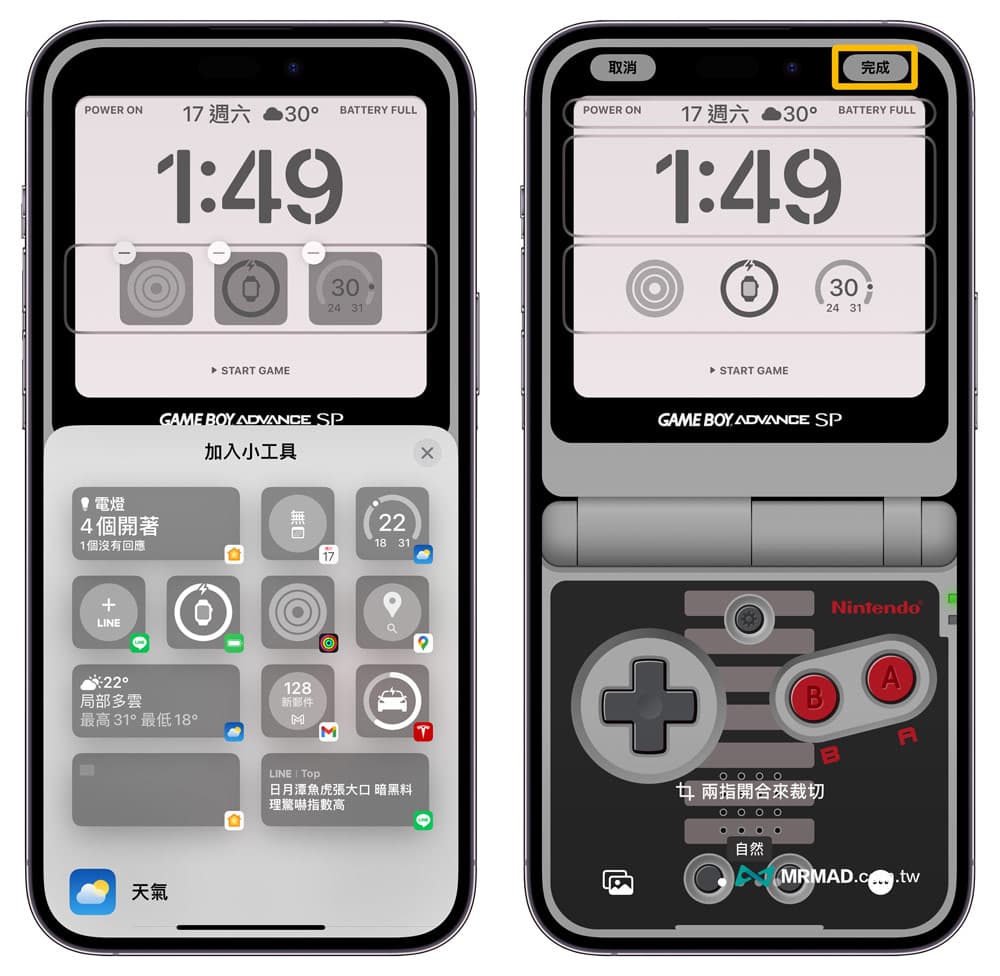
Every time the iPhone locks the screen, it will show the super classic GameBoy SP classic interface style, as if a handheld game console and iPhone are integrated together.
GameBoy SP Lock Screen Wallpaper Download
The following share 13 selected GameBoy SP lock screen style wallpapers, adjust and apply iPhone lock wallpapers according to your preferences, with these classic game console wallpapers, you can also bring a unique style and nostalgic GameBoy SP classic game console style experience to the iPhone.
[Wallpaper download method]After clicking the link of the wallpaper at the bottom, click the “Download picture” button on the top, click “Download”, you can download the saved wallpaper image, and use the iPhone file transfer photo technique to transfer the downloaded wallpaper to Inside the iPhone Photos app.
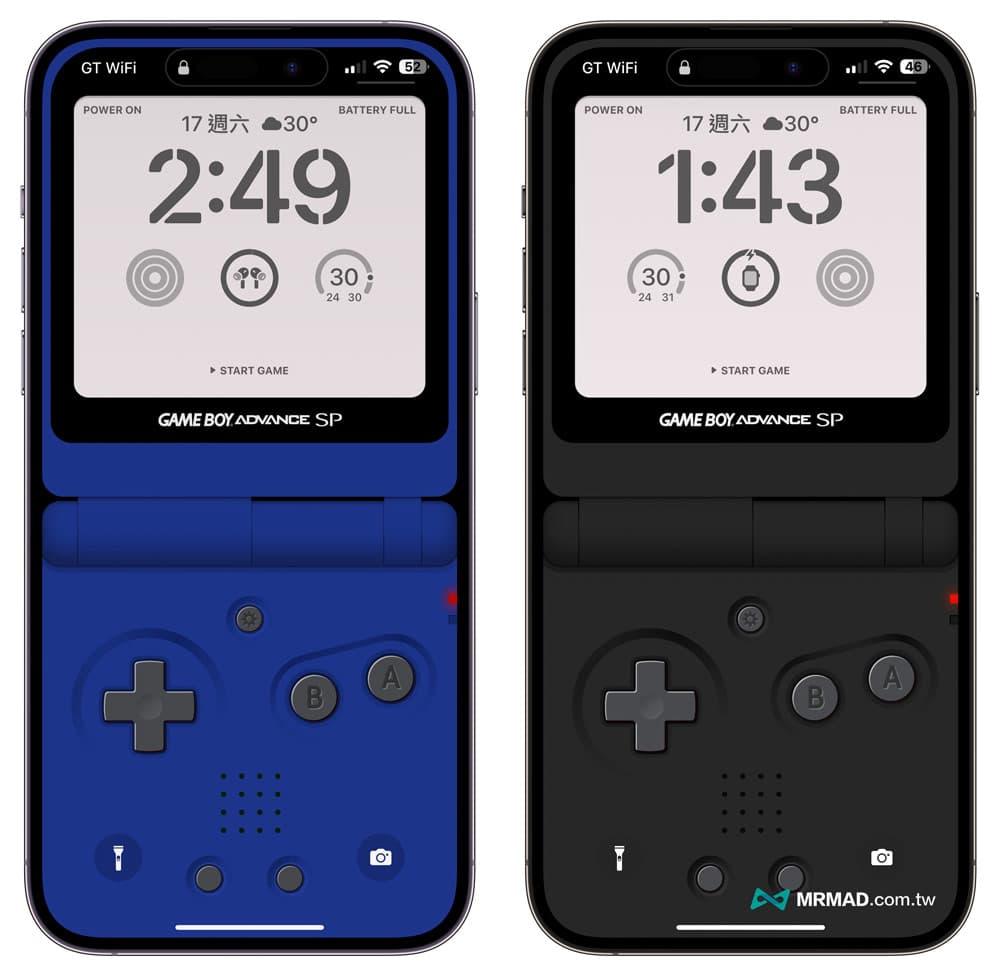
🔹 GameBoy SP blue wallpaper download:iPhone series,Pro series
🔹 GameBoy SP black wallpaper download:iPhone series,Pro series
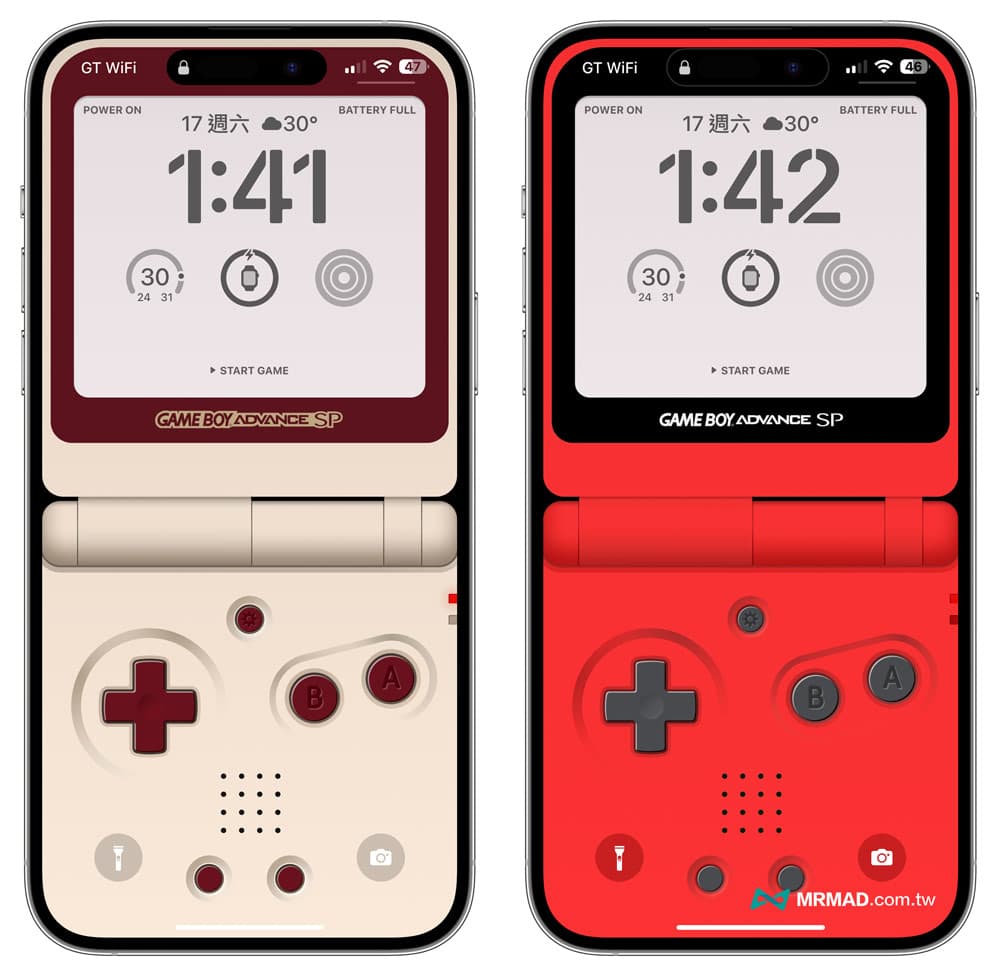
🔹 GameBoy SP red and white wallpaper download:iPhone series,Pro series
🔹 GameBoy SP red wallpaper download:iPhone series,Pro series
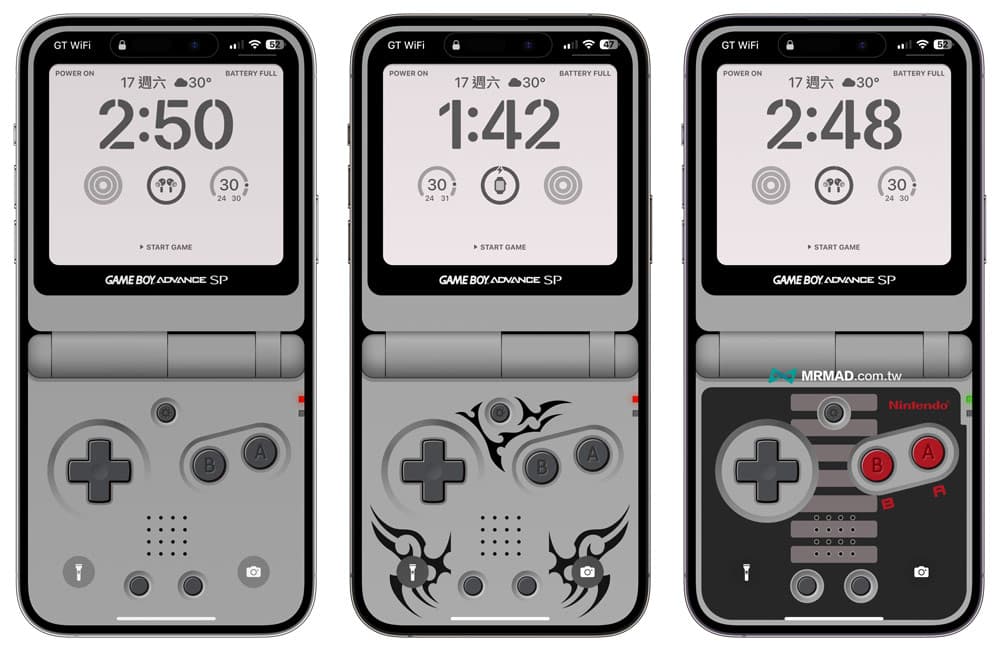
🔹GameBoy SP gray wallpaper download:iPhone series,Pro series
🔹GameBoy SP gray wallpaper download:iPhone series,Pro series
🔹GameBoy SP gray and black wallpaper download:iPhone series,Pro series
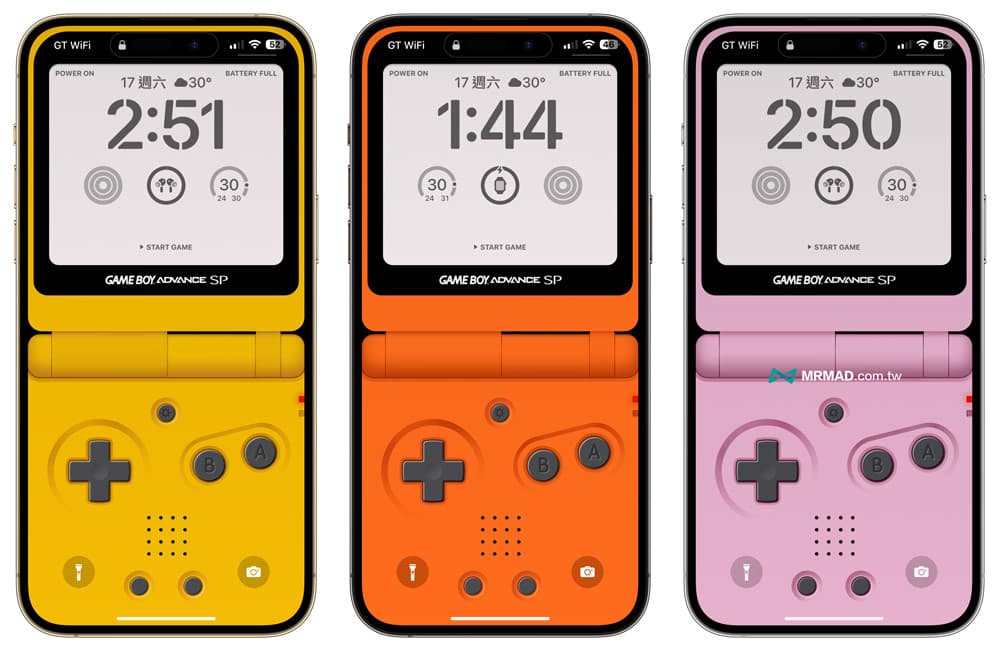
🔹 GameBoy SP yellow wallpaper download:iPhone series,Pro series
🔹 GameBoy SP orange wallpaper download:iPhone series,Pro series
🔹GameBoy SP pink wallpaper download:iPhone series,Pro series
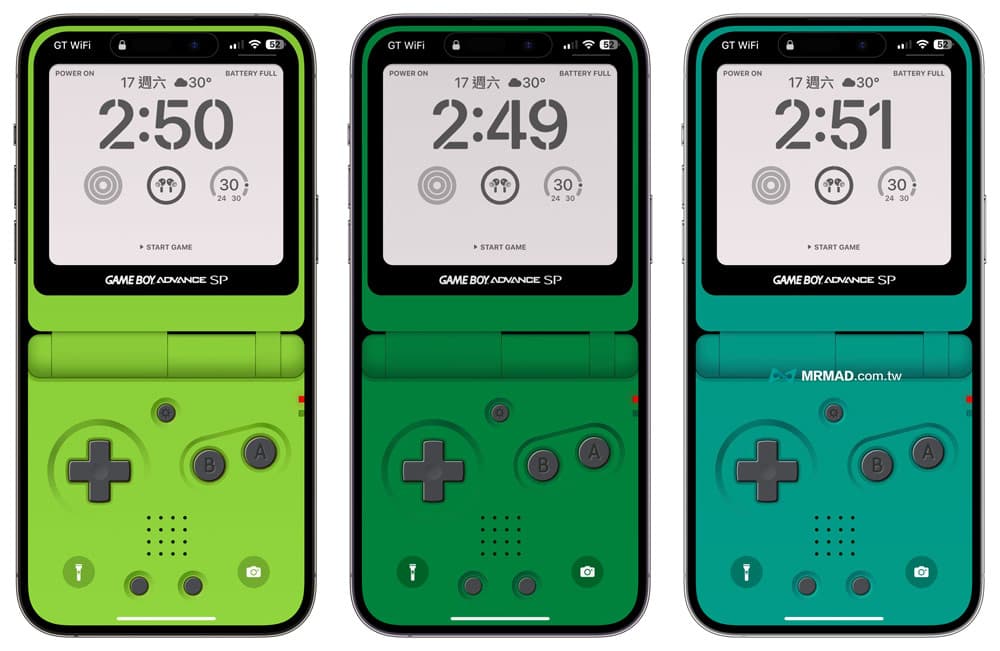
🔹GameBoy SP bright green wallpaper download:iPhone series,Pro series
🔹GameBoy SP green wallpaper download:iPhone series,Pro series
🔹GameBoy SP light blue wallpaper download:iPhone series,Pro series
function summary
These 13 Gmae Boy Advance SP tablecloths are mainly made by foreign lsa Pinheiro Designed by the designer, the original inspiration came from the handheld game console launched by Nintendo in 2003. In order to review the classic game console, a series of GameBoy SP tablecloths were launched for the iPhone. There are 10 colorful and 3 limited edition GameBoy SP tablecloth versions It can be used by everyone at will.
In addition, there are more iPhone lock screen tips, and it is also recommended to learn through the related articles below.