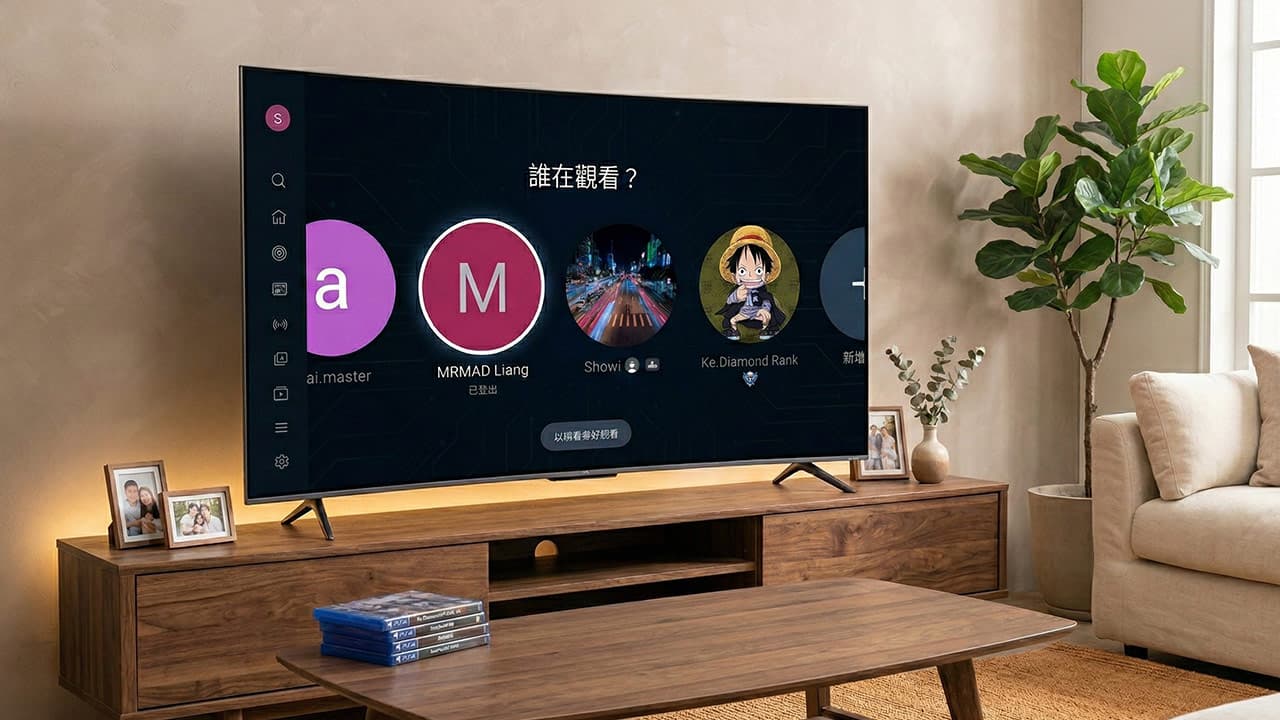
Recently, many netizens discovered on Threads that when they turned on the smart TV at home, they found that the YouTube login interface was filled with unfamiliar accounts that they did not recognize! Since they usually only use it, many people are immediately frightened, thinking that their Google account has been hacked. Don’t panic yet! Google has officially given an answer to this phenomenon. This is not because the account has been stolen, but because the system’s automatic synchronization is temporarily causing trouble. This article teaches you 3 simple steps to completely remove strange YouTube accounts from your TV and check account security.
Why does someone else’s account appear on the TV version of YouTube? Google officially reveals 3 main reasons
If you confirm that the account has not been stolen, where did these stranger accounts come from? Google officially explained that the TV version of YouTube has a mechanism to automatically capture environmental temporary data. As long as one of the following three conditions is met, the other party’s account may be temporarily stored on your TV screen in the “logged out” state:
- Have been in the same Google Family Group: This is the most common reason! If you have participated in a joint YouTube Premium family plan in the past, the TV system may still capture the names of past group members even if you have left the group for more than a year.
- Connected to the same shared WiFi: If your relatives and friends have been guests at home and connected to your home WiFi, or you have used public WiFi in a hotel or B&B, the system may automatically remember the accounts you have logged in to in the same domain.
- This TV has been used to “cast” videos: As long as someone has cast a YouTube video to this TV through their mobile phone, their account information will be temporarily saved on the TV.
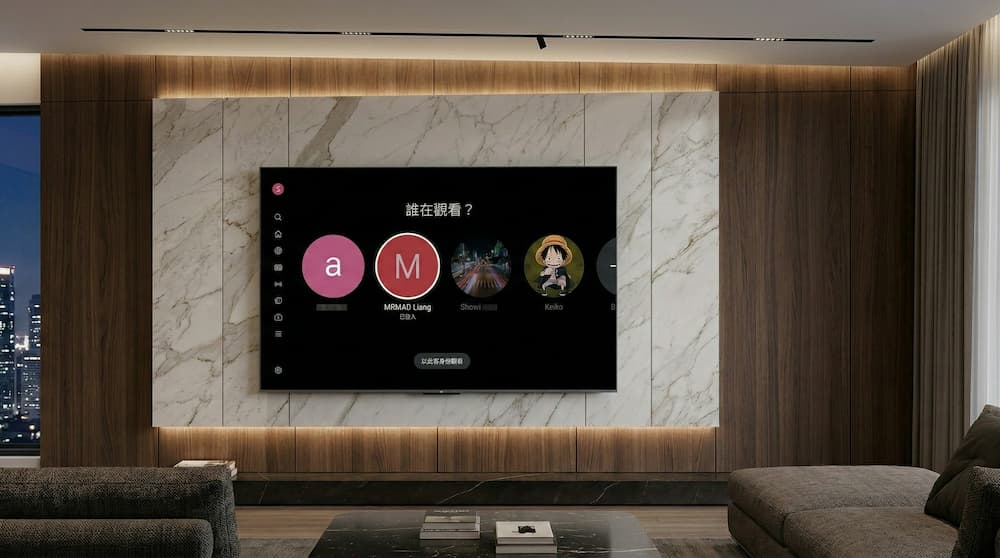
How to remove unfamiliar YouTube account data from TV
Looking at the rows of unfamiliar accounts on YouTube TV is really annoying. If you want to eradicate this problem and restore the interface to a clean interface, just follow the following 3 steps to operate the TV remote control:
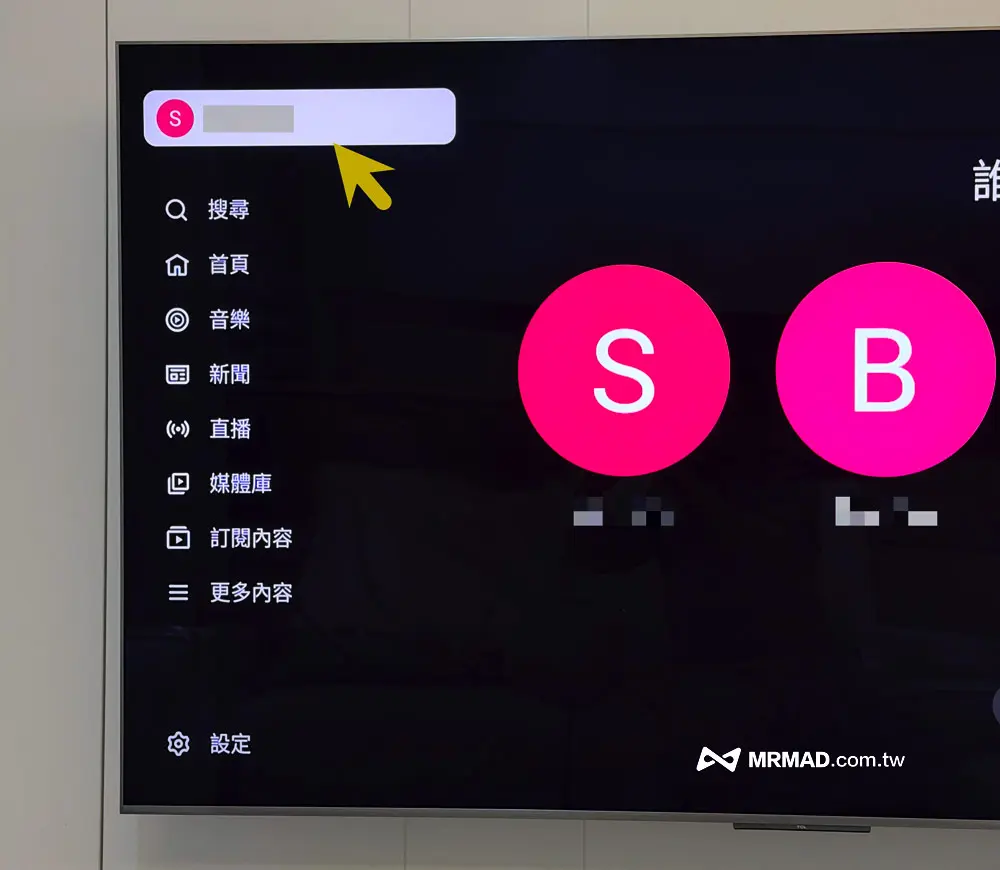
Step 1: Call up the YouTube main menu
Open the TV version of YouTube, use the remote control to move the cursor to the left, and the YouTube function menu on the left will be displayed. Click the “profile icon” at the top of the screen to enter the account and settings page.
Step 2: Choose an unfamiliar account
Select an unknown YouTube account and press the OK button on the TV remote control.
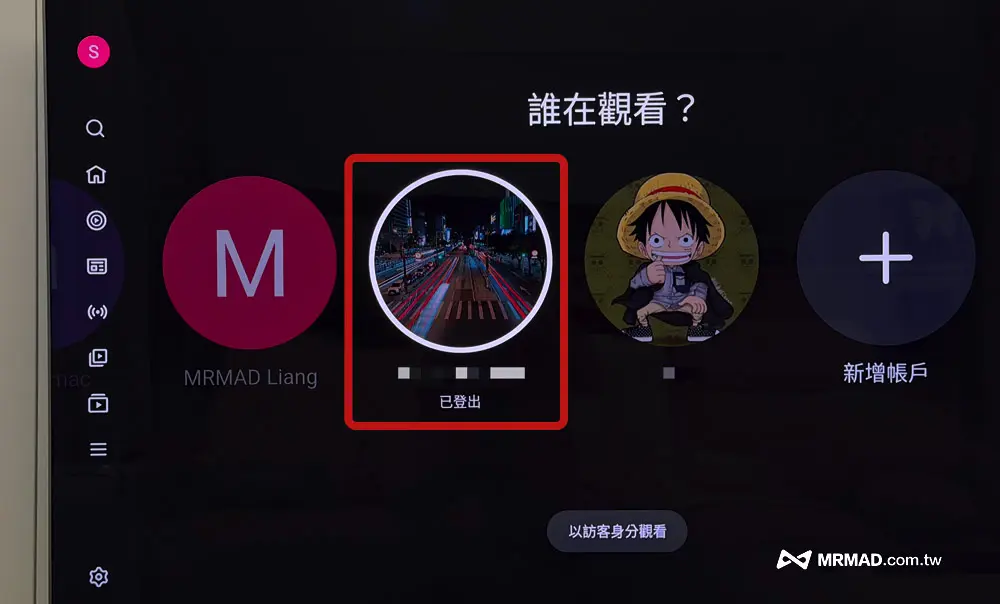
Step 3: Remove signed out family group members
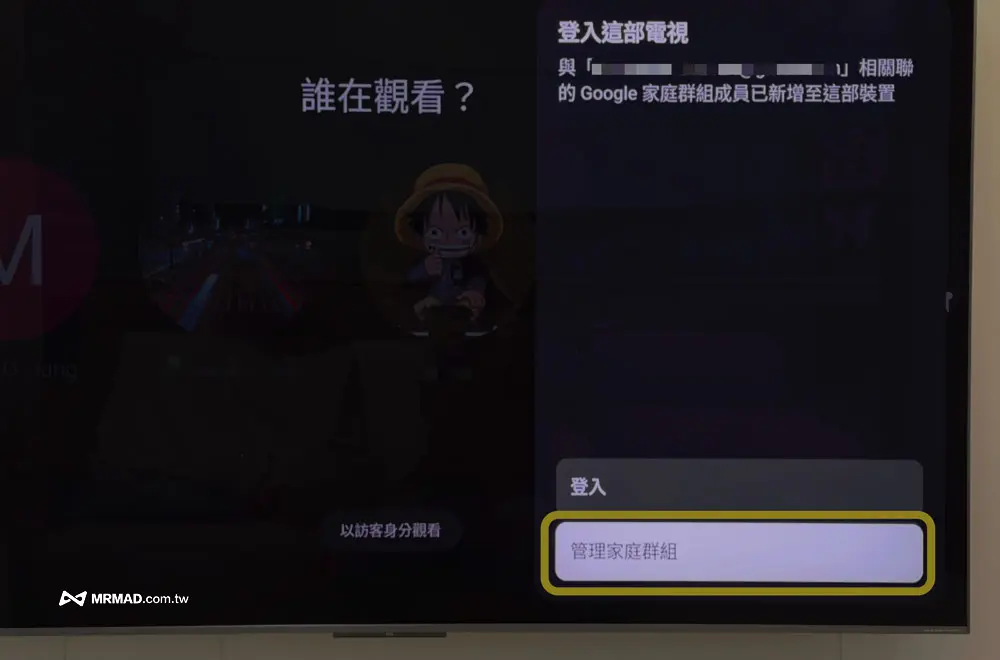
Next, click the “Manage Family Group” menu. Usually, as long as you have a YouTube Premium family plan, you will see other member accounts.
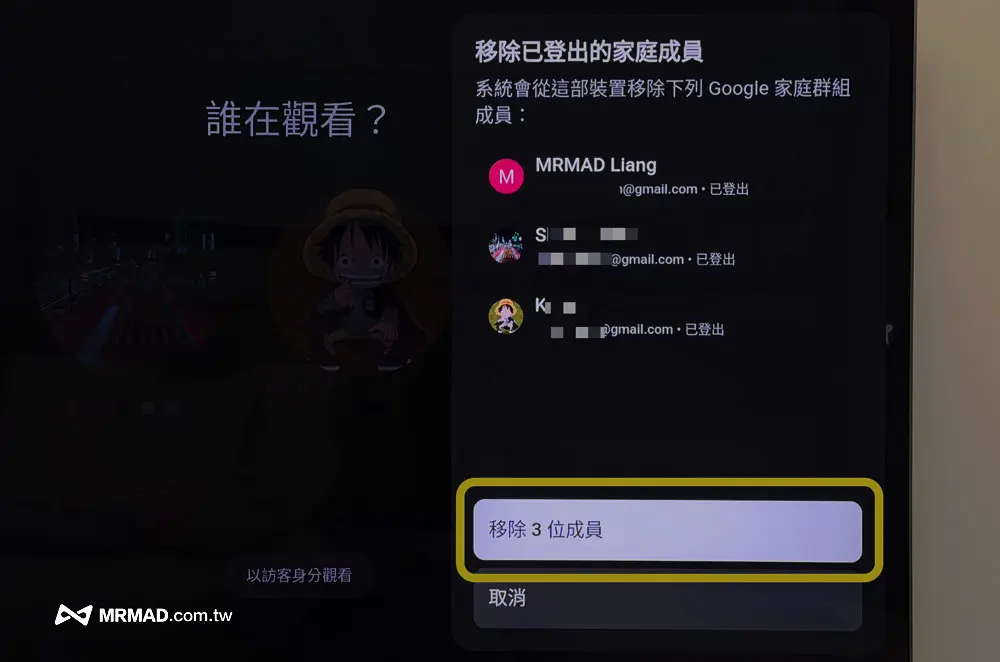
Next, click the “Remove x members” menu to clear all ghost or strange accounts at once! This step will only remove the Google Family Group member information from this TV device, and will not actually kick the group members directly.
One trick to check if your Google YouTube account is really stolen
If there are stranger accounts on the TV version of YouTube, and those people are not family members, you can check it through the following methods:
Go to Google’s official website nowGoogle account device activity page“
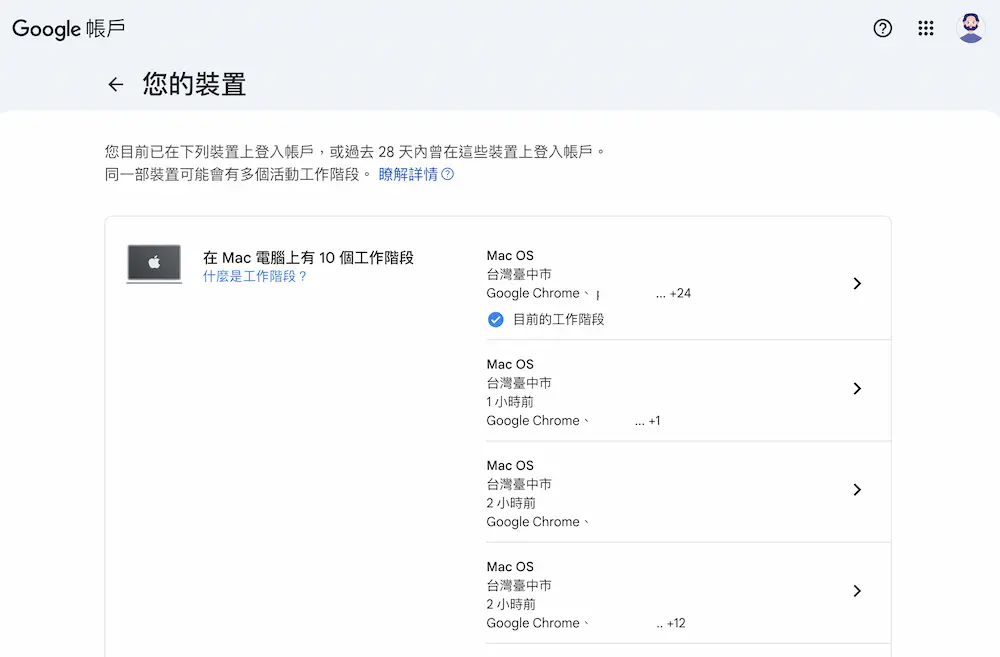
On this page, you can clearly see which mobile phones, computers or TVs are currently using your Google account.
- If you don’t see the unknown device: Congratulations, your account is very safe, and the strange names on the TV are just temporary storage of the system.
- If you find an unrecognized device: Please click “Sign out of this device” on this page immediately and change your Google password immediately.
Frequently Asked Questions and Answers about TV YouTube Account Abnormality
Does the appearance of a strange account on the TV version of YouTube mean that the Google password has been leaked?
Usually not. As mentioned earlier, this is most likely the result of the TV system automatically grabbing WiFi or family group history. As long as no abnormalities are found on the “Google Device Activity Page”, there is no need to worry too much about password leakage.
If I remove these TV YouTube accounts from my TV, will the other party receive a notification?
No. You are only clearing the “local temporary data” on your own TV. It will not affect the other party’s account status, and the other party will not receive any notification.
Why can it be fine if I just turn off the interface on someone else’s YouTube TV?
In the UI interface design of some TV systems, if you select “Turn off the display of other family members”, these accounts can indeed be hidden. However, if you want to cure the root cause, it is recommended to go through the above step three to completely delete the temporary data.
If you want to know more Apple information, iPhone teaching and 3C information skills, please follow us
Crazy Mr. FB fan group,
Subscribe to Mr. Crazy Google News,
Telegram,
Instagramas well as
Subscribe to Mr. Crazy YouTube.