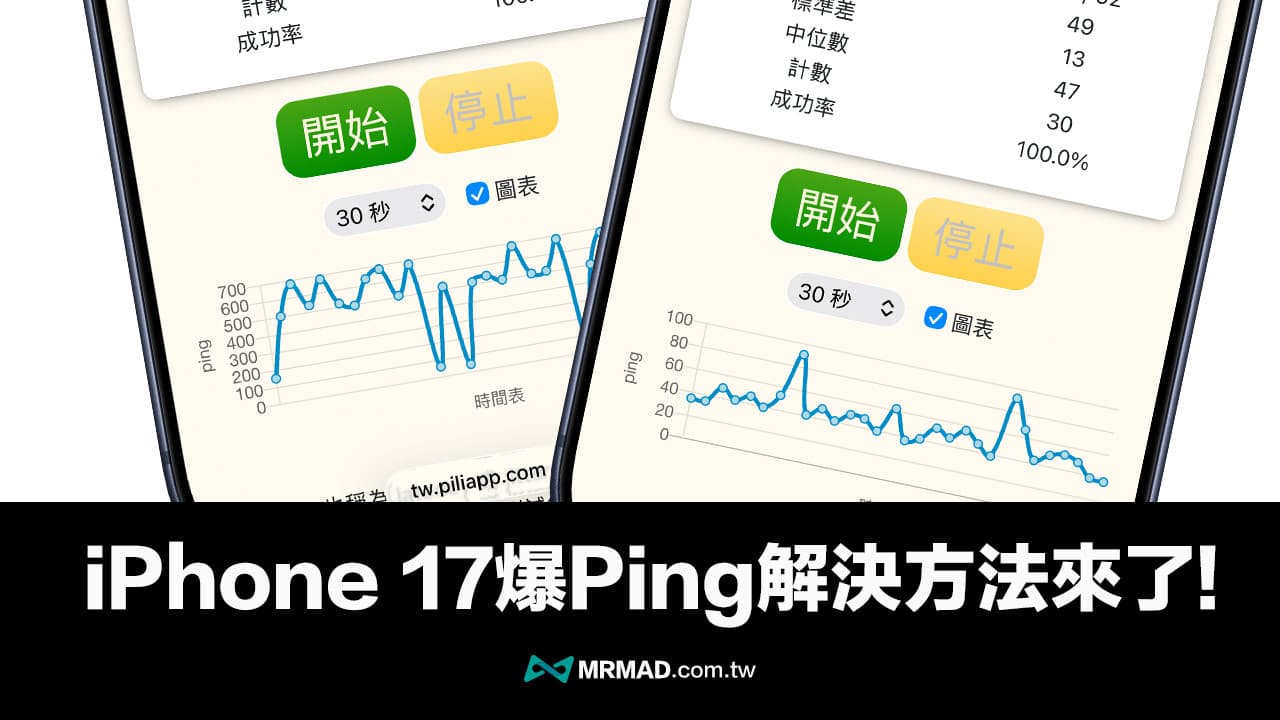
Apple officially launched the iOS 26.2 Beta 3 developer test version in mid-November, which finally solved the ping network delay problem that plagued the iPhone 17 series. This update mainly repaired the modem firmware and also optimized the power management mechanism of the Qualcomm Snapdragon X80 chip, allowing iPhone 17, iPhone 17 Pro and iPhone 17 Pro Max users to restore a normal network experience.
What is the iPhone 17 Ping problem?
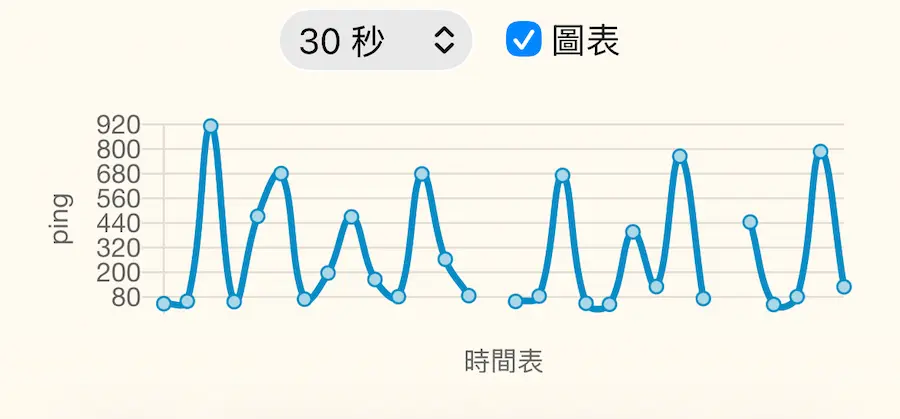
Ping explosion refers to the phenomenon of abnormally high network delay value. The ping value of a normal Wi-Fi or 5G network should be between 20 and 50 milliseconds. However, some iPhone 17 users have found that the delay value will suddenly jump to 300 milliseconds or even higher when using mobile networks, resulting in game screen freezes, voice call delays, streaming video buffering and other problems.
It is currently known that the ping problem will only occur in the three models of iPhone 17, iPhone 17 Pro and iPhone 17 Pro Max, and this situation is particularly likely to occur when using 4G or 5G mobile networks, but the problem will not occur when connecting to Wi-Fi.
Two main reasons for iPhone 17 to ping
Qualcomm chip power saving mechanism is too radical
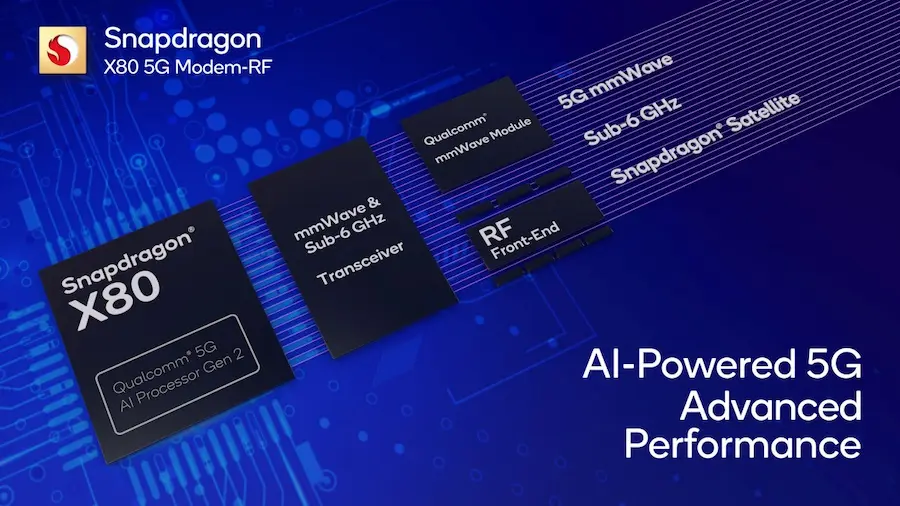
The iPhone 17 series uses Qualcomm Snapdragon X80 5G data chip. In order to extend the battery life of the iPhone, Apple has also adopted a more radical power-saving strategy.
As long as the mobile network transmission interval exceeds 1.5 seconds, the Qualcomm chip will automatically enter a semi-sleep state, causing the iPhone 17 to need to be reawakened during the next transmission, which can easily cause a sudden spike in latency.
iOS 26 background task interference
In addition, the new App Refresh Priority mechanism also introduced in iOS 26 allows high-priority applications to synchronize in the background. When these background tasks occupy network bandwidth at the same time as games or video calls, it may also cause the iPhone 17’s ping value to be unstable.
iPhone 17 PING issue officially resolved in iOS 26.2 Beta 3
According to the actual measurement results of “Mr. Crazy”, Apple has completely optimized the power management strategy of Qualcomm chips in iOS 26.2 Beta 3 by updating the modem firmware to version 1.20.05. Whether it is an iPhone 17, iPhone 17 Pro or iPhone 17 Pro Max model, as long as it is upgraded to iOS 26.2 Beta 3 or future iOS 26.2 After the official version, the 4G/5G network PING problem can basically be solved.
If you want to upgrade to the iOS 26.2 beta version in advance, you can refer to “[iOS 26 Beta Download]Easy Upgrade to iOS 26 Developer Beta Update Tutorial”.
Below is the test result of iPhone 17 Pro after updating to iOS 26.2 Beta 3 using 4G mobile network using the web version and the PING App tool respectively. It can be clearly seen that the Ping value does not suddenly and abnormally increase as it did in the past.
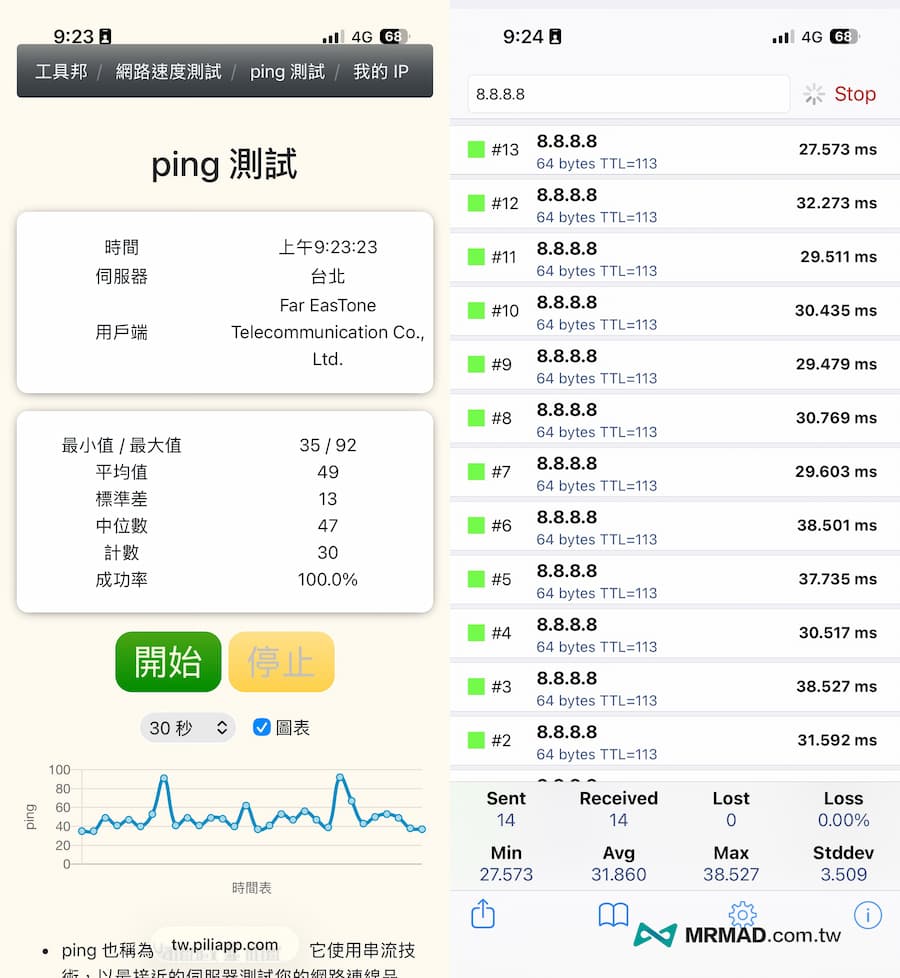 iPhone 17 Pro updates iOS 26.2 Beta 3 and runs PING test results
Compared with the previous official version of iOS 26.0 ~ iOS 26.1, it will cause the iPhone 17 Pro to explode with ping, and the delay will be higher than 600 milliseconds, which will cause the value to be abnormally high, and even early systems will cause packet loss.
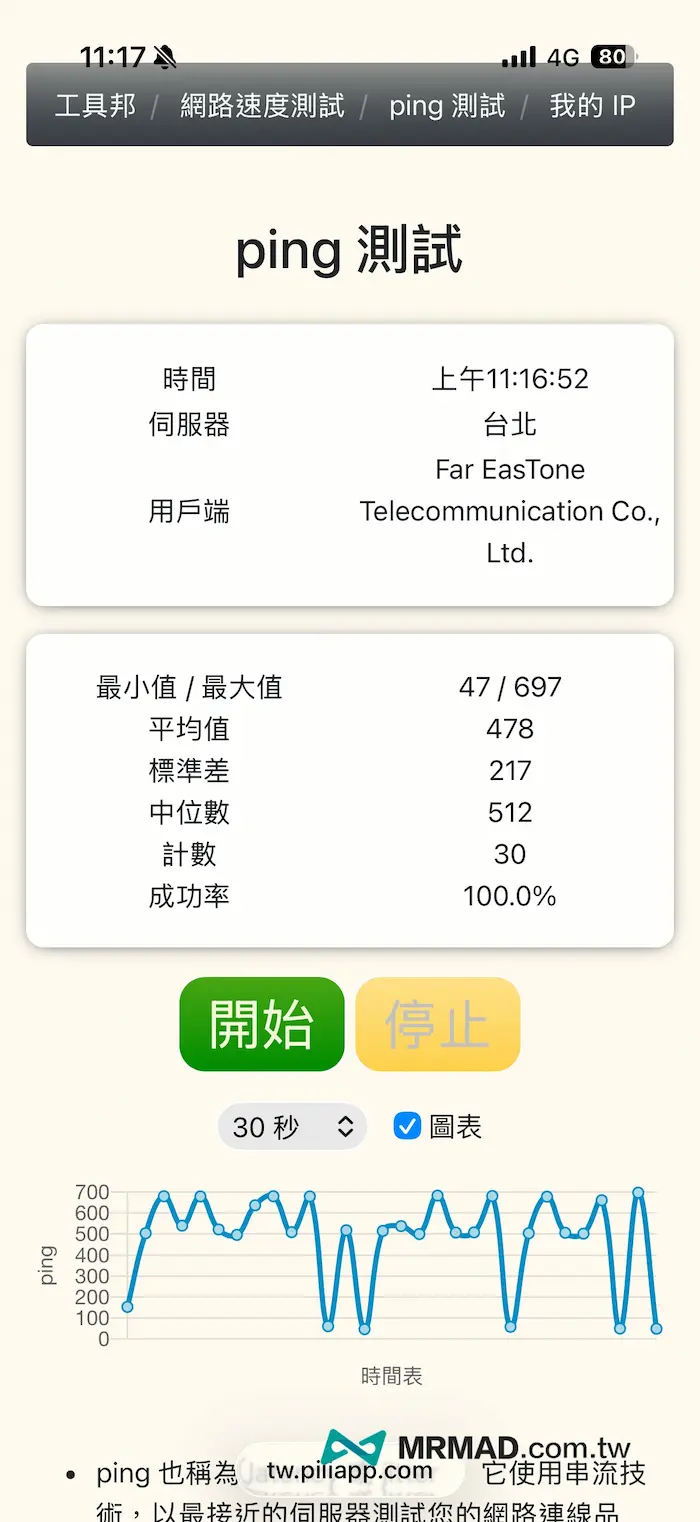 iPhone 17 Pro updates iOS 26.1 system running PING test results
In addition, many netizens have shared actual test results. As long as they upgrade to iOS 26.2 Beta 3, the ping value can be restored to normal levels. This can be regarded as Apple’s perfect solution to the iPhone 17 ping problem.
iOS 26.2 update completely solves the problem of iPhone 17 PING ultimate setting
At present, the most effective and fastest way to solve the problem of iPhone 17 ping is to join the Apple Developer Program and upgrade to the iOS 26.2 Beta 3 test version, or wait for Apple to launch the official version of iOS 26.2 later.
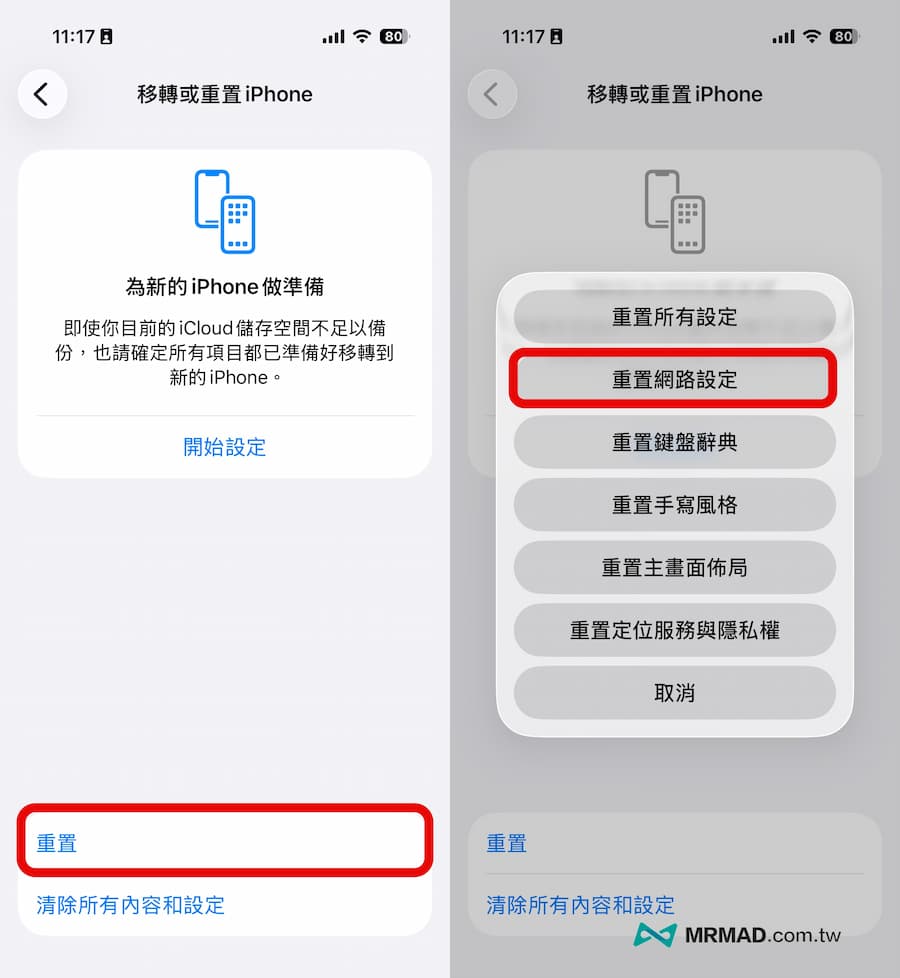
Some people may find that after updating to iOS 26.2 Beta 3 or iOS 26.2 official version, there are still times when the PING is too high. It is recommended to perform a network settings reset after the iPhone 17 upgrade. Just go to “Settings > General > Transfer or reset iPhone > Reset > Reset network settings” to completely solve the delay problem.
How to check if iPhone has ping problem?
Download the “Ping – network utility” free testing tool from the App Store, enter “8.8.4.4” in the IP address field and click Ping to start the test. If the delay value frequently shows surges exceeding 200 milliseconds, it means that the device has a ping problem.
If you want to know more operation details, you can refer to “Testing iPhone 17 Ping Explosion Method”.
If you want to know more Apple information, iPhone teaching and 3C information skills, please follow us
Crazy Mr. FB fan group,
Subscribe to Mr. Crazy Google News,
Telegram,
Instagramas well as
Subscribe to Mr. Crazy YouTube.