Apple has opened the traditional Chinese version of Apple Intelligence on iOS 26.1, but many iPhone users have found that Apple Intelligence cannot be downloaded, causing it to be stuck, resulting in the writing function, Genmoji and image park being unusable. If you also encounter the problem of Apple Intelligence download stuck, you can use this method to solve it.
Apple Intelligence download stuck or cannot be used main reasons
Apple Intelligence released by Apple at WWDC2024 is regarded as the core layout of Apple entering the era of generative AI. This Apple AI system integrates smart suggestions, new writing tools, smart photo classification, deep connection with ChatGPT, and CleanUp AI with one-click object removal function, which can also enable new AI smart functions such as iPhone, iPad and Mac.
Many iPhone users find that Apple Intelligence cannot be enabled or downloaded is stuck. It is understood that the main reasons are the most common:
- Incompatible devices
- iOS system issues
- Regional restrictions
- Still on the waiting list
- No Wi-Fi environment used
- Function setting error
How to solve Apple Intelligence not working or download stuck?
If you encounter problems with Apple Intelligence, it is recommended to follow the steps below to troubleshoot various errors:
Step 1: Confirm the device compatibility
Apple Intelligence is not suitable for all iPhone, iPad, and Mac devices, and requires specific high-performance wafers to handle complex AI models on the device. If the device is not compatible with Apple Intelligence, it means you cannot use this feature.
List of devices that support Apple Intelligence:
| equipment | model |
|---|---|
| iPhone | iPhone 15 Pro Series iPhone 16 series iPhone 16 Pro Series iPhone 17 iPhone 17 Pro Series iPhone Air |
| iPad | iPad Air and iPad Pro models equipped with M1 or newer chips |
| Mac | Equipped with M1 or newer chip MacBook Air, MacBook Pro, iMac, Mac mini, Mac Studio, Mac Pro |
Step 2: Check iOS version and settings
To start the Chinese version of Apple Intelligence, you need to upgrade to iOS 26.1 or new version to support it. Neither the old version of the system nor iOS 18 will be used.
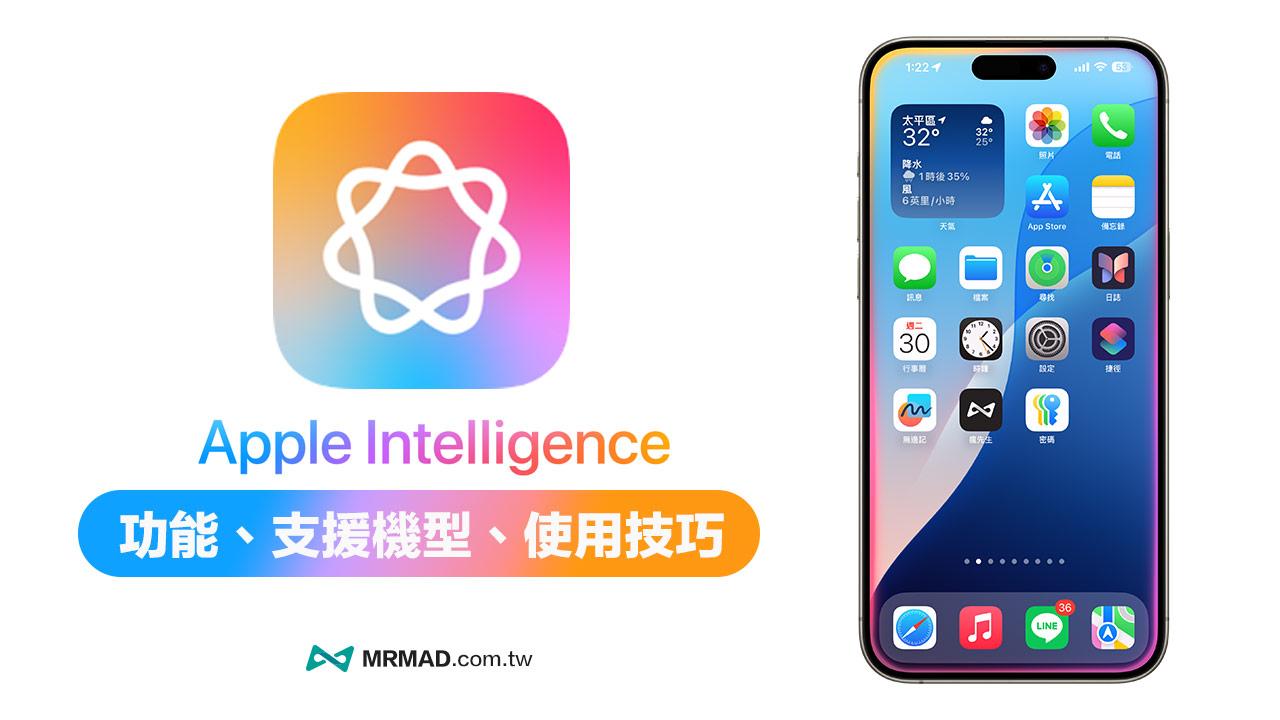
If you want to know how to use Apple Intelligence functions, please refer to “How to use Apple Intelligence? Support models, feature highlights and download methods at once”.
Step 3: Troubleshoot regional and language issues
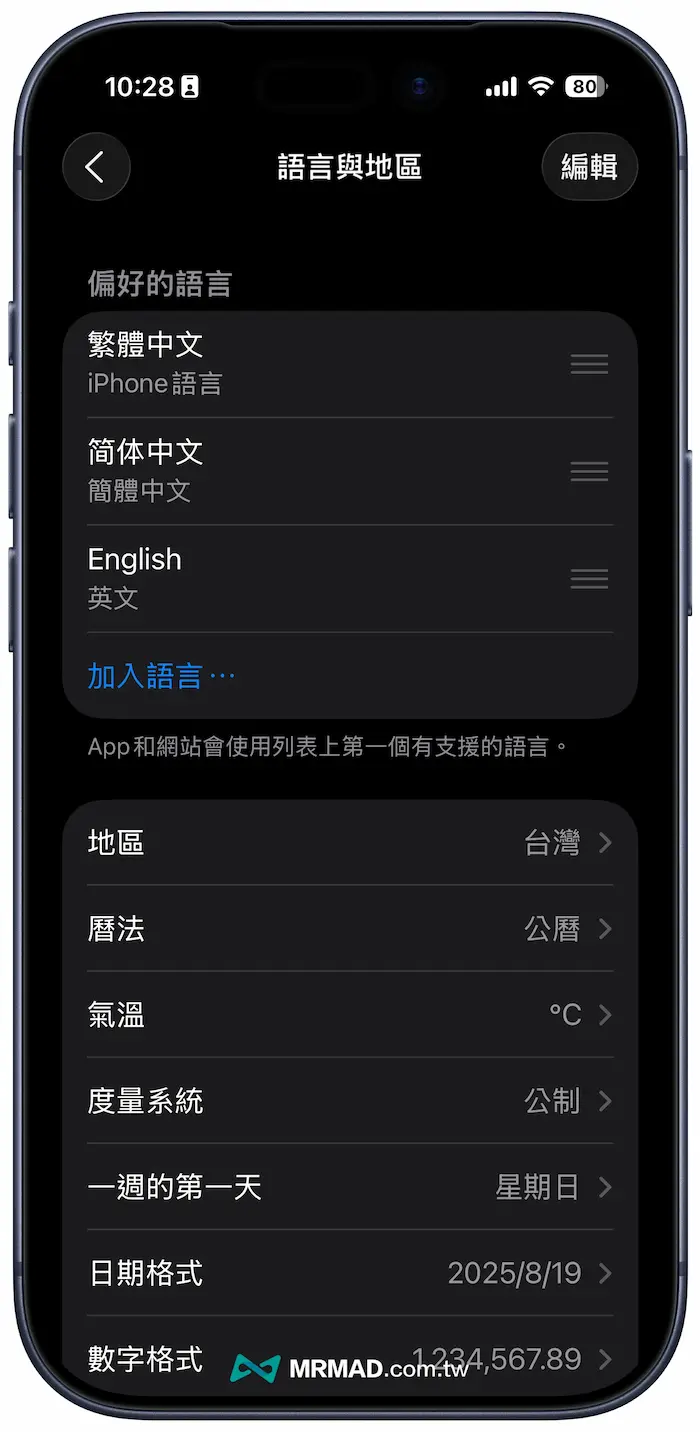
If you still find that Apple Intelligence cannot be used after upgrading to iOS 26.1 or new version, you must confirm whether the iPhone device region and Siri language system are adjusted to Taiwan (Traditional Chinese) to solve this problem.
Change iPhone language region:
- Go to Settings > General > Language and Regions.
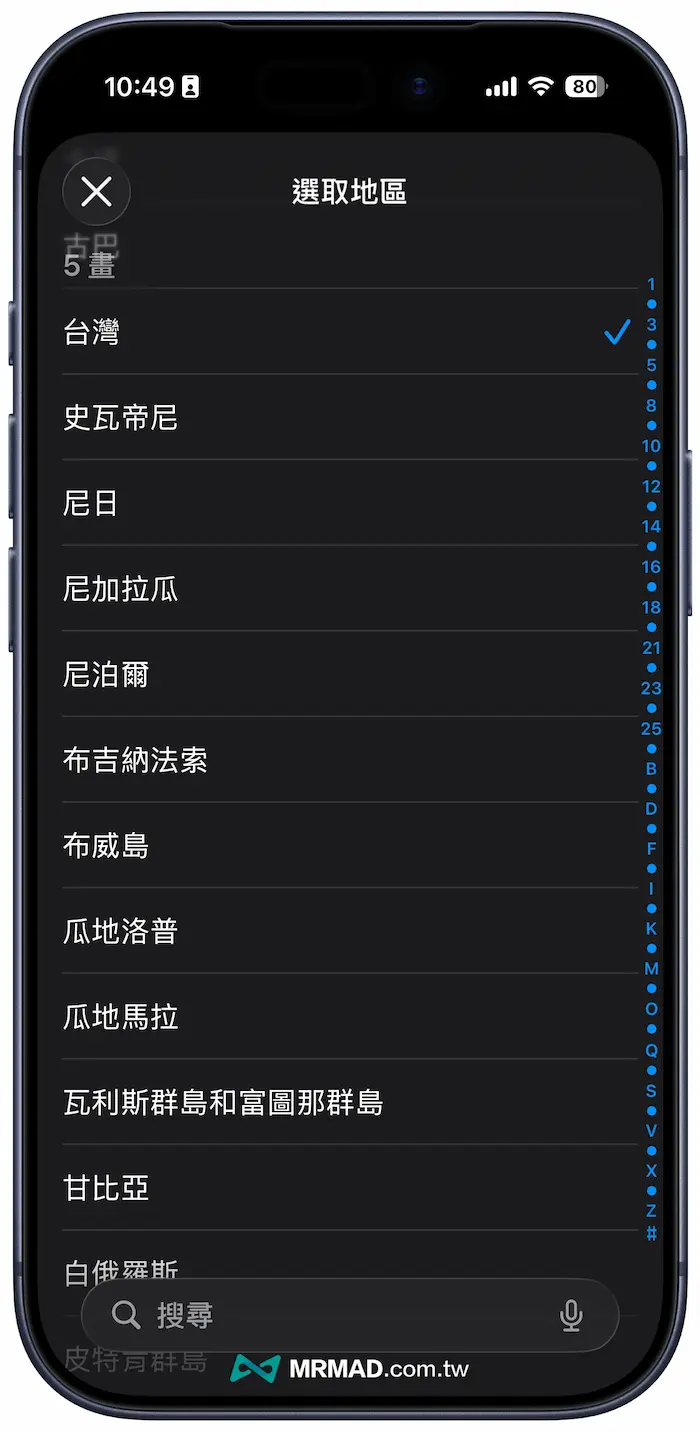
- In the Regional option, select Taiwan.
Change Siri language:
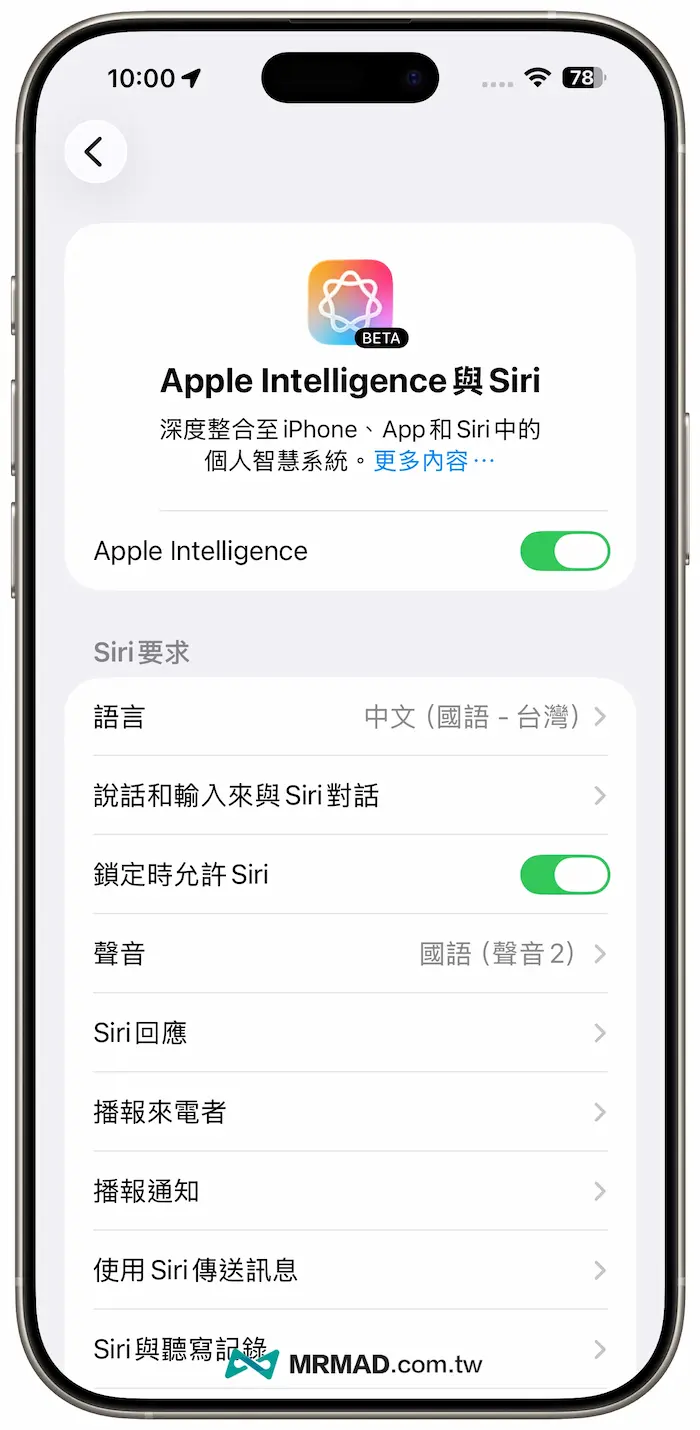
- Go to Settings > Apple Intelligence and Siri.
- In “Language”, select “Chinese (Mandarin-Taiwan).
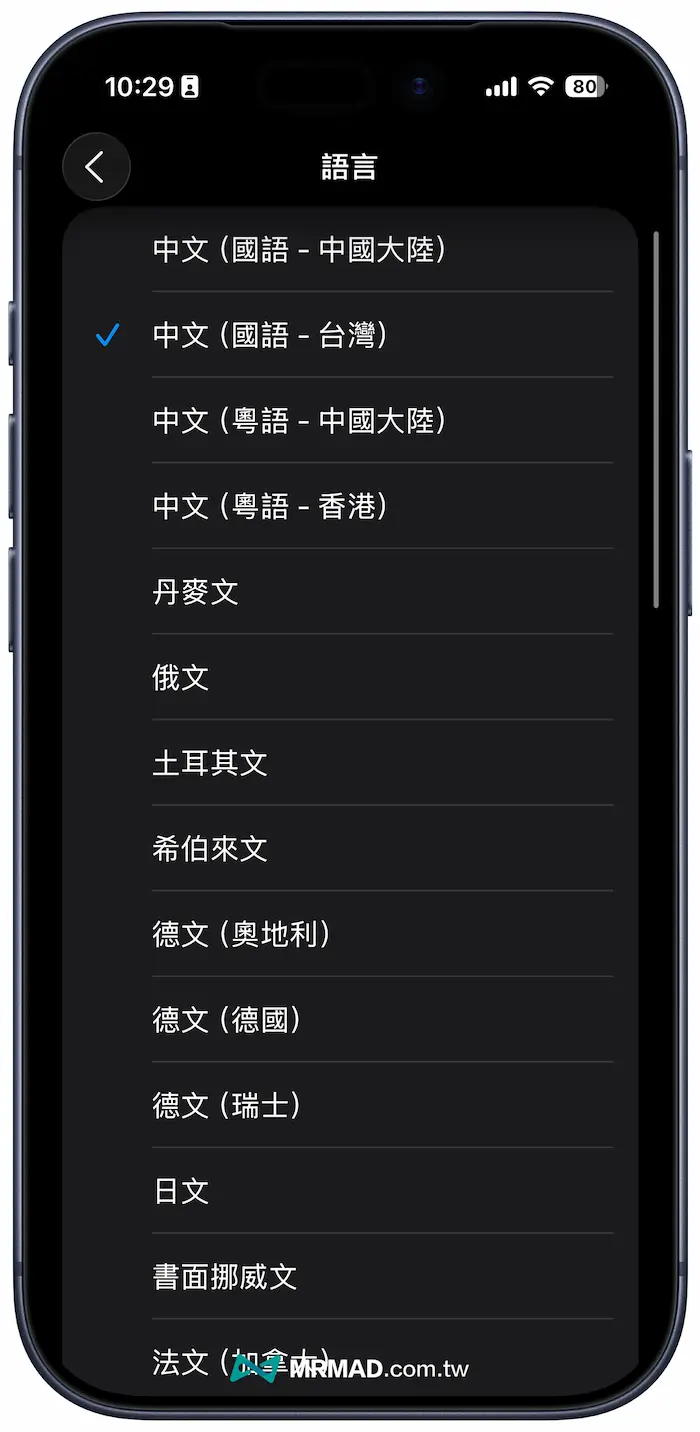
After completing the above settings, restart your iPhone and check again whether the Apple Intelligence feature appears.
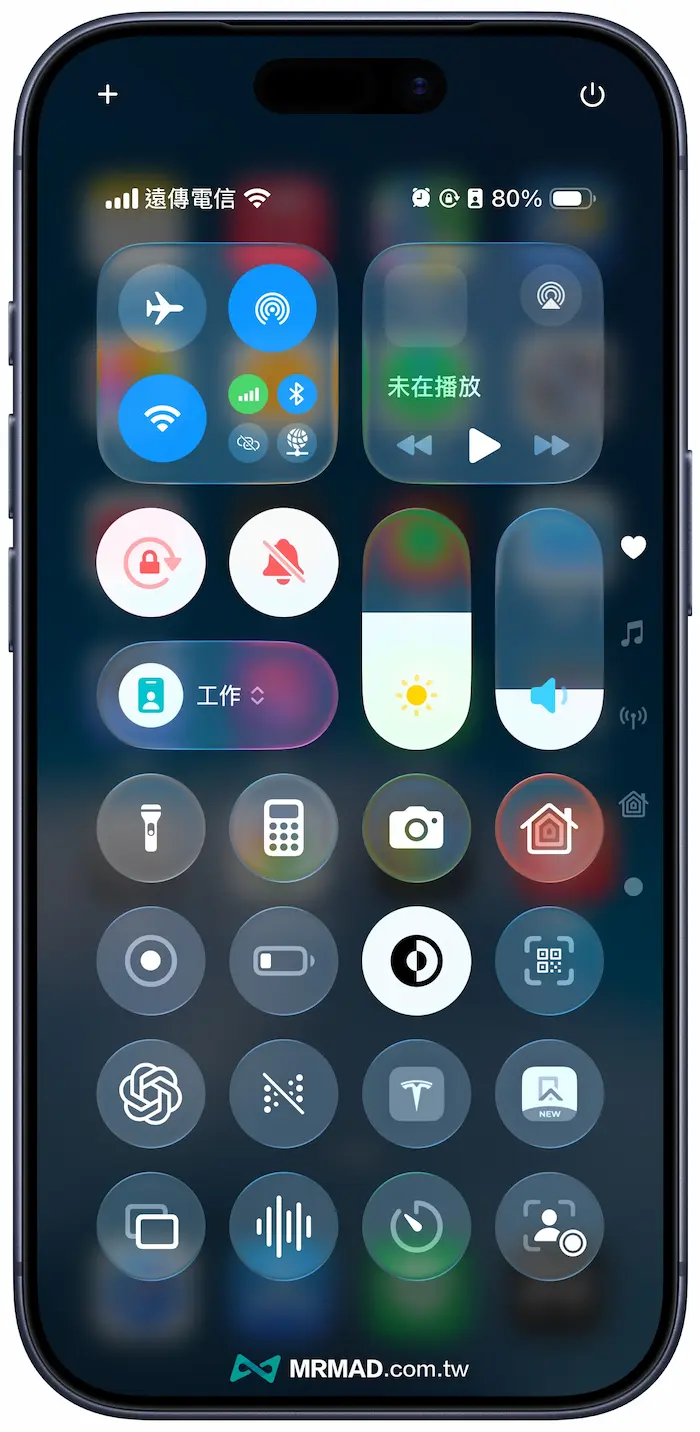
Step 4: Turn off the mobile network and connect to Wi-Fi
If the Apple Intelligence function option already appears, but it will be stuck in the state where Apple Intelligence cannot be downloaded, you can try to turn off the iPhone mobile network and find a Wi-Fi environment to download the Apple Intelligence module.
Step 5: Switch flight mode
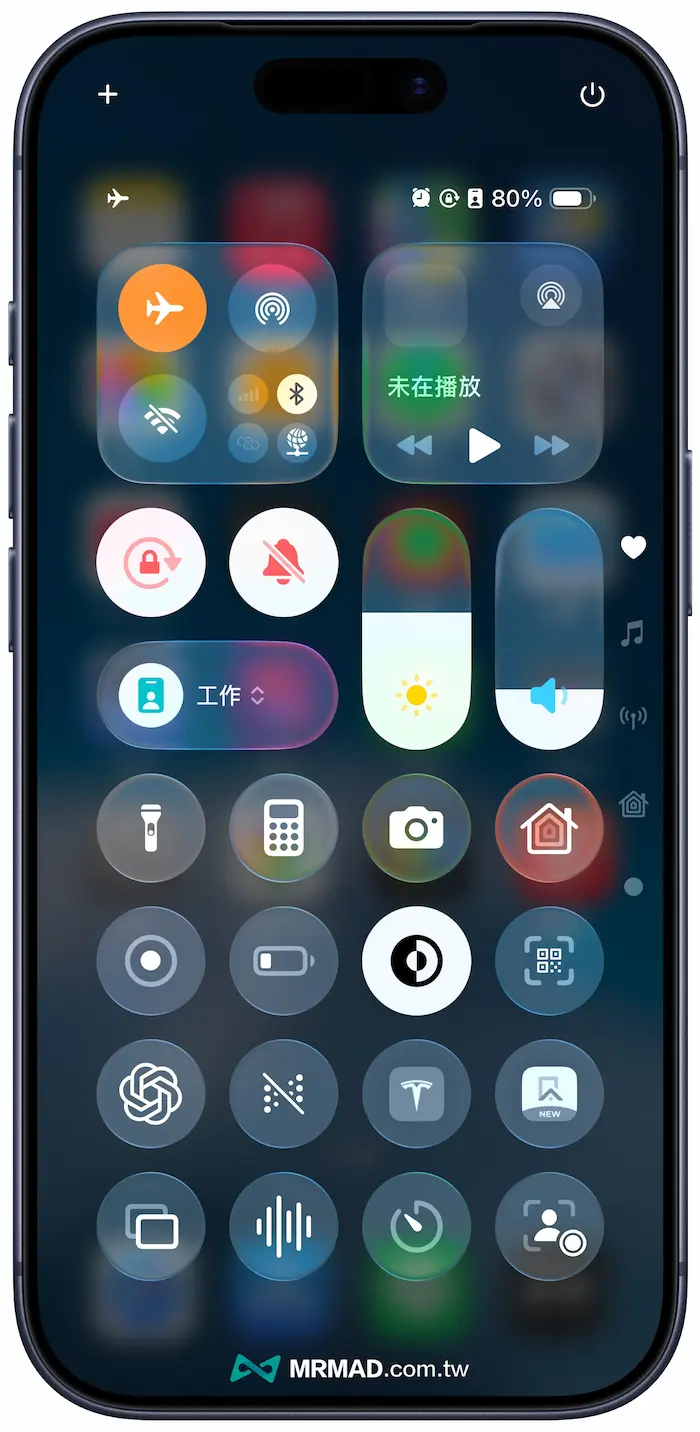
If you are not using Wi-Fi network and currently use an iPhone to connect to the mobile network, you can also try to turn on “Flight Mode” and turn it off, which can usually solve the problem of Apple Intelligence card not being downloaded.
Step 6: Change the region again
Sometimes Apple Intelligence card cannot be downloaded errors, or it may be an error caused by the iOS system. You can also try to modify the iPhone system area again, first change it to another language system, and then change it back to traditional Chinese again.
Step 7: Reset all iPhone settings
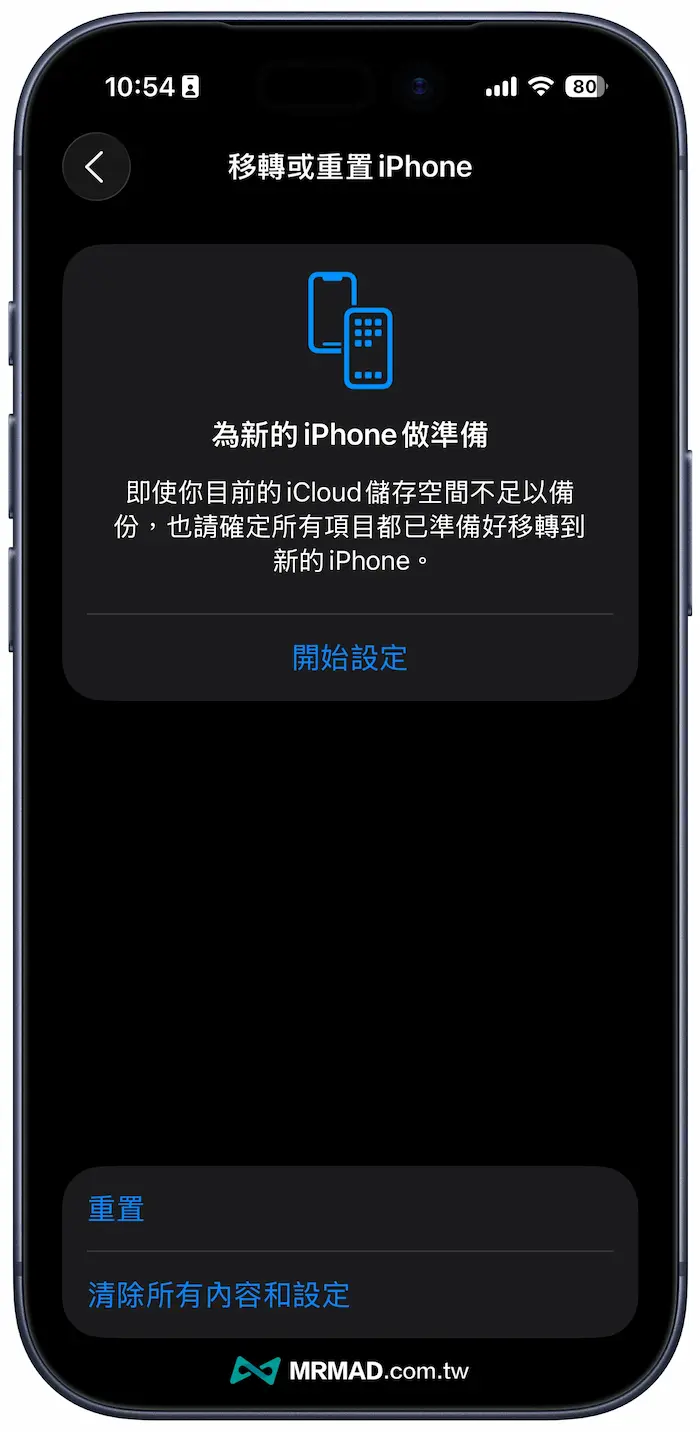
This method will not delete your profile, but will restore all system settings (such as Wi-Fi password, Bluetooth pairing, etc.) to the factory state.
To reset all iPhone functions, you can enter your password and confirm the reset through “Settings” > “General” > “Move or Reset iPhone” > “Reset” > “Reset All Settings”.
Step 8: Waiting for queue to download
If you still get stuck in Apple Intelligence after resetting your iPhone, it cannot be downloaded, mainly because Apple queues up to download in batches. Some netizens share that you must first change the iPhone lock time to Never, and connect to Wi-Fi network to wait for the queue to download.
Step 9: Wait for iOS update
As for the current Apple Intelligence Traditional Chinese Language System, the traditional Chinese language system has just been launched, and iOS 26.1 is also in a beta environment. Some netizens have found that some iPhone models will indeed have Apple Intelligence download stuck, so they need to wait for the subsequent release of iOS 26 correction or the official version to be resolved.
Even when downloading Apple Intelligence, it was also found that when downloading Genmoji, image park and other functions would be stuck. Currently, Apple support technicians have confirmed this problem and are preparing to release updates and fix errors in subsequent iOS 26.
Apple Intelligence Error FAQ
Why does Apple Intelligence only support the iPhone 15 Pro series?
Apple Intelligence requires high-standard chips to handle complex in-device AI operations. Currently, only the iPhone 15 Pro series equipped with A17 Pro chips, or devices equipped with M1/M2 chips, have sufficient computing power.
What do I need to do on my Apple Intelligence waiting list?
If you see a message on the Apple Intelligence waiting list when enabled, it means that Apple is pushing the feature to users in batches. You don’t need to do anything, just wait for Apple to notify you that the service is enabled.
Why is Apple Intelligence only restricting iOS 26.1 version in Traditional Chinese?
The main reason is that new features need to be updated with iOS 26 version to support it, just like the original Apple Intelligence English version only restricted iOS 18.
iOS 26 functions and operation skills teaching (continuously updated)
iOS 26 update tips and information:
Information on new iOS 26 features:
If you want to know more about Apple information, iPhone teaching and 3C information skills, please follow us
Crazy FB Fan Group,
Subscribe to Mad Google News,
Telegram,
Instagramas well as
Subscribe to Madness YouTube.