
 Today’s “Cinder” app tip is for everyone who wants to restore order to their iPhone contacts as quickly as possible and without a lot of typing. The free utility helps you to clean up your address book in the familiar Tinder manner with a swipe gesture and get rid of old and unused contacts.
Order in the address book with Cinder
There is still a little time left before the spring cleaning, but you can never start tidying up early enough. Especially when the iPhone address book is bursting at the seams after years of collecting contacts. You can download the free Cinder app on your iPhone to get your ship cleared quickly and easily.
Cinder – Clean Your Contacts (Free, App Store) →
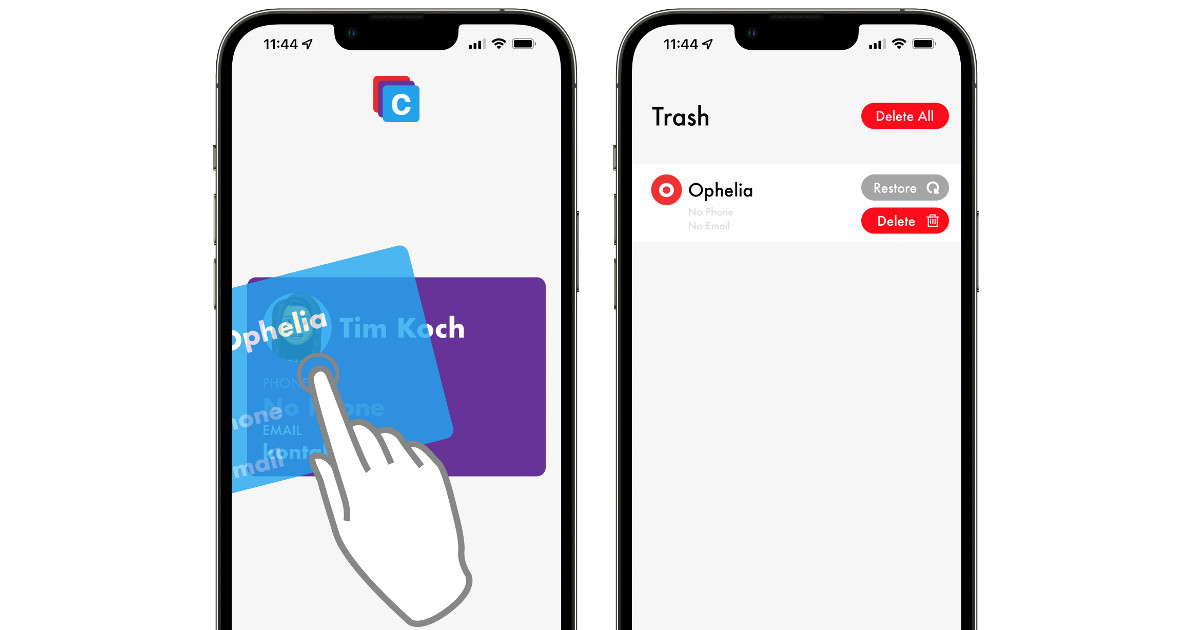
The name, which is based on Tinder, is not chosen by chance, because Cinder uses the same “left-right swiping gesture” with which potential candidates can be secured in the dating app or sent into virtual no man’s land. In the Cinder app, you can delete old and unused contacts with a swipe to the left or keep them with a swipe to the right.
The approximately 6 MB application is free of charge, but financed by advertising, so you will occasionally have to reckon with one or two advertisements. However, the spots are so short that they do not have such a negative impact and do not affect the functionality of the app.
Simply tidy up contacts with a swipe gesture
The app is so easy to use that you don’t need any explanatory words. So it’s not too tragic that the application is only available in English. In principle, usage can be derived from the buttons and icons. As soon as you’ve got the app on your iPhone, you simply allow access to your contacts and then swipe through your iPhone address book. Incidentally, contact cards that you swipe to the left do not disappear immediately.
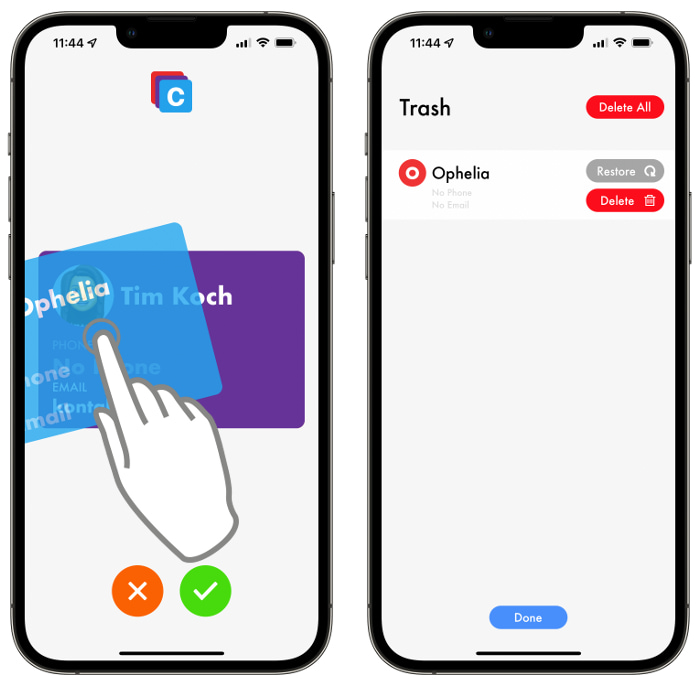
To be on the safe side, the deletion must be confirmed again (“Delete”) and, if you have made a mistake, it can also be undone (“Restore”). Alternatively, you can press the two buttons at the bottom of the screen if you don’t feel like swiping. With Cinder you can save yourself the hassle of typing around in the contacts app and get rid of numbers that are no longer needed more efficiently.
Cinder – Clean Your Contacts (Free, App Store) →
Source: iPhone Tricks