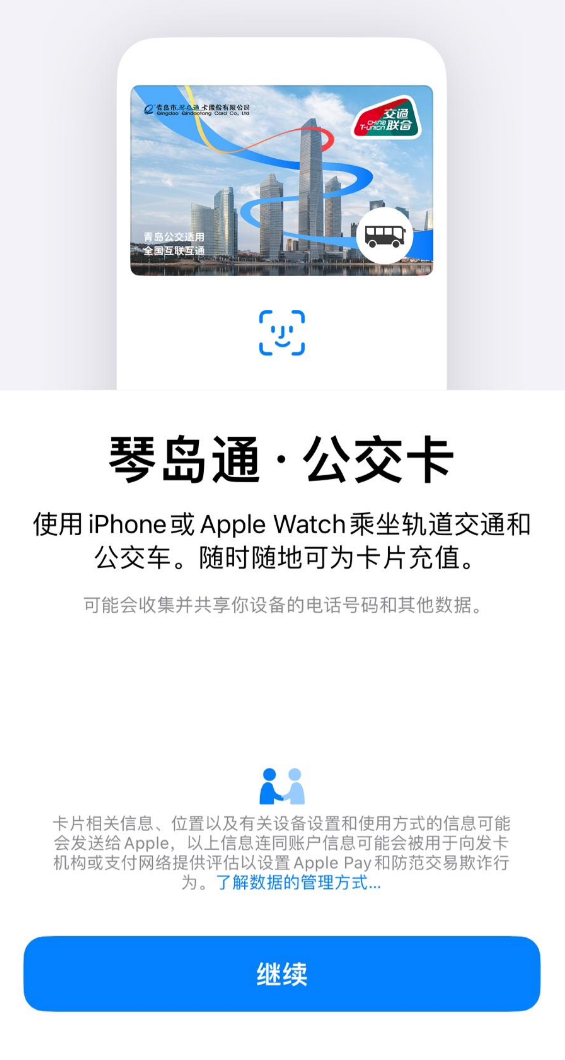
According to today’s news, Qingdao’s “Qindao Tong Bus Card” is now officially launched on Apple Pay. Users can use iPhone or Apple Watch to take rail transit and buses and recharge the card anytime and anywhere.
“Qindao Pass Bus Card” is a national transportation card interconnection card and can also be used in other cities. However, when using it, it must be subject to the scope of use and fare policies issued by the local government and operating companies.
Qingdao Metro also supports transportation cooperation. You can also use Apple Pay to bind Internet and pass cards that meet the standards of the National Ministry of Transport to pass through the gate. The specific card type can be accessed through “Settings-Wallet and Apple Pay-Add Card” in the Apple phone. Check.
For iPhone XS, iPhone XS Max, iPhone XR and newer models, when the iPhone needs to be charged, you can press the side button to check whether the Express Transit Card is available. Performing this operation frequently may significantly reduce the reserve power of the express transit card. If you choose to turn off your iPhone, backup power will not be available.
Preferential policies include:
A 20% discount is given for taking buses (including trams) in the five districts of the city.
If the actual expenditure on the same subway card is less than 100 yuan, a 10% discount will be given on the fare; a 20% discount will be given for the part between 100 and 200 yuan; a 30% discount will be given for the part between 200 and 300 yuan; the part for more than 300 yuan will be restored. 10% off.
Student cards and senior citizens cards (60~64 years old) ride at half price.
Disabled persons, persons with special allowances, and senior citizens (over 65 years old) ride for free.
One-hour transfer discount: If you use the card to transfer to other public transportation within one hour, the amount of transportation used before transfer will be reduced or reduced, with a maximum reduction of 0.9 yuan, one time discount.
Special statement: The copyright of this article belongs to the author of the article. It only represents the author’s views and does not represent the views and positions of Aisi Assistant. This article is uploaded by a third-party user. It is only for learning and communication, not for commercial purposes. If the content, pictures, audio, video, etc. in the article contain the intellectual property rights of a third party, please contact us in time to delete it.