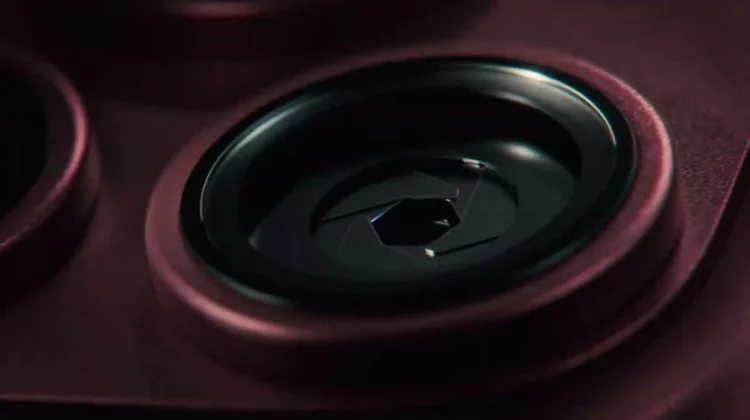
With the iPhone 18 Pro, you can choose the aperture for your photos. 4 levels from ƒ/1.48 to ƒ/4.0. Shutter speed and white balance can now also be determined manually.
You can now do things with the standard camera app that you previously couldn’t do without installing a paid shooting app. From Apple’s technical specifications and product pages, we will organize what can be done and how far.
There are 4 aperture settings to choose from – ƒ/1.48 is brighter than before
The aperture values of the main camera are as follows.
| iPhone14 Pro~17 Pro | iPhone18 Pro/Pro Max | |
|---|---|---|
| Main camera aperture | Fixed at ƒ/1.78 | Select from ƒ/1.48, ƒ/1.8, ƒ/2.8, ƒ/4.0 |
| Brightness adjustment | Mainly processed by software | Optically adjusted on the lens side |
| ultra wide angle | f/2.2 | ƒ/2.2 (unchanged) |
| telephoto | f/2.8 | ƒ/2.8 (no change) |
What I want to pay attention to is ƒ/1.48 when it is fully opened. Brighter than the traditional ƒ/1.78, increasing the amount of light that can be captured in dark places. Not only has the aperture “been able to move,” but the aperture has also evolved.
On the other hand, at the maximum aperture of ƒ/4.0, the photo will be in focus from the foreground to the background. Click here for a detailed explanation of how variable aperture changes the photo.
Before the announcement, there was a view that “variable aperture is only available in the Pro Max,” but in reality it was included in both the iPhone 18 Pro and Pro Max.
There are 4 things you can decide by hand ~ You can also use it in videos
There are four things Apple cites as “pro-level controls”:
- Lens aperture (4 stages)
- shutter speed
- white balance
- Histogram display (check the brightness distribution graphically)
The entry point for operation will also change. Apple explains that it will “display the most commonly used settings in the camera app at the top,” and you can add these four settings there. The screen for those who don’t use it remains the same.
What is often overlooked is that the same four methods can also be used for video shooting. The same “pro-level controls” are listed in the technical specifications video section.
However, only three can be used with the front camera. Since the aperture is fixed at ƒ/1.9, only the shutter speed, white balance, and histogram will be displayed.
When you stop down, light streaks appear ~ Apple’s example is ƒ/4.0
“You can also create shimmering rays of light that are illuminated by bright lights,” Apple writes on the product page. This is a phenomenon in which when you close down the aperture, a point-like strong light expands into a star shape.
Photography data was attached to the examples shown at the presentation event.
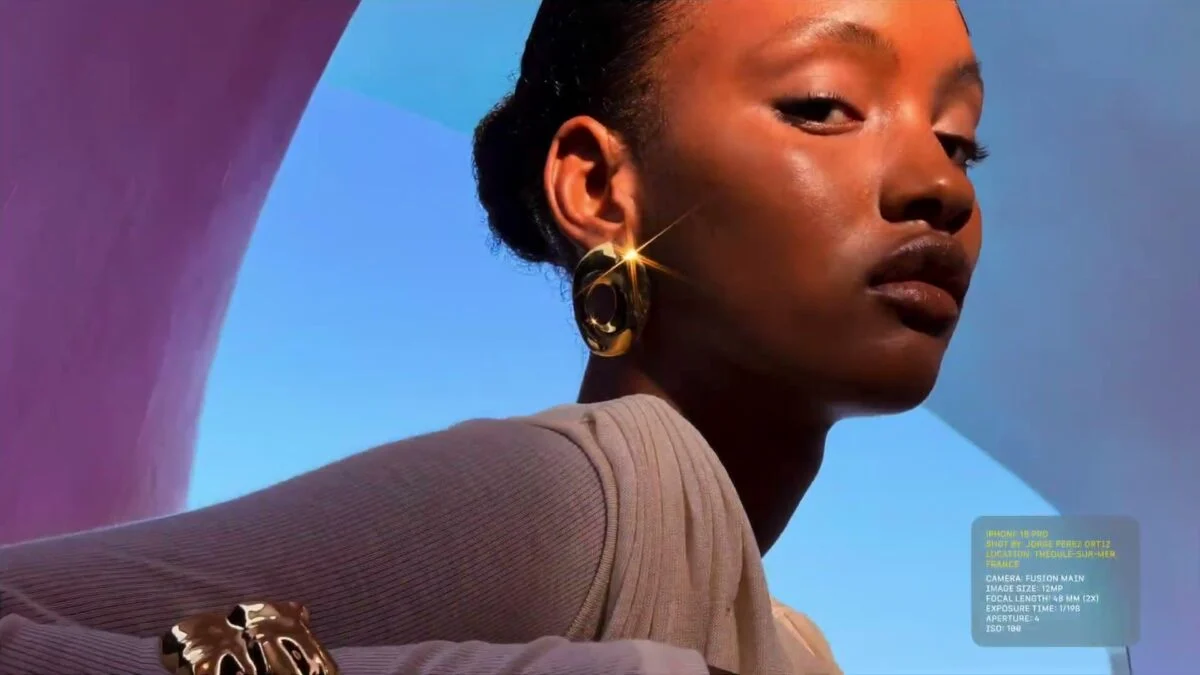
The reflection of the earrings extends into a star shape. Looking at the data, the aperture was ƒ/4.0, twice that of the main camera (48mm), ISO 100, and shutter speed was approximately 1/200 seconds. The photo was taken with the lowest settings.
Previous iPhones were fixed at ƒ/1.78, so this way of shooting was not available. Expressions well known from single-lens cameras can now be used with just a single setting.
How accurate was the code analysis from 2 days ago?
On September 8th, this site reported on five professional features found in the iOS27 code. Compare it with the presentation content.
| Features announced on September 8th | In the official specifications |
|---|---|
| Histogram display | ◯ Written |
| Optical correction compatible with variable aperture | ◯ Equipped with variable aperture |
| Waveform (brightness waveform display) | Not listed |
| Focus peaking/highlight warning | Not listed |
| manual focus | Not listed (aperture, shutter, WB, histogram only) |
| Continuous self-timer | Not listed |
Of the functions that were visible through code analysis, we were able to officially confirm two.
However, only the typical functions are listed in the technical specifications. It cannot be said that it is not listed = it will not be installed. It will be clear what can actually be used after September 18th when iOS27 is distributed and the actual devices arrive.
Photo style can also adjust “texture” and “grains”
There is another change related to the finish of the photo. Photograph style 3.
In addition to tone and color, you can now adjust texture and grain. Apple explains that it “softens skin texture and creates a film photo-like look.”
Effects can be changed and undone after shooting. The UI of the iOS27 camera app has also been redesigned, and this year we have made improvements to both before and after taking a photo.
You can use it without thinking too hard
So far we have talked about manual aperture, but the aperture can also be adjusted automatically. Apple explains that “the aperture automatically adjusts according to brightness and depth of field,” and it opens automatically in dark places without any settings.
You can choose whether to display the settings or not. The design is such that only those who want to use it are placed at the top.
Pre-orders for the iPhone 18 Pro series will begin on September 12th (Saturday) at 9pm, and will be released on September 18th (Friday). The details of the presentation are summarized here.
Source: Apple (1), (2)
Source: iPhone Mania