[PR]This article is brought to you by U-Green Japan Co., Ltd. Although it is produced based on the provision of products, the editorial department independently conducts verification and evaluation.
The iCloud+ 50GB plan is enough, but as the number of 4K ocean videos increases, I can see myself running out of space. I rented a UGREEN NASync DH2300 to see if placing a NAS at home would solve the problem. We organize judgment criteria based on actual measured data, focusing on transfers and viewing from mobile lines on the go.
4K ocean videos take up 50GB of iCloud+
I’m using the iCloud+ 50GB plan. 180 yen per month is enough for now.
However, it is only a matter of time before you run out. When I went diving in Okinawa in August 2026, I put my iPhone in a waterproof housing and shot at 4K/60fps. One dive takes about 35 minutes, and I did 3 dives that day. I took 23 short videos of 15 to 30 seconds each and 25 photos. The total amount of data was approximately 5.2GB.
That’s 5.2GB per day. If you have a 50GB plan, you can fill it up by taking the same amount for 10 days. In reality, regular photos and backups use the same amount of space, so you’ll reach your limit sooner.
I worked as a diving instructor for about 10 years, and the photos and videos I took of the ocean are scattered across my iPhone, SD card, and old PC. I can’t figure out where anything is.
Furthermore, in July 2026, the price of all iCloud+ plans was increased by approximately 20%. 50GB is 180 yen instead of 150 yen. Although the amount was small, considering the premise of increasing capacity, we decided that it was time to reconsider the storage location itself.
Equipment and environment used for verification
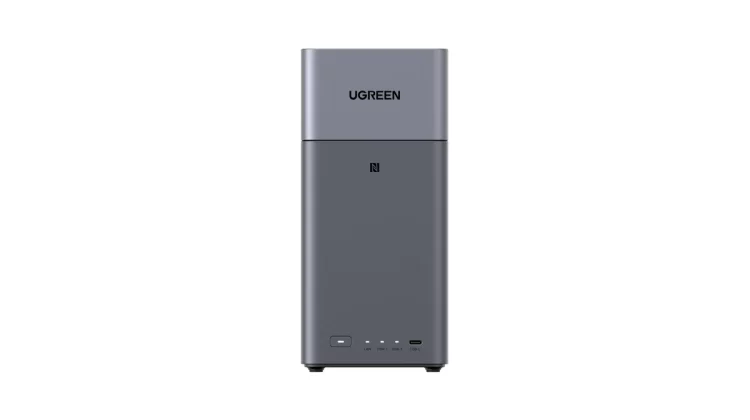
The product tested was UGREEN’s NASync DH2300. I installed two 4TB HDDs and configured it with RAID 1. The actual usable capacity is 3.6TB.
Please note that this machine is a sample machine borrowed from the manufacturer for review purposes, so we have begun testing it from an unopened state.
We confirmed the following four points.
- Initial setting: Time required from opening the box until photos start appearing
- Transferring from outside: Can you send videos to your home NAS using a mobile line?
- Viewing on the go: Can you see what you send on the spot?
- Transfer speed at home: How much difference does Wi-Fi and wired LAN make?
View UGREEN NASync DH2300 on Amazon
It took 10 minutes from opening the box to using it.
It took about 10 to 11 minutes from the time the initial settings were completed until the photos started appearing. However, the contents of those 10 minutes are not equal.
Follow the instructions in the instructions until you fix the HDD in the tray, insert it into the main unit, and connect the power supply and LAN cable. There was no hesitation here.
That’s when I stopped. After I turned it on, I didn’t know what to do. Even after reviewing the instructions from the beginning, I didn’t feel like the steps were continuing, and ended up spending 3 to 4 minutes researching things.
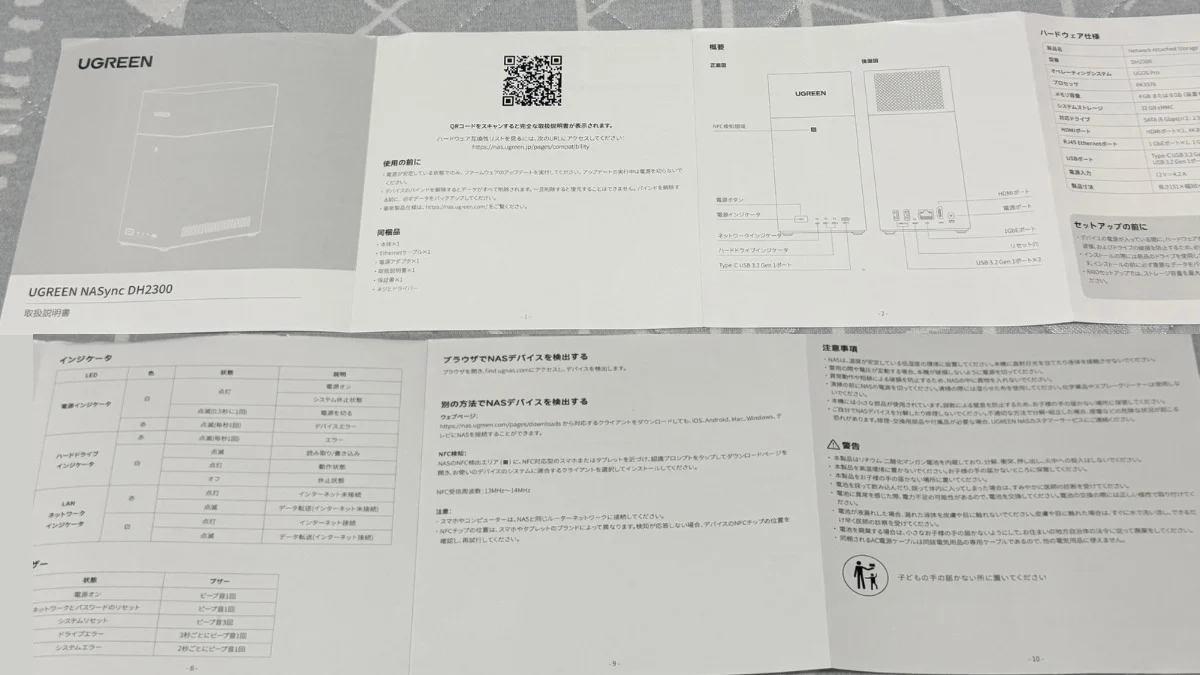
When I reread it later, it was mentioned in the manual. The second half of the 10-page foldout includes instructions on how to access “find.ugreen.com” in a browser and how to obtain the client app from the official website.
I think there are three reasons why I couldn’t get there even though it was written.
- There is a large diagram from installation to startup, but the list of LED indicators gets stuck at the end and the flow of the procedure is interrupted.
- The only way to get to the management screen is a few lines of subheadings with no diagrams.
- It is divided into two options: via the browser and via the app, and there is no indication as to which one to choose.
It’s not an omission, it’s a problem with the order of the information.
Things went faster after I installed the app. Once started, it will automatically find the NAS and complete HDD initialization and RAID configuration just by following the on-screen instructions. There was no need to worry about technical terminology.
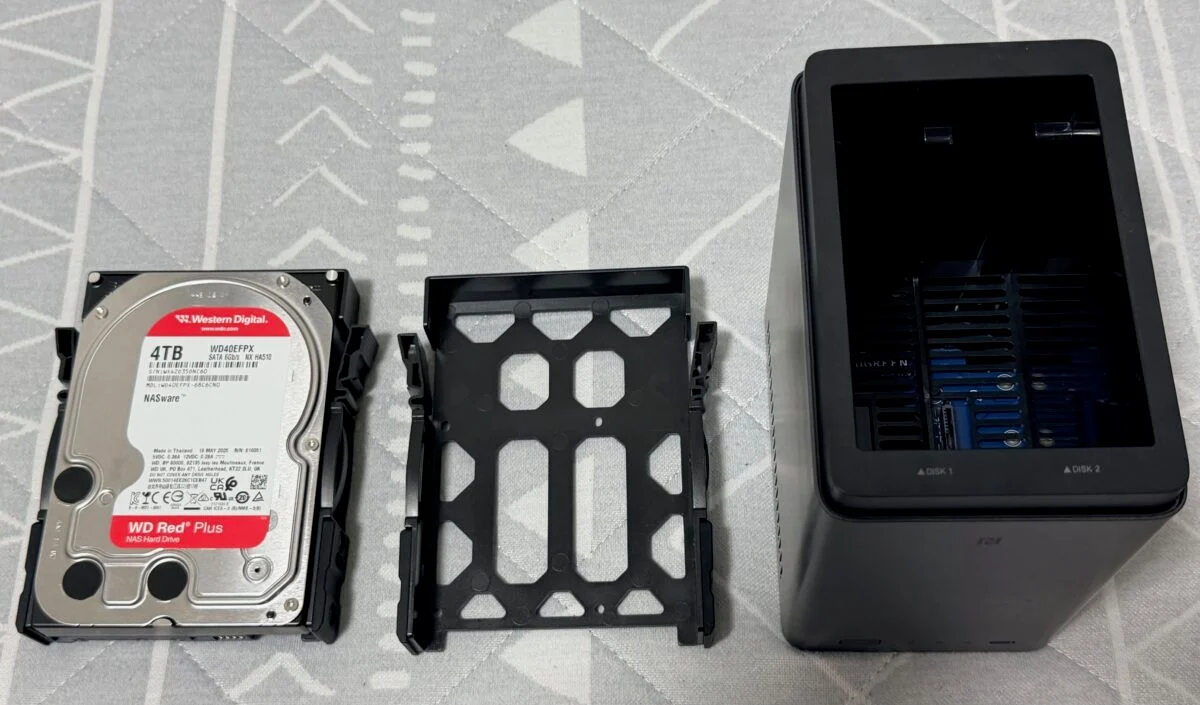
If you are planning to purchase one, please install the app first after installing the HDD. These three to four minutes will no longer occur.
It took 33 minutes and 58 seconds to send 3GB from a mobile connection while out.
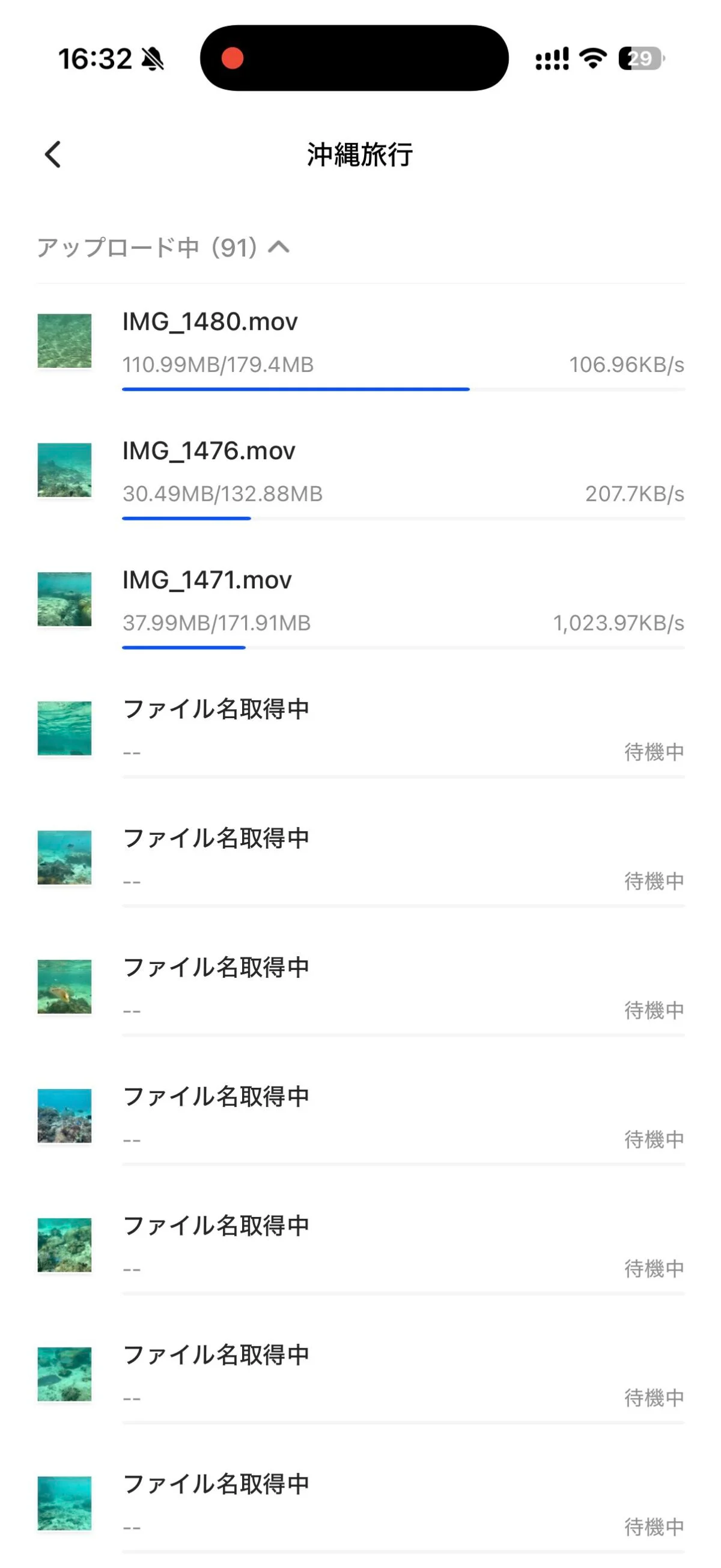
I switched to a mobile line (au) while away from home and sent 3GB of videos and photos to my NAS at home. The time required is 33 minutes 58 seconds, with an average speed of 1.51MB/s (12Mbps).
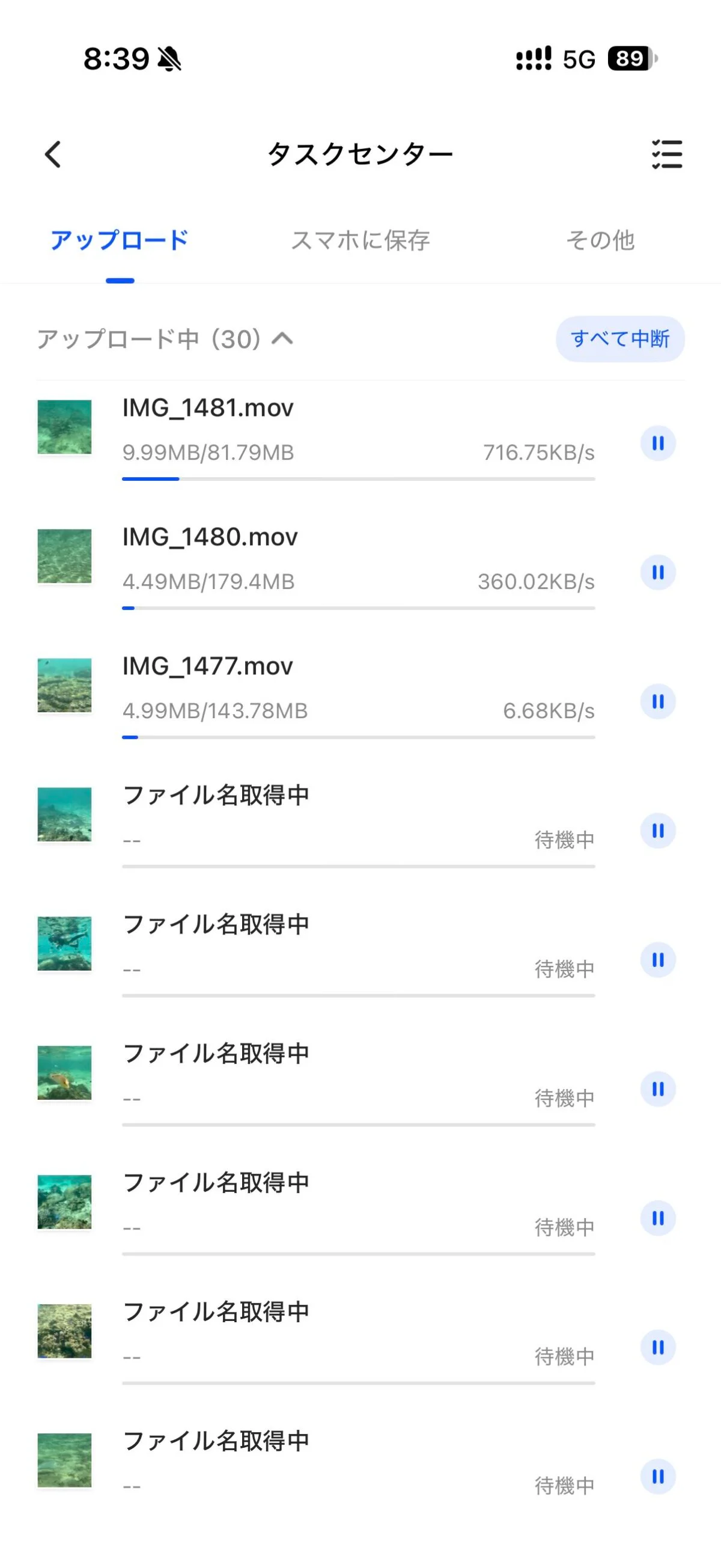
At this time, the line performance was 9.37Mbps downlink and 8.6Mbps uplink. Since the upstream bandwidth is almost used up, this is a limitation of the line and not a slowness of the NAS.
You can use your iPhone for other operations during the transfer. Transfer continued even after closing the screen. However, 34 minutes is the waiting time. If you take photos while traveling and send them immediately, you can run them after arriving at your hotel and before going to bed.
One thing that is easy to overlook is the amount of traffic. The remaining data amount before measurement was 29.71GB, and after sending and returning it was 23.76GB. The consumption is 5.95GB, which roughly matches the amount sent and received. If you send the 5.2GB mentioned at the beginning from an external source, it will consume the same amount of data communication. If you don’t have an unlimited data plan, it’s not practical to send everything on your trip.
The list opens quickly when you view it from outside, but you have to wait when you open it.
I tried opening the file I sent while I was out.
- Open the app and see the list: 1 second
- Until thumbnail appears: 1 second
- Until video starts playing: 16 seconds
- Opening a photo in full size: 39 seconds
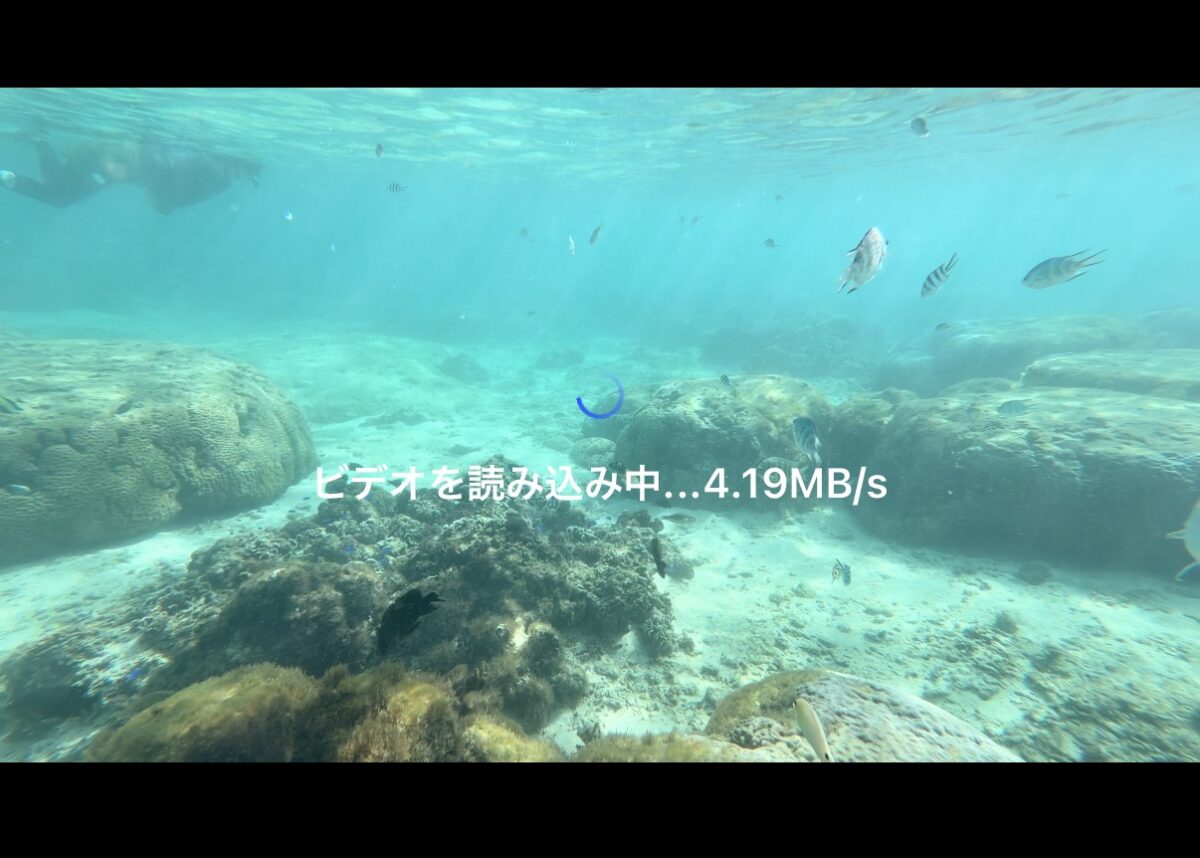
It’s comfortable just looking at the list. Thumbnails are displayed instantly, so there is no problem when checking whether the desired file exists.
On the other hand, if you open a file, it will wait. Even after the video started playing, it stopped every 2 seconds and started loading.
The speed you see from outside is determined by the upload speed of your home Internet connection. This is because the data will be sent out from the NAS. Even if you replace the product, it won’t become faster, and the only way to improve it is to change the line. This is not a product defect, but a physical limitation, but it is something that you will feel slow if you purchase without knowing about it.
Transfer speed measured using home Wi-Fi and wired LAN
If you do the same operation at home, the results will be very different.
| route | material | Inbound | Downhill |
|---|---|---|---|
| PC/wired LAN | 1 video 2.53GB | 42 seconds (61.6MB/s) | 46 seconds (56.3MB/s) |
| iPhone/Home Wi-Fi | 3GB・50 points | 4 minutes 27 seconds (11.5MB/s) | 3 minutes 5 seconds (16.6MB/s) |
| On the go/mobile line | 3GB・50 points | 33 minutes 58 seconds (1.51MB/s) | 25 minutes 40 seconds (1.99MB/s) |
A 2.5GB video takes 42 seconds on your home wired LAN. Since it takes more than 30 minutes from outside, the difference is about 40 times.
If the file is small, the number will drop. For one 625MB video, the speed dropped to 31.3MB/s. This is because it takes time to establish a connection, so larger files will be faster.
When I checked the NAS side during the transfer, I found that the network speed was 43.7MB/s, the writing to HDD was 14.7MB/s per HDD, and the usage rate was 9%. It operates with surplus power remaining.
Operating noise and heat generation are at a level that does not bother you
I didn’t mind the operating noise. The fan is running at about 800 to 1,000 rpm, but the air conditioner and air purifier in the same room are making louder noise. Even if you place it in your bedroom, it will not interfere with your sleep.
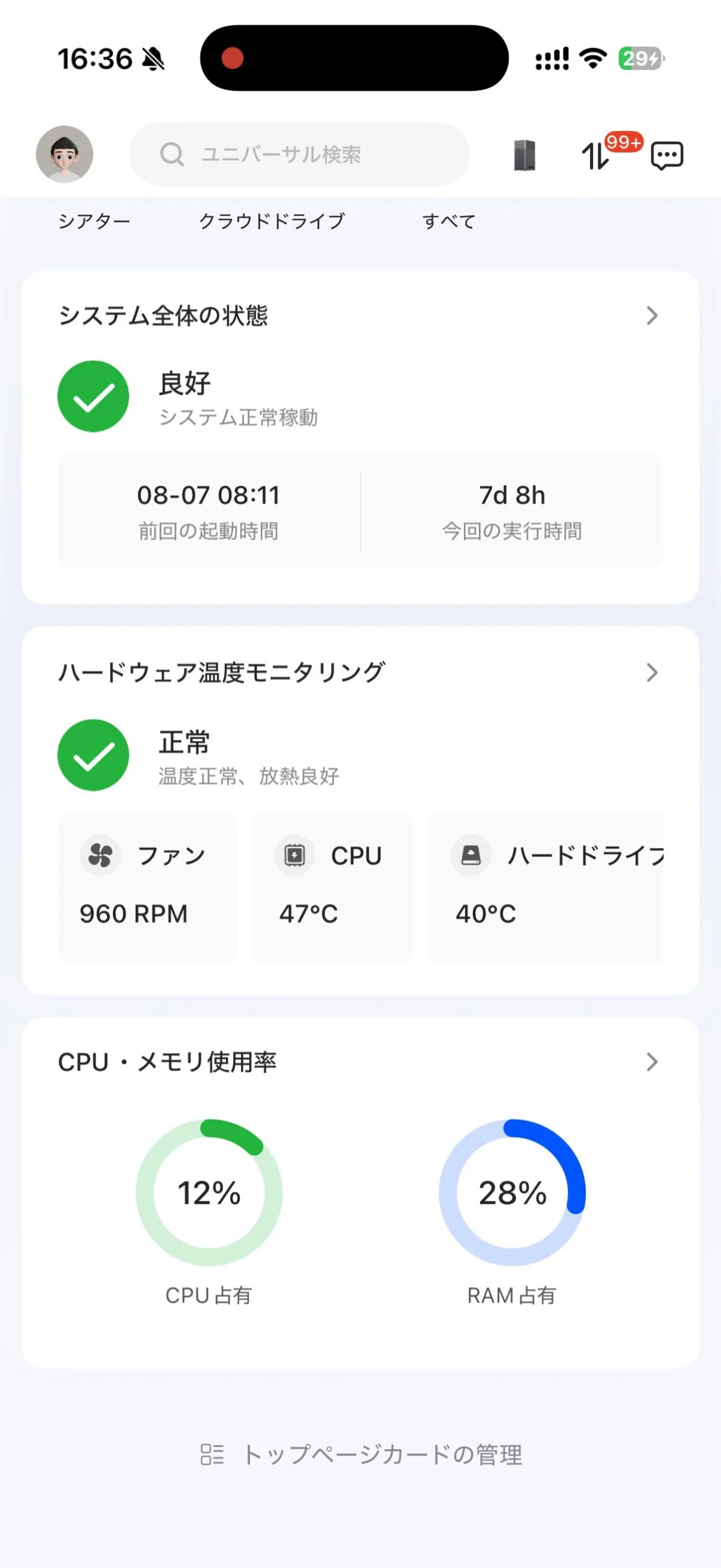
There was no problem with fever. In an environment where the room temperature is 25 degrees, the CPU temperature is 45 degrees and the HDD is 38 degrees during standby. Even immediately after continuous transfer, the CPU temperature was 47 degrees, the HDD temperature was 40 degrees, and the increase was only 2 degrees. Even if you touch the main unit, it doesn’t feel cold or warm.
Cost and payback period compared to iCloud+
First of all, NAS is not a device you buy to save money. With iCloud, you can get more storage space by paying a monthly fee and don’t need to manage it. The initial cost of a NAS is tens of thousands of yen, and you have to manage it yourself.
Then I compared the costs.
| iCloud+ | annual amount | NAS configuration | Estimated initial cost | Collection years |
|---|---|---|---|---|
| 50GB (180 yen per month) | 2,160 yen | 4TB×2/effective 3.6TB | Approximately 83,000 to 94,000 yen | about 40 years |
| 2TB (1,800 yen per month) | 21,600 yen | 4TB×2/effective 3.6TB | Approximately 83,000 to 94,000 yen | about 4 years |
| 6TB (5,500 yen per month) | 66,000 yen | 8TB×2/effective 7.2TB | Approximately 115,000 to 129,000 yen | about 2 years |
The price of the main unit is 29,030 yen (actual selling price on Amazon as of August 6, 2026). The market price of HDD was 27,000 yen to 32,500 yen for 4TB, and 42,800 yen to 49,980 yen for 8TB (as of early August 2026). There are price differences depending on the product even with the same capacity.
I’m on a 50GB plan, so applying this table would mean it would take 40 years to recover. If you only look at the price, there is no reason to switch.
On the other hand, if you are using a 2TB plan, it will take 4 years, and the capacity of NAS will be 1.6TB more. If you set it up with the same capacity as the 6TB plan, it will take less than 2 years.
Another issue is timing. In 2026, HDD prices will be high. The production quota for large-capacity drives has been moved to data centers for AI, and low-cost inventory for home use has become scarce. The reason for the high price is not the product but the market price, so if things settle down, the payback period will be shorter.
In addition, a 5% OFF coupon is available for readers of this article. When applied to the actual retail price of 29,030 yen, it becomes 27,578 yen, which is 1,452 yen cheaper. Since the initial cost exceeds 80,000 yen, the impact on the payback period is small.
This only applies to the NAS itself. UGREEN does not sell HDDs, so HDDs are not eligible for discounts.
Also, the discount is not limited to DH2300. Can be used with UGREEN NAS products except the GT series (DXP2800 GT, DXP4800 GT). This article also applies if you are considering a model with 4 bays or more.
Coupon code: IPHONEMANIA Target products: All UGREEN NAS products (excluding DXP2800 GT and DXP4800 GT) Expiration date: Until September 30, 2026
Once the expiration date has passed, you will no longer be able to use it. If you read this article at a later date, please note the date above.
Purchase using a coupon (UGREEN official website)
People who are suitable for DH2300 and people who are not suitable for it
Based on actual measurements, it is suitable for the following people.
- For people who want to share photos and videos with their family: One device can be used as a place for the whole family. No need for separate cloud contracts
- People who take a lot of pictures on a daily basis: People who shoot in 4K, people who use continuous shooting, people whose videos of children and pets increase every day.
- People who chronically don’t have enough free space on their iPhone or PC: Free yourself from the task of deleting something every time you take a picture
- People who want long-term storage without worrying about cloud capacity: With 3.6TB, you don’t have to worry about capacity for the time being.
- People who want to look back on past photos from outside: If you just look at the list, it will be displayed in 1 second.
On the other hand, there are times when it is not suitable. These are people who only need 50GB of iCloud+, people who cannot afford the initial cost all at once, and people who want to leave the management of their devices to someone else.
As a reminder, RAID 1 is not a backup. The system continues to operate even if one HDD fails, and files deleted by mistake will not be returned. We recommend that you save important photos in another location.
Why I wanted to use NAS after using it
The biggest thing was that we had one place to put it.
Up until now, my ocean photos and videos were scattered across my iPhone, SD card, and old PC. Even if you don’t know where something is and you want to look back at it, you start looking for it. In the end, I often give up, and there is a lot of material that is left unused.
After putting it on the NAS, there is only one place to search. This is separate from the capacity issue. You can also save it on iCloud, but in my case it was scattered across apps.
The other thing is that it can be sent from outside. You don’t have to worry about free space on your iPhone while traveling. If you try to send it all at once over a mobile line, it will take a long time, but if you let it flow when you arrive at your hotel, it will arrive at your home the next morning. There is no need to organize things after returning home.
I feel that having all my photos in one place and being able to save them while traveling is a different value than the monthly fee.
First, check the iCloud+ plan you are subscribed to and the amount you are paying annually.
View UGREEN NASync DH2300 on Amazon
Source: iPhone Mania