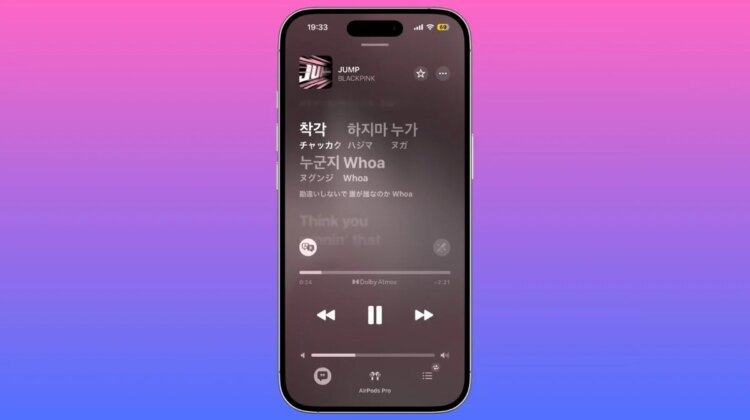
Starting with iOS26, Apple Music has added the ability to translate Western music lyrics. Although there was a function to display the lyrics before, it is now possible to translate them. In addition, a foreign language pronunciation guide function has been added.
How to display Apple Music lyrics on iPhone, iPad, and Mac
Here’s how to view lyrics on Apple Music:
- Select the song you want to see lyrics on Apple Music
- Click the lyrics button at the bottom of the screen
You can display the lyrics using the above procedure.
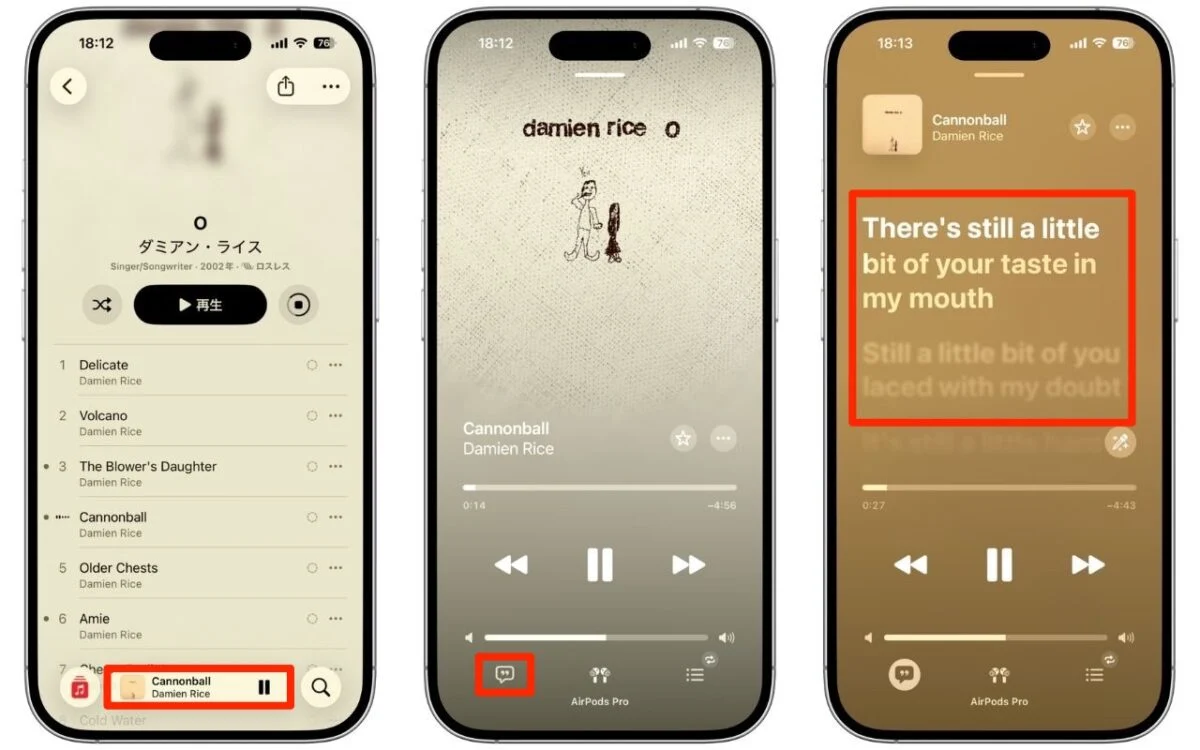
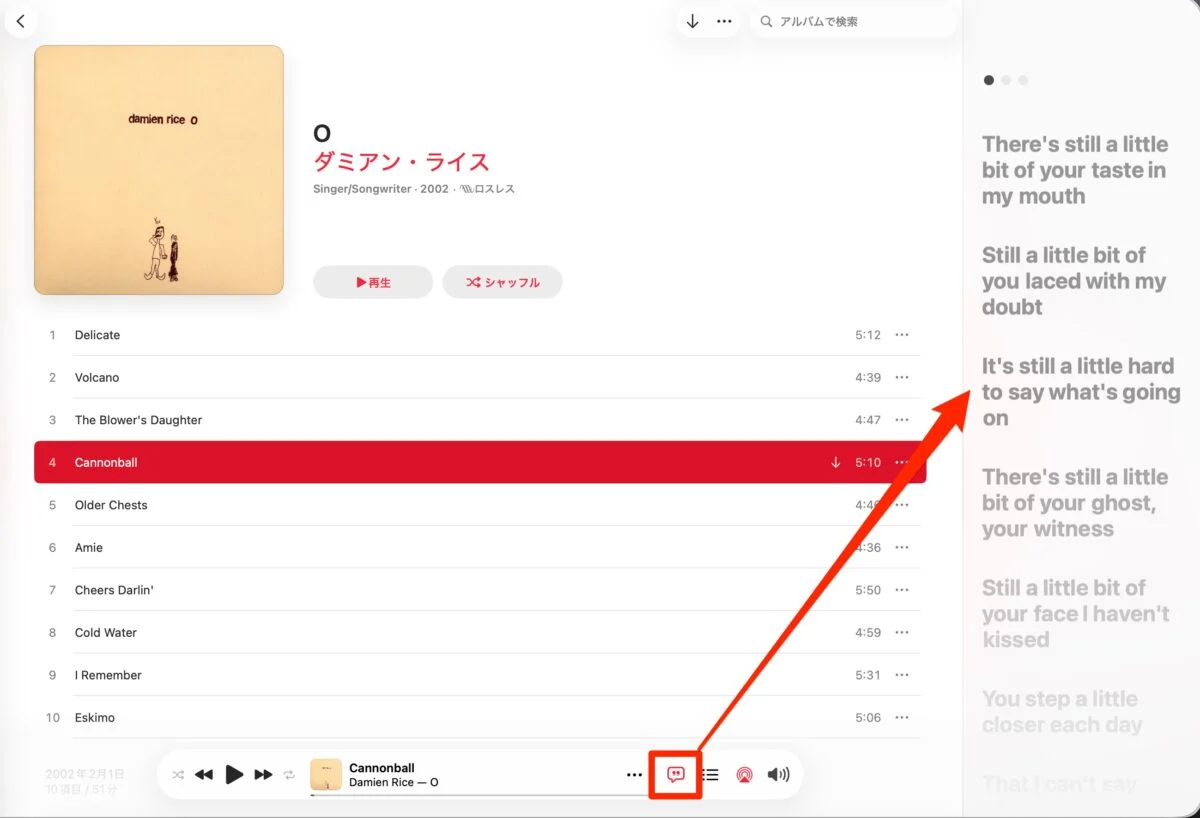
Similarly, on a Mac, you can display the lyrics of the song by clicking the lyrics button displayed at the bottom of the screen.
How to translate Western music lyrics on Apple Music
The flow for displaying translations of Western music lyrics is as follows:
- Select the song you want to see lyrics on Apple Music
- Click the lyrics button at the bottom of the screen
- Translation button → Click “Show translation”
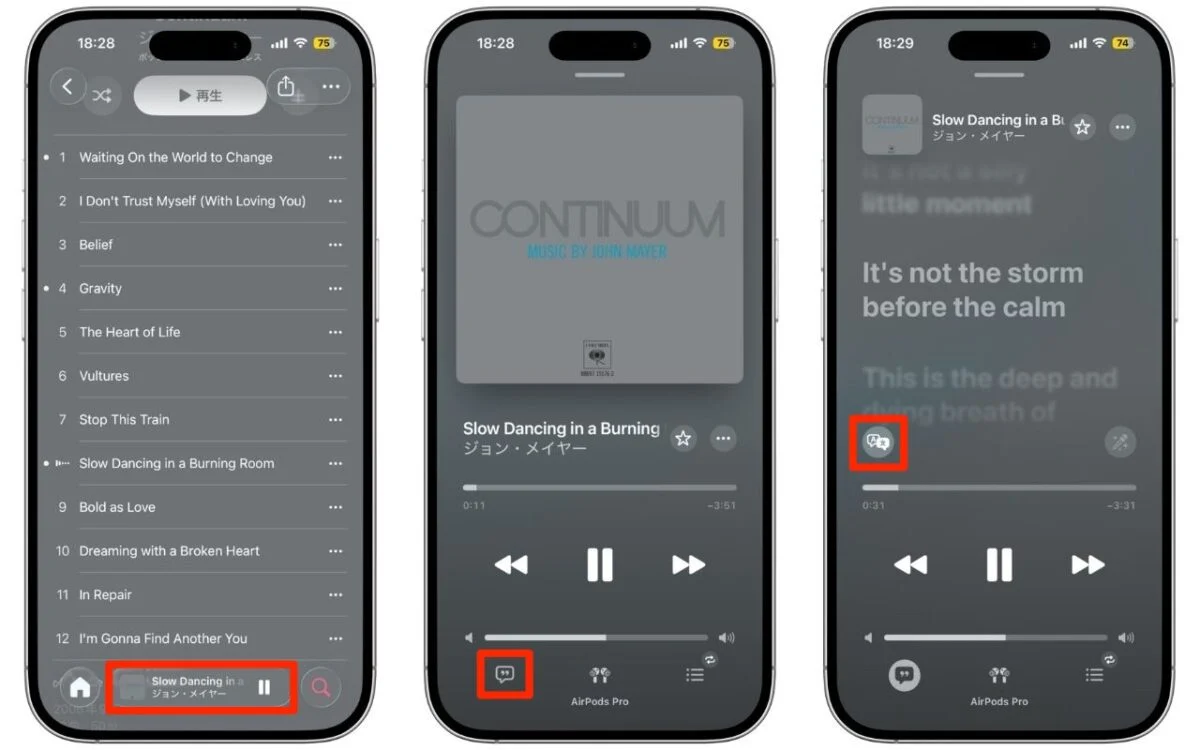
After clicking the translation button, click “Show translation” to display Japanese.
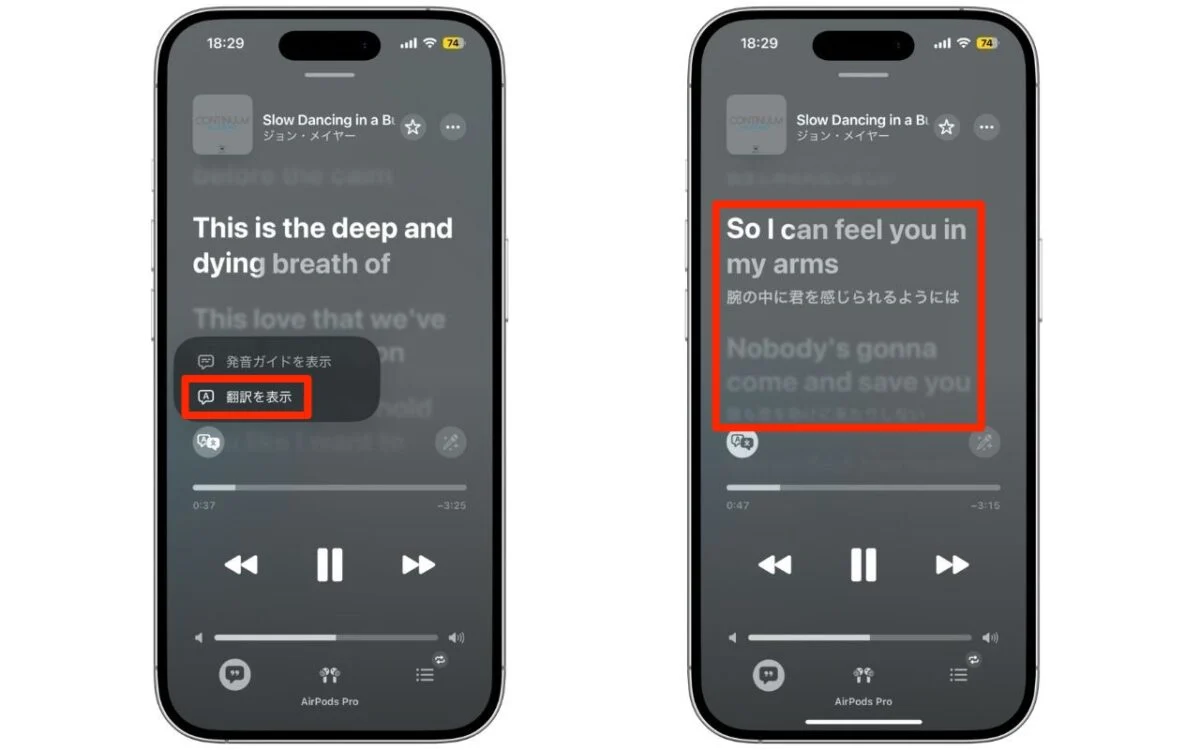
How to display pronunciation guide on Apple Music
Apple Music’s pronunciation guide is a feature that shows you how to pronounce foreign words in katakana and romaji.
The pronunciation guide will be displayed when you click the translation button and then click “Show pronunciation guide”.
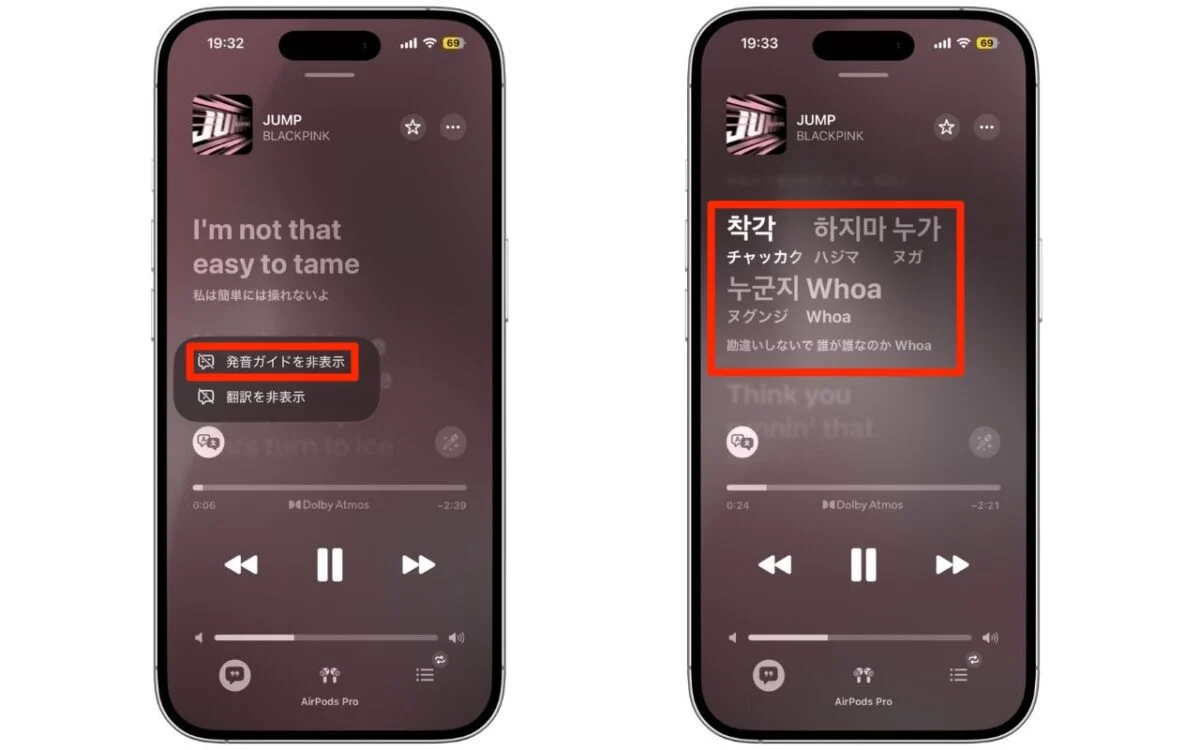
By the way, the pronunciation guide does not seem to be compatible with English. It works in foreign languages that you don’t know how to read, such as Korean and Chinese. It is useful for memorizing songs because it shows you how to pronounce foreign words that are difficult to understand. You can also select and play the corresponding part by clicking on the lyrics.
Notes on Apple Music translation and pronunciation guide
This is a translation and pronunciation guide added from Apple Music on iOS26, but it does not currently support all songs. The way to check which songs can be used is simple; if the translation button is not displayed, it means that it cannot be used. Although the pronunciation guide is displayed, it is grayed out and cannot be selected.
Apple Music’s translation function is different from simple machine translation
Apple Music lyrics translation is more than just machine translation. According to information from overseas media, in addition to machine translation, a system in which native speakers supervise the translation is used.
The song’s context, cultural background, and slang are also taken into consideration, resulting in natural Japanese that does not compromise the artist’s intent. On the other hand, due to the supervision process, not all Western music can be translated. The reason why the translation button is not displayed for some songs is probably because the supervisor has not yet caught up.
Apple’s work on language processing doesn’t stop with Apple Music. In iOS27, the voice assistant Siri is expected to be completely revamped, and collaboration with external AI models such as ChatGPT and Gemini will be strengthened. The combination of lyrics translation and the evolution of Siri will further expand the music experience on iPhone.
Spotify follows suit Lyrics translation is spreading in the music streaming industry
The flow of lyrics translation is not limited to Apple Music. Starting in November 2025, Spotify has also started offering a trial lyrics translation function in some markets. One of the first corresponding works is the album of the Spanish artist “Rosalía”.
It is worth noting that both Apple Music and Spotify have partnered with the lyrics service “MusixMatch” to provide multilingual lyrics. Apple Music was first implemented in iOS26, but Spotify followed suit a few months later.
The trend of transcending language barriers is accelerating throughout the music streaming industry, which can be said to be a tailwind for Japanese listeners who enjoy Western music and K-POP.
Furthermore, AirPods Ultra, which is rumored to be released in 2026, is expected to have stronger collaboration with IR cameras and Apple Intelligence, and when combined with the evolution of Apple Music, the music experience is likely to become even more profound.
Source: iPhone Mania